
Departments
A department is a part of a company, such as Engineering or Sales. Employers create departments for their companies on the site, and a job can be posted under one of its company’s departments. The Departments menu has two screens: Departments for approved and rejected departments, and Approval Queue for those waiting.
The departments list
Section titled “The departments list”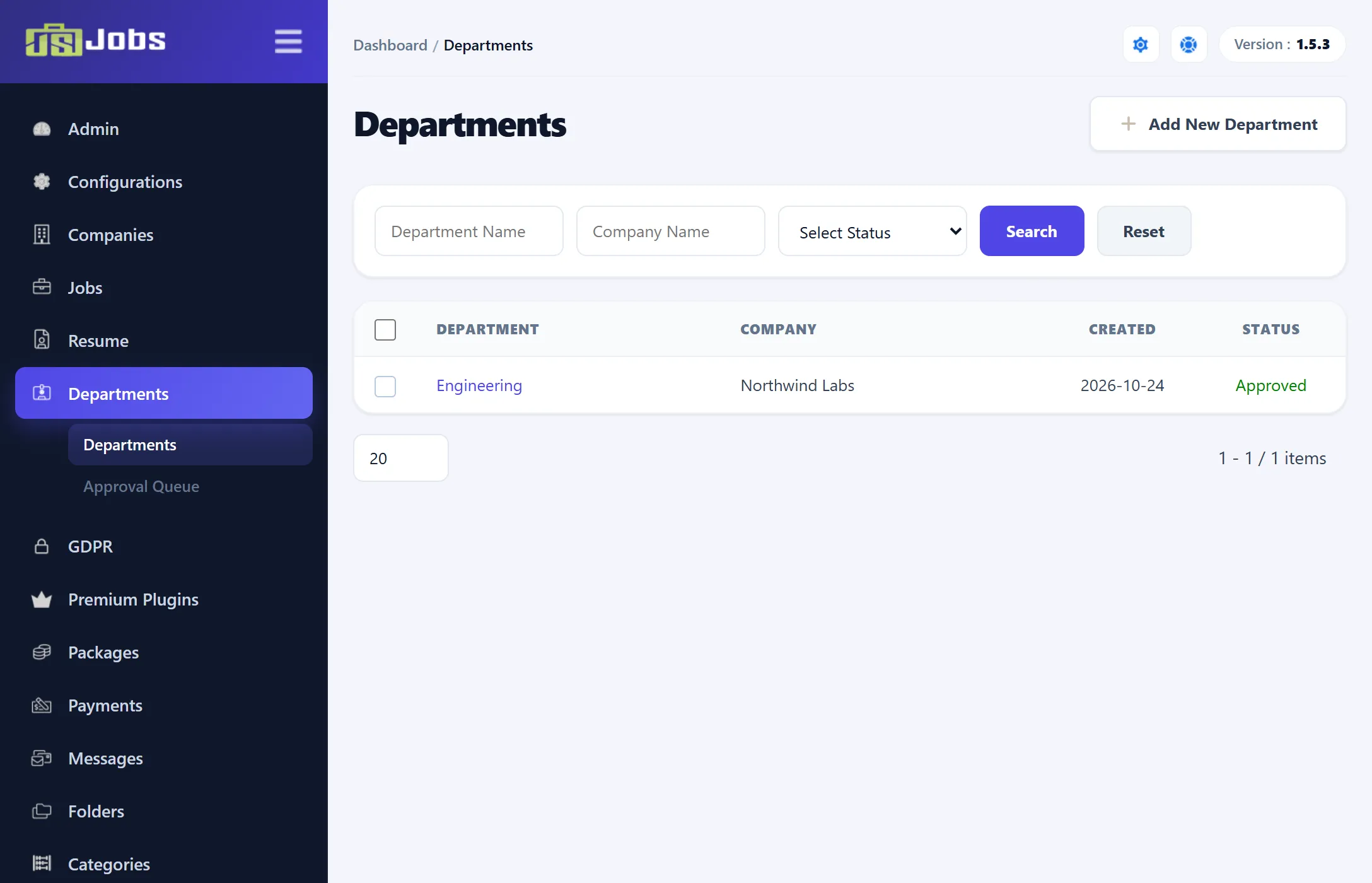
The list shows each department’s name, its company, the date it was created and its status, Approved or Rejected. Click a name to edit it.
| Filter | What it matches |
|---|---|
| Department Name | Part of the department’s name. |
| Company Name | Part of the company’s name. |
| Select Status | Approved or Rejected. |
Click Search to apply, or Reset to clear the filters.
Departments on a row of the companies list opens this list for that one company. The Company Name box then shows the company and can’t be changed.
Joomla’s toolbar has New, Edit and Delete.
Adding a department
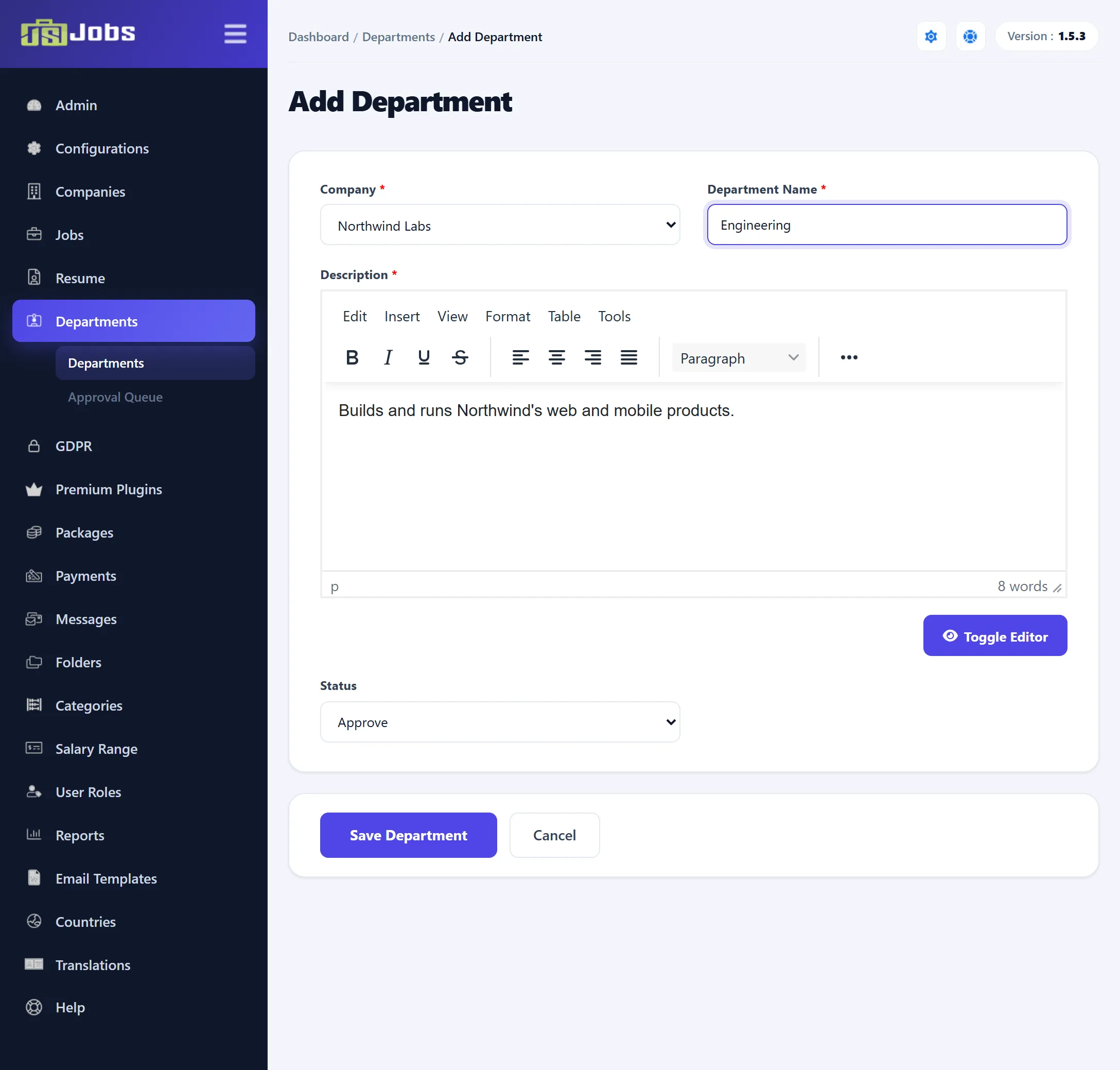
Section titled “Adding a department”- Go to Components → JS Jobs → Departments and click Add New Department.
- Pick the Company. The list holds every approved company.
- Enter the Department Name and a Description. Both are required.
- Choose a Status: Approve, Pending or Reject. Approve is selected on a new department.
- Click Save Department.
Approving departments
Section titled “Approving departments”Departments → Approval Queue lists the departments waiting for approval, with the same Department Name and Company Name filters. In the last column, click the tick to approve a department or the cross to reject it. No e-mail is sent. Click a department’s name to open its form.
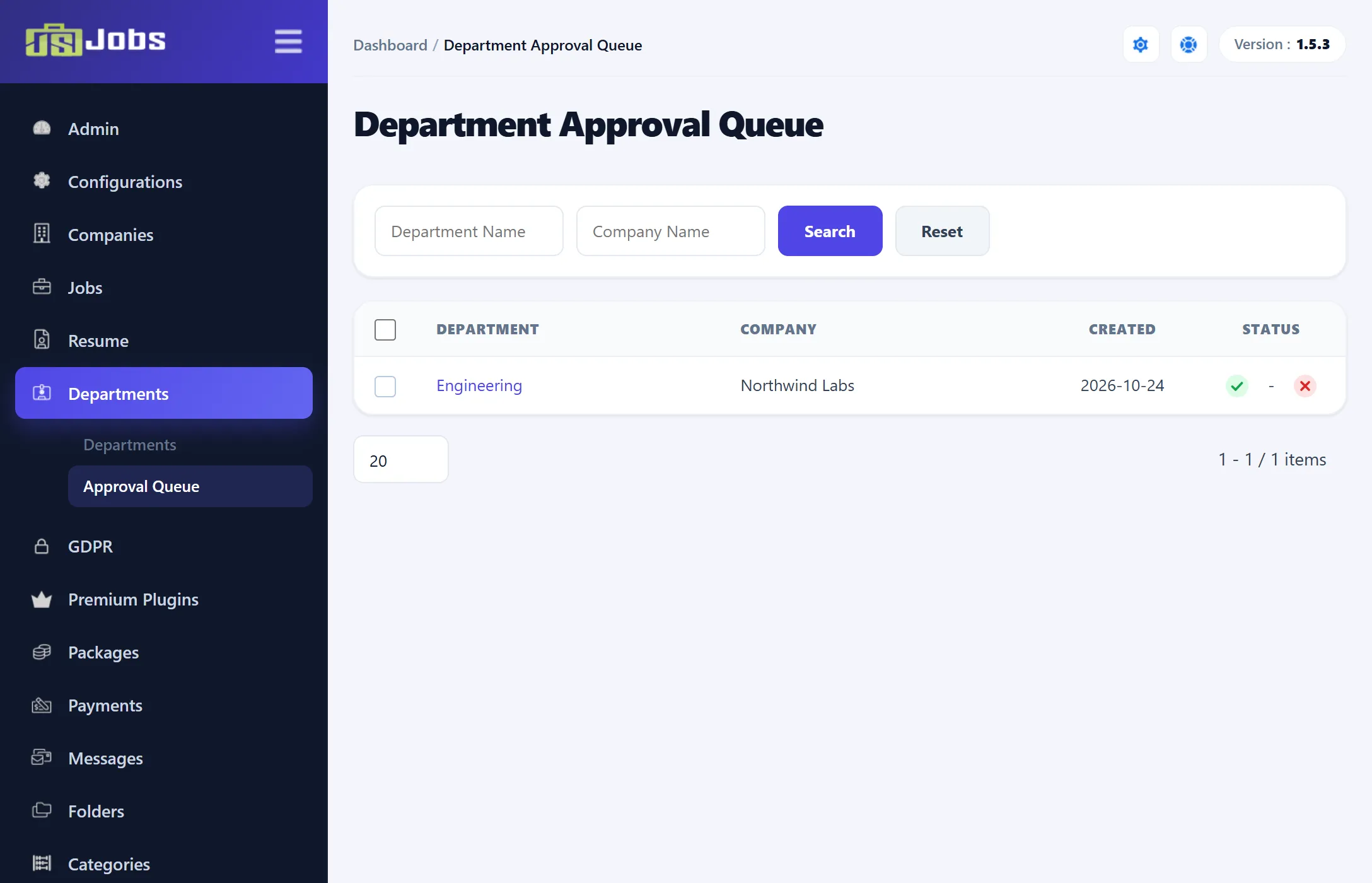
Whether new departments wait here or are approved straight away is set by Department Auto Approve under Configurations → Employer.
Deleting departments
Section titled “Deleting departments”Tick the departments and click Delete in Joomla’s toolbar, then confirm. A department that is used by any job is not deleted; you see an error, even if other ticked departments were removed. Change those jobs’ Department first.
Deleting a company with Force Delete also deletes its departments (see Companies).