
Cron job
Job alerts are e-mailed by a scheduled task: a web address on your site that something has to open regularly. Nothing else sends them, so without a cron job, job seekers who set up alerts get no e-mails.
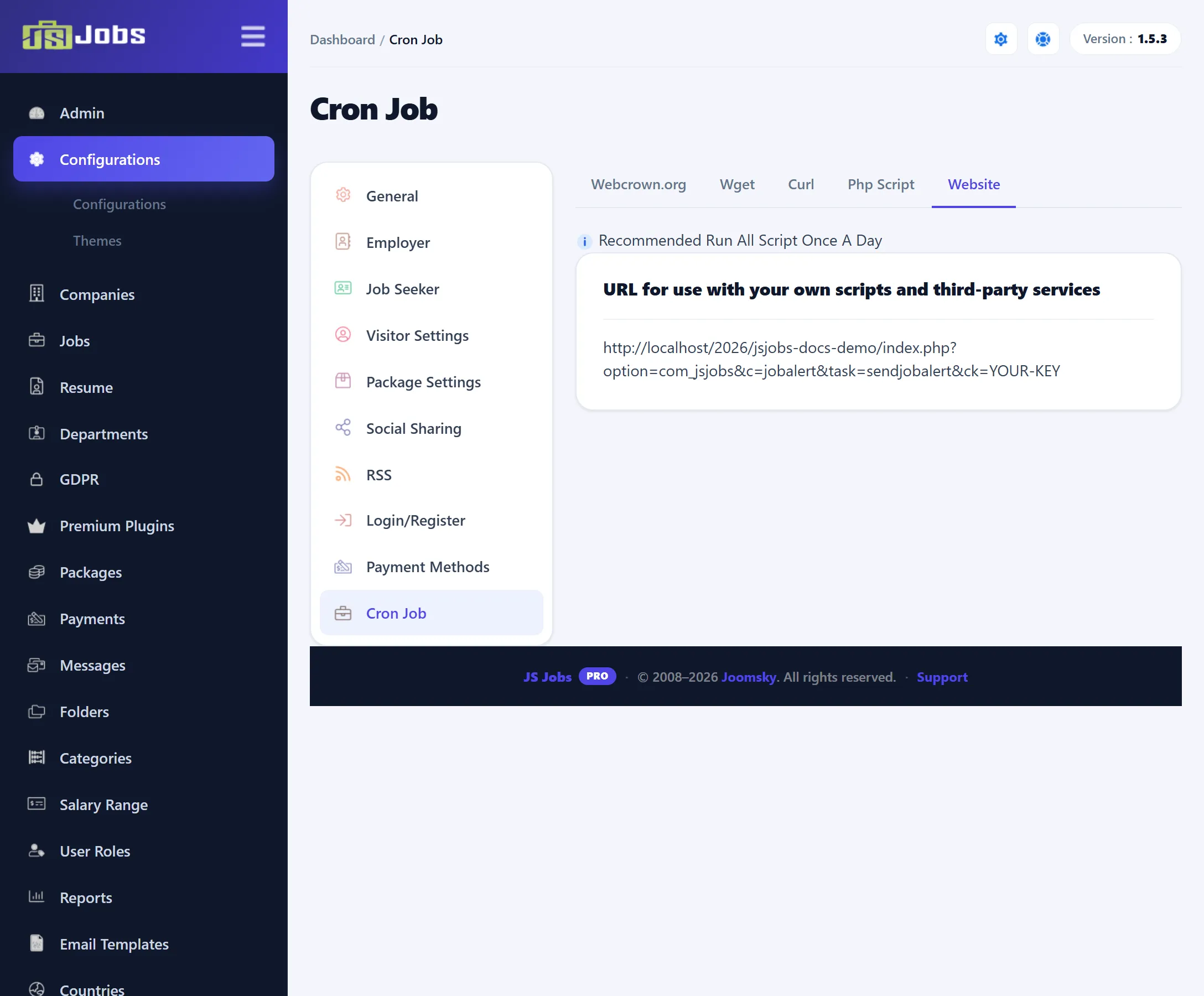
Open Components → JS Jobs → Configurations and click Cron Job in the list on the left. The screen shows the address to call and several ways to call it.
What the task does
Section titled “What the task does”Each time the address is opened, JS Jobs goes through the approved job alerts and picks those that are due: daily alerts last mailed a day or more ago, weekly alerts 7 days or more ago, monthly alerts 30 days or more ago. For each, it looks for jobs that started publishing since the alert’s last e-mail and match the alert:
- the alert’s category, and its sub-category if one is set,
- its cities, if any,
- its keywords, compared with the jobs’ meta keywords.
If there are matching jobs, the job seeker gets the Job Alert e-mail with a table of them (see Email templates).
Alerts waiting for approval are skipped; see Job Alert Auto Approve in Job seeker settings.
The address
Section titled “The address”The address looks like this, with your site’s address in front:
index.php?option=com_jsjobs&c=jobalert&task=sendjobalert&ck=YOUR-KEYck is your site’s cron key. Opening the address without the right key does nothing.
The screen shows the full address, key included, on each of its tabs.
The screen says “Recommended Run All Script Once A Day”. Running it more often does no harm: alerts that aren’t due are left alone.
Setting it up
Section titled “Setting it up”The tabs at the top of the screen give the same address in the form each method needs. Copy it from the screen, with your key.
| Tab | Use it when |
|---|---|
| Webcrown.org | You use the Webcron.org service. The tab lists what to enter there: a name, a timeout of 180 seconds (or more on a big site), the address, an empty login and password, the schedule, and alerts. |
| Wget | Your host’s control panel lets you add a cron job that runs a command. Most hosts have wget. |
| Curl | Your host has curl rather than wget. Two forms of the command are given. |
| Php Script | You want a small PHP script that calls the address, for a host that runs PHP files on a schedule. |
| Website | Any other scheduler or online cron service that opens a web address. The tab shows just the address. |
For example, with a host’s cron jobs page:
-
Open the Wget tab and copy the command.
-
In your hosting control panel, add a new cron job that runs once a day, and paste the command.
-
Save it. The next day, check that job seekers with matching alerts received their e-mails.