
Shortlisted jobs
Your shortlist is a private list of jobs you want to come back to: jobs you plan to apply for, or want to compare. Employers don’t see it. You need to be logged in as a job seeker to use it.
Shortlist a job
Section titled “Shortlist a job”-
On the job list, click Short List on the job.
-
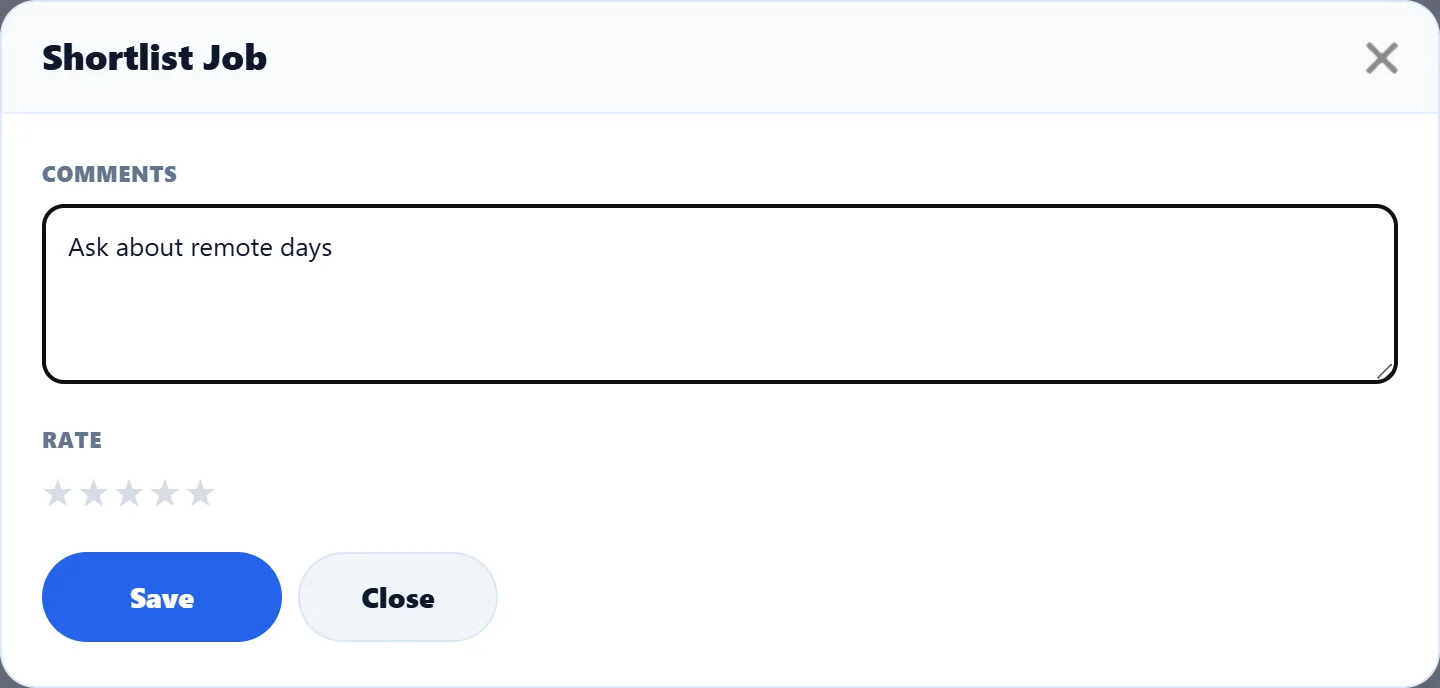
In the Shortlist Job box, write a note to yourself under Comments, for example “Ask about remote days”.
-
Under Rate, click a star to rate the job, from one (Very Poor) to five (Very Good).
-
Click Save.
The box says Job successfully mark as shortlisted. Click Close to close it. If you open Short List again on the same job, the box shows your note and rating, and Save updates them.
If you are not logged in, saving gives Visitor does not allow to shortlist job. Log in and try again.
Your shortlist
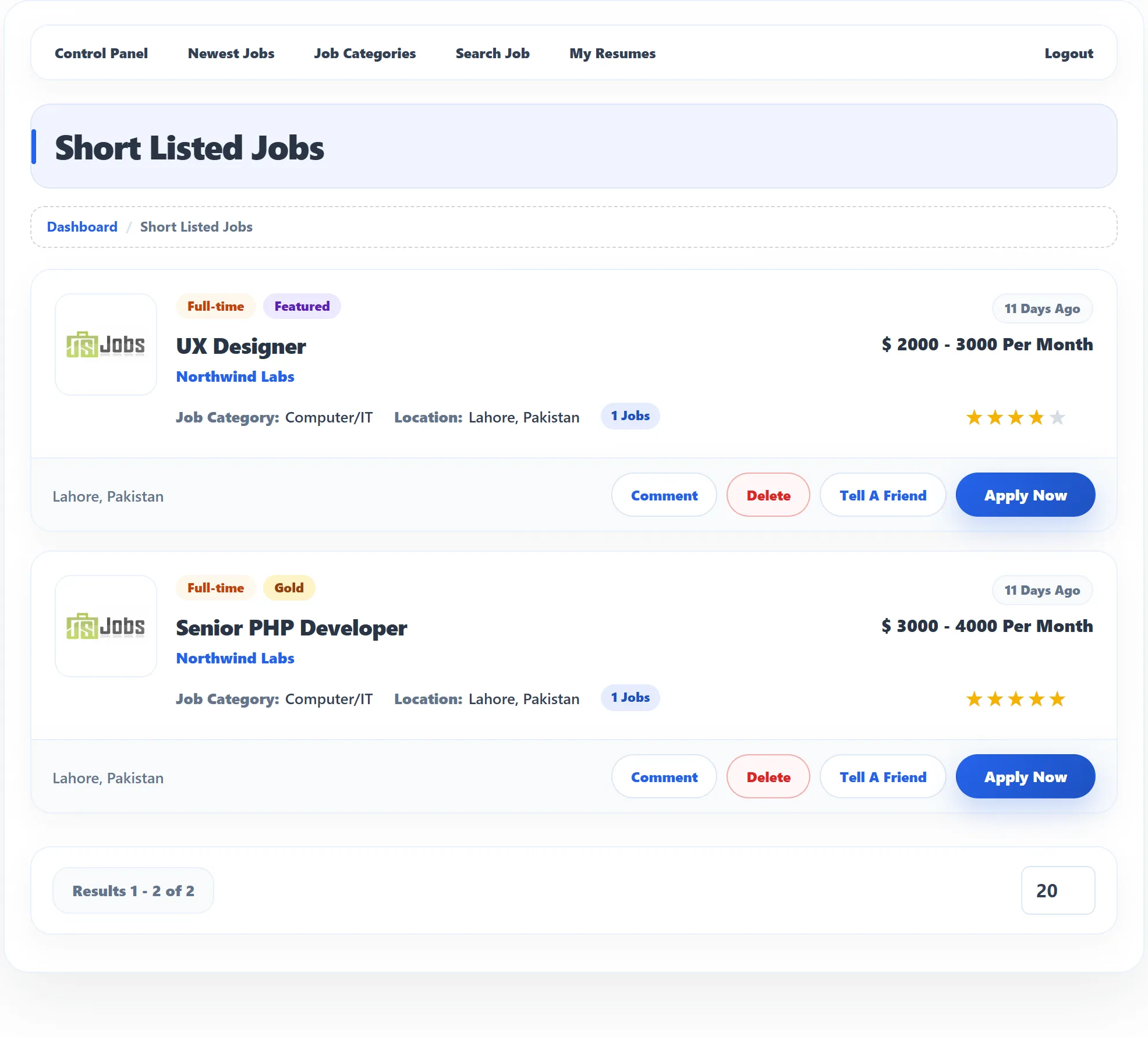
Section titled “Your shortlist”Click Short Listed Jobs in the Job Seeker Control Panel. Each job shows its type and any Gold or Featured badge, the title, the company, how long ago it was posted, the salary, category, location and number of openings, and your star rating.
| Button | What it does |
|---|---|
| Comment | Shows or hides your note. |
| Delete | Removes the job from your shortlist. You see Shortlisted Job has been deleted. |
| Tell A Friend | Sends the job to friends by e-mail. See Viewing a job. |
| Apply Now | Applies for the job. See Applying for a job. |
Removing a job from your shortlist doesn’t affect an application you made for it.