
My Resumes
My Resume lists every resume you have created. Open it with My Resumes in the JS Jobs menu bar, or View Details under My Resume on your dashboard.
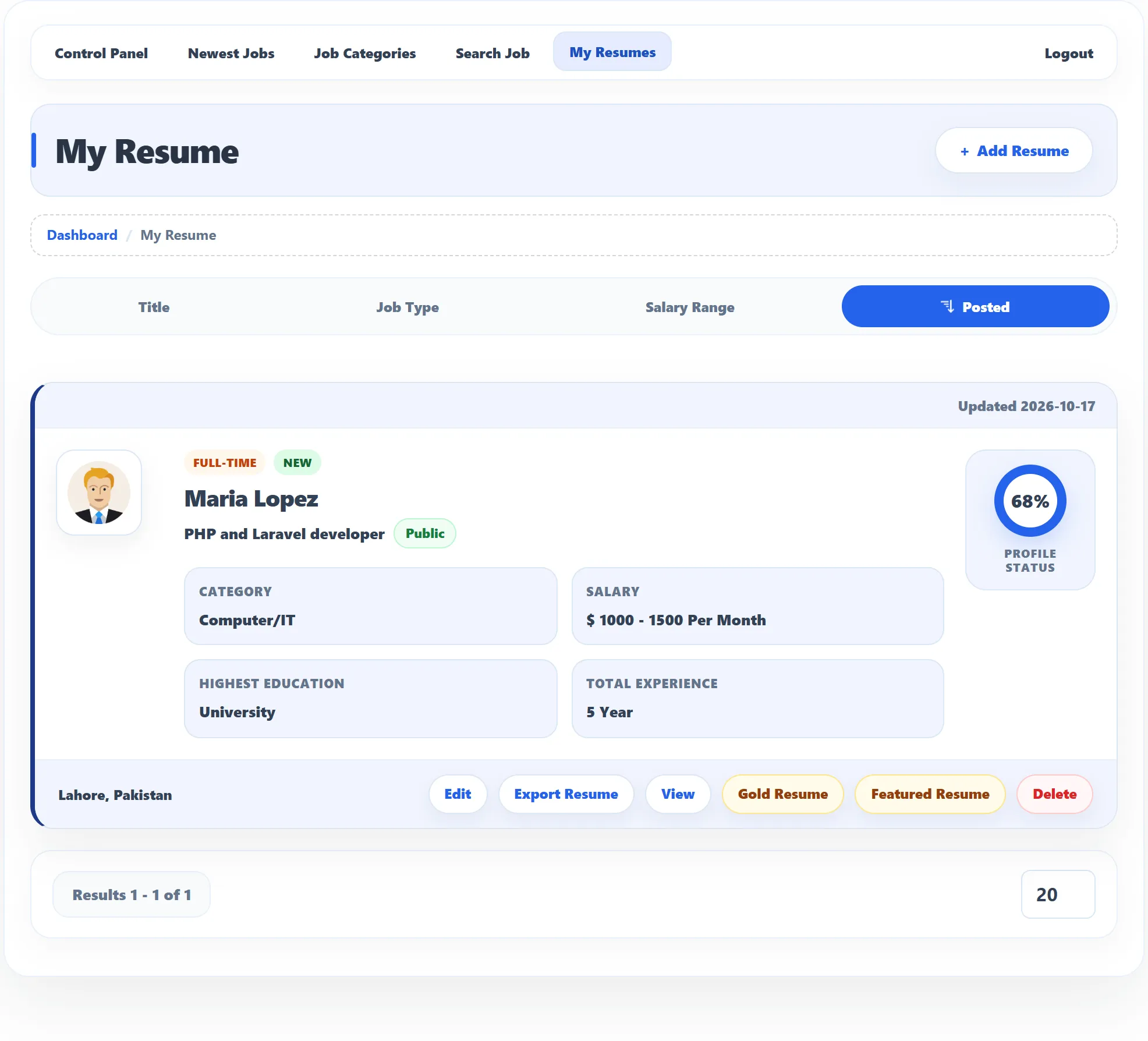
Each resume in the list
Section titled “Each resume in the list”| Detail | Meaning |
|---|---|
| Updated / Created | When you last changed the resume, or created it if you never changed it. |
| Badges | The job type you want, New for a recent resume, and Gold or Featured if the resume is promoted. Waiting… next to Gold or Featured means the request is waiting for approval. |
| Name and title | Your name, the Application Title, and the privacy you chose (Pro), such as Public. |
| Details | Category, Salary, Highest Education and Total Experience. |
| Profile Status | How complete the resume is, as a percentage. |
| Location | The city of your first address. |
Use Title, Job Type, Salary Range and Posted above the list to sort it. Click the selected button again to reverse the order.
What you can do
Section titled “What you can do”The buttons appear once a resume is approved. While it waits, the card shows Waiting for approval; if the site owner turned it down, Rejected.
| Button | What it does |
|---|---|
| Edit | Opens the resume form. See Creating a resume. |
| Export Resume | Downloads the resume as a spreadsheet file (.xls). |
| View | Shows the resume as employers see it. |
| Gold Resume | Asks for the resume to be listed as gold. |
| Featured Resume | Asks for the resume to be listed as featured. |
| Delete | Deletes the resume, after you confirm. |
Viewing a resume
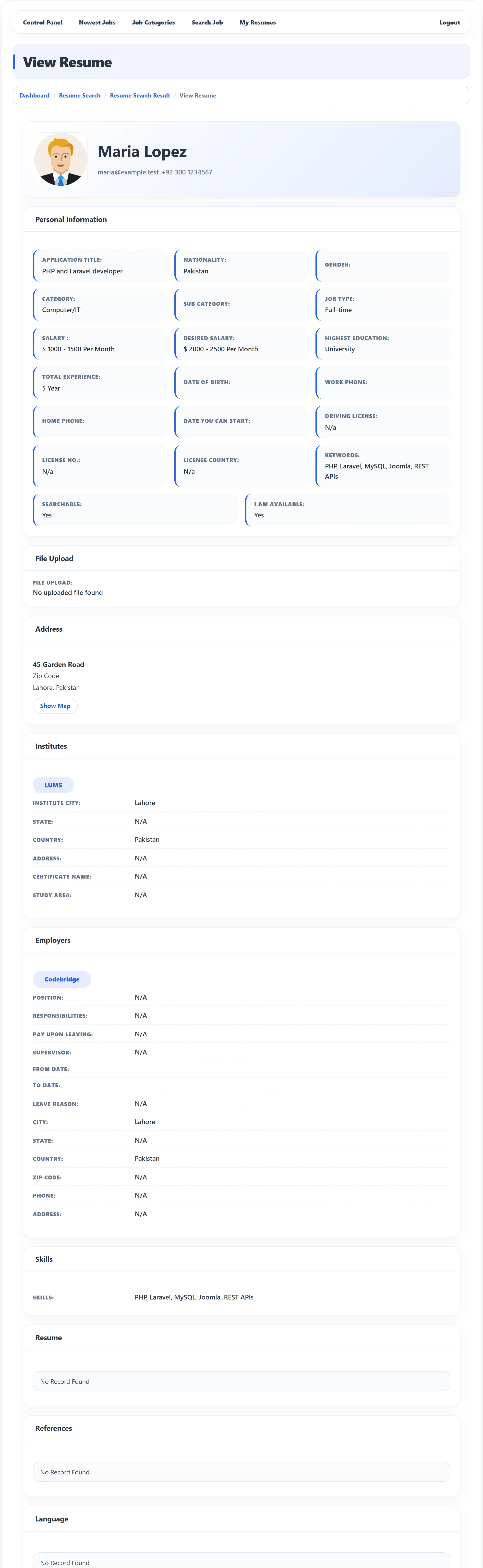
Section titled “Viewing a resume”View opens View Resume, with your photo, name, e-mail and phone at the top, then Personal Information, File Upload (with a Download link for each file and Download All), Address (with Show Map), Institutes, Employers, Skills, Resume, References and Language. A YouTube video, if you added one, is shown on the page.
Gold and featured resumes
Section titled “Gold and featured resumes”Gold and featured resumes stand out to employers. Click Gold Resume or Featured Resume to ask for one:
- If the site approves these requests automatically, you see Gold Resume has been saved successfully (or Featured Resume…) and the badge appears.
- Otherwise you see … is waiting for approval and the badge shows Waiting… until the site owner decides.
- … already exists means the resume is already gold or featured.
- You cannot add a new Gold Resume (or Featured Resume) means your package doesn’t include any more. See Packages.
The listing lasts a number of days set by the site, or by your package.
Deleting a resume
Section titled “Deleting a resume”You can’t delete a resume you have applied with: the message Resume is in use and cannot be deleted appears. Your applications keep pointing to it, so the employer can still read it.