
Installation
You always start with the Free package. Pro is installed over it from the component’s own JS Jobs Update screen, using the activation key you get when you buy Pro.
Requirements
Section titled “Requirements”These docs are written for Joomla 6. The package’s installer runs no version checks of its own: Joomla installs it like any other component.
Upgrading to Pro, and later Pro updates, need a little more. The JS Jobs Update screen checks for these and lists anything missing under “Cannot update from here yet”:
| Requirement | Why |
|---|---|
| PHP cURL extension | To talk to the licence server and download the package |
| PHP OpenSSL extension | Checked by the screen |
| Writable folders | administrator/components/com_jsjobs, components/com_jsjobs and Joomla’s tmp folder must be writable (permissions 755 or higher) |
| PHP sodium extension | To verify the licence statement the server sends. Without it, Pro cannot keep its activation, and checks end with “The licence server response could not be verified.” |
| Outgoing HTTPS | The site must be able to reach the JoomSky licence server |
Installing the package
Section titled “Installing the package”-
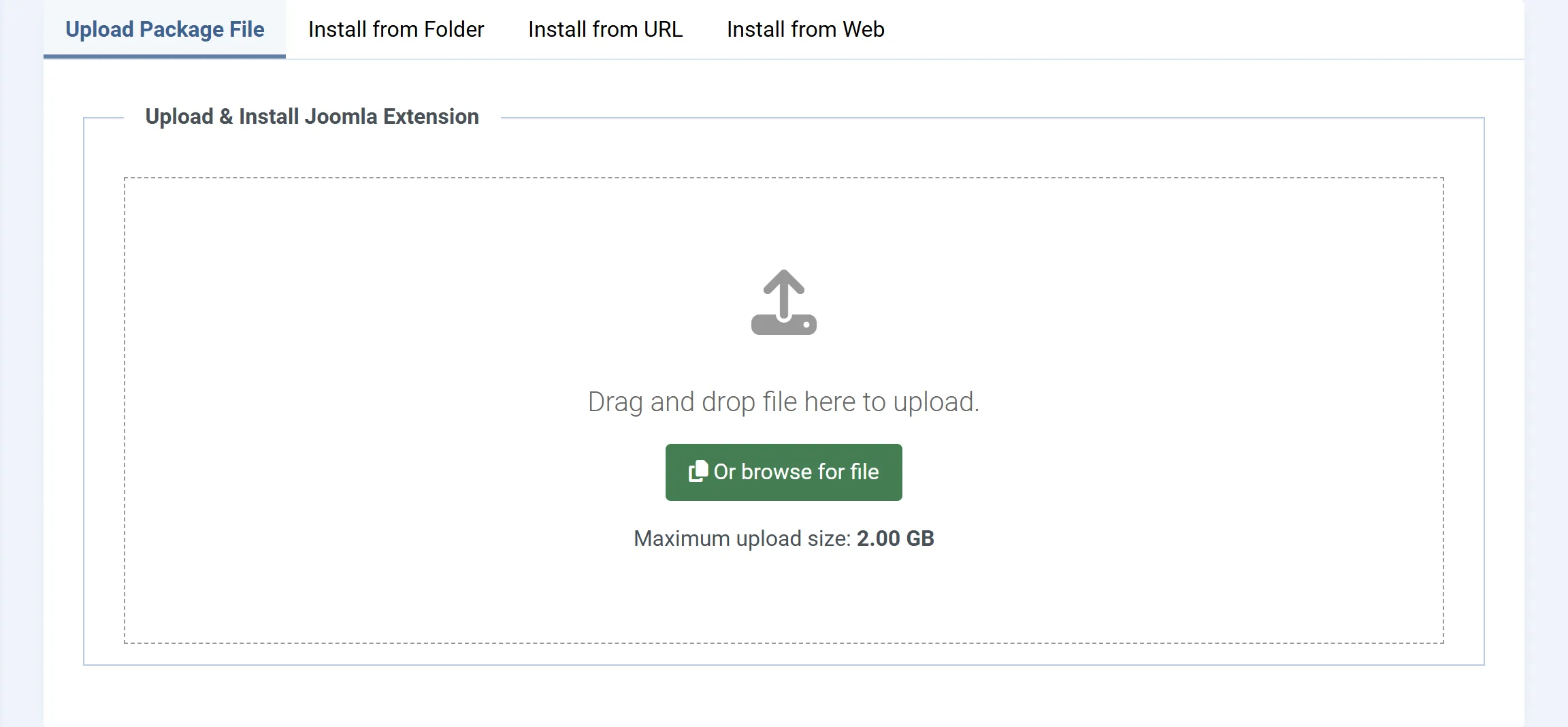
In Joomla’s administrator, go to System → Install → Extensions.
-
On the Upload Package File tab, drop the JS Jobs package onto the upload area, or click to choose it.
-
When the install finishes, you are taken straight to the first step of the setup wizard, JS Jobs Configurations.
You can run the wizard now or later: the × at its top right takes you to the dashboard. The wizard is the only place that offers to create the front-end menu items and the sample data, so it is worth going through once.
What the install sets up
Section titled “What the install sets up”- Database tables. All of JS Jobs’ tables, for companies, jobs, resumes, applications, packages, settings and the lists below.
- Settings. Every setting under Configurations, with its default value.
- Lists. Job categories and sub-categories, job types, job statuses, shifts, highest education levels, ages, career levels, experience, salary ranges and their types, and currencies. Countries, states and cities for locations (the city list covers Pakistan).
- E-mail templates and the fields of the company, job and resume forms.
- Packages. One employer package and one job seeker package, both called Free Package, with a price of 0.
- A module and a plugin. The package carries the JS Jobs Login module and the JSJobs Register system plugin, and installs both through Joomla’s installer. Joomla shows “JS Jobs: JS Jobs Login Module installed.” and “JS Jobs: JS Jobs Register Plugin installed.” when they go in, or a warning asking you to install one by hand if it could not.
The install does not create menu items. Step 4 of the setup wizard does.
Upgrading to Pro
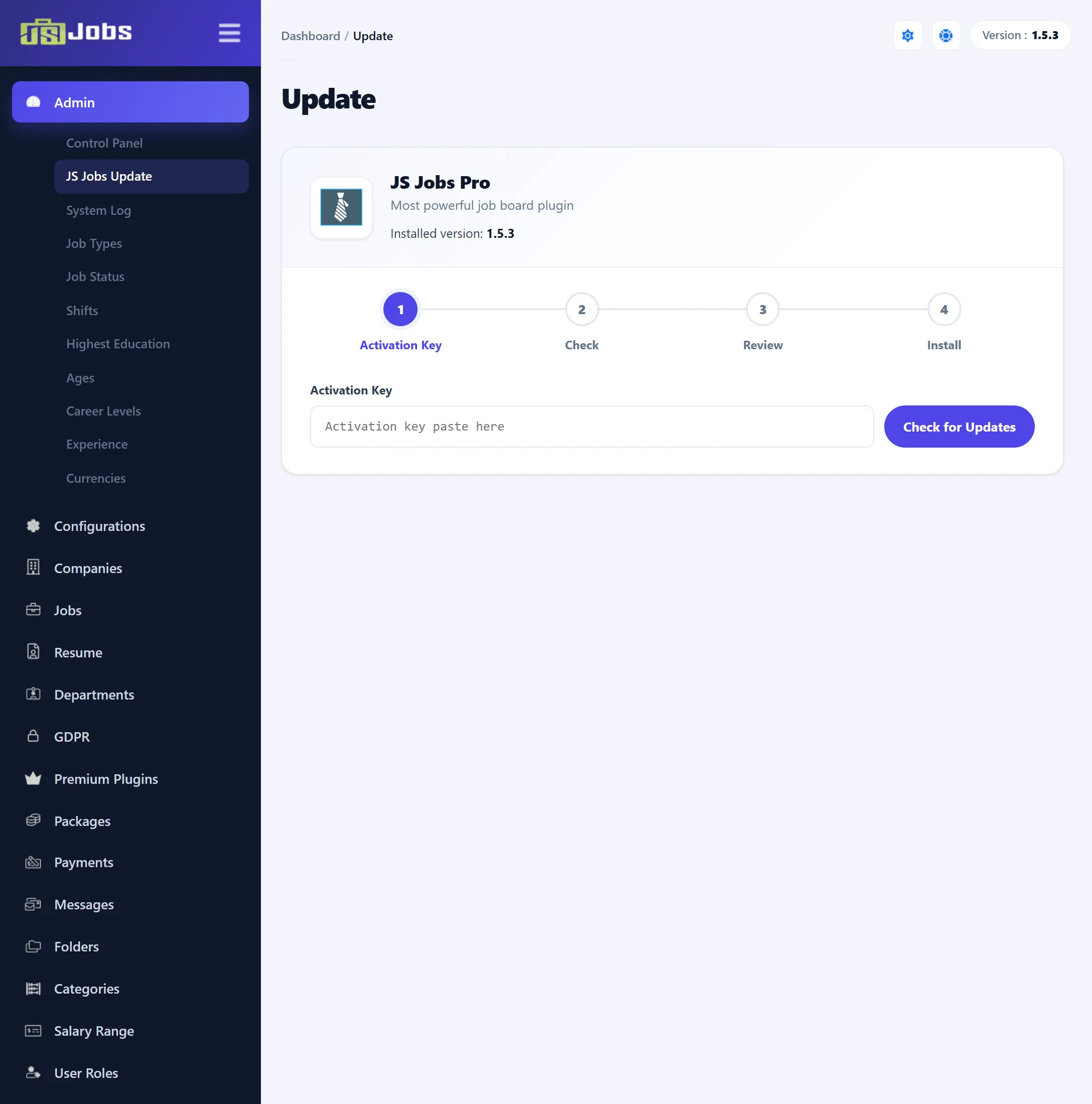
Section titled “Upgrading to Pro”Open Components → JS Jobs, then Admin → JS Jobs Update in the left menu. In Free, the Pro page that the Pro-only menu items open also has an I Have An Activation Key button that leads here.
-
Paste your key into Activation Key and click Check for Updates.
“Contacting the update server…” shows while it works. Your key and your site’s address are sent to the JoomSky licence server, which activates the key for this site. If the key is refused, the reason shows under the box (see Licence messages).
-
On a Free site with a current licence, the check finds Pro to install. Update available shows the new version and its change list. The License panel shows Installed version, Latest version, Update access until and Sites (sites used out of sites allowed).
-
Click Update Now and confirm “All existing files will be overwritten. Continue?”. Leave the page open: the note under the button says it “may take a few minutes”.
-
A log lists each step. It ends with “JS Jobs updated to 1.5.3.” Reload the page or open the dashboard to see the Pro menu.
While it installs, the screen:
- downloads the Pro package and checks it against the SHA-256 checksum the licence server sent, then checks each part inside it the same way;
- replaces the files of
administrator/components/com_jsjobsandcomponents/com_jsjobswith Pro’s, and deletes any other file in those two folders, so keep your own changes elsewhere (template overrides are not in these folders and stay); - installs Pro’s 21 modules and 19 plugins through Joomla’s installer. As with any plugin, new ones arrive switched off: enable the ones you want under System → Manage → Plugins;
- runs the Free-to-Pro database conversion: it adds the tables for messages, folders, job alerts, the job shortlist, payment methods and payments, resume ratings, abuse reports and gold and featured history, and marks the site as Pro;
- keeps the licence statement for this site, and switches off Joomla’s update feed for the Free package so Joomla’s Update screen never offers Free over Pro.
Your companies, jobs, resumes, applications and settings are kept.
If a step fails, the log stops at it with the error, and the error is also saved to Admin → System Log. Nothing that was already done is undone, so fix the cause (often a folder that is not writable) and run the update again.
Your licence
Section titled “Your licence”Pro stays on as long as the site is activated for its domain. Moving the site, checks that fail and an ended subscription are covered in Your licence.
Uninstalling
Section titled “Uninstalling”Uninstalling JS Jobs under System → Manage → Extensions deletes all of its database tables: every company, job, resume, application, package and setting. Back up the database first if you may want them again. The modules and plugins are separate extensions; uninstall them there too.