
Applying for a job
You apply with one of your resumes and, if you like, one of your cover letters. The employer then sees your application and can contact you, invite you to an interview or make you an offer.
Apply with your account
Section titled “Apply with your account”Before you start, you need at least one approved resume. See Creating a resume.
-
Click Apply Now on the job, in the job list or on the job’s page.
-
In the Apply Now box, choose the resume to send under My Resume.
-
Under My Cover Letter, choose a cover letter if you want to send one. If you have none yet, the box shows an Add Cover Letter link instead. See Cover letters.
-
Check the Job Information at the bottom of the box: title, company, job status, location and the date the job was posted.
-
Click Apply Now.
The box then says Application successfully applied. Click Close to go back to the page. The job appears in My Applied Jobs, and the site normally e-mails you a confirmation, as well as telling the employer.
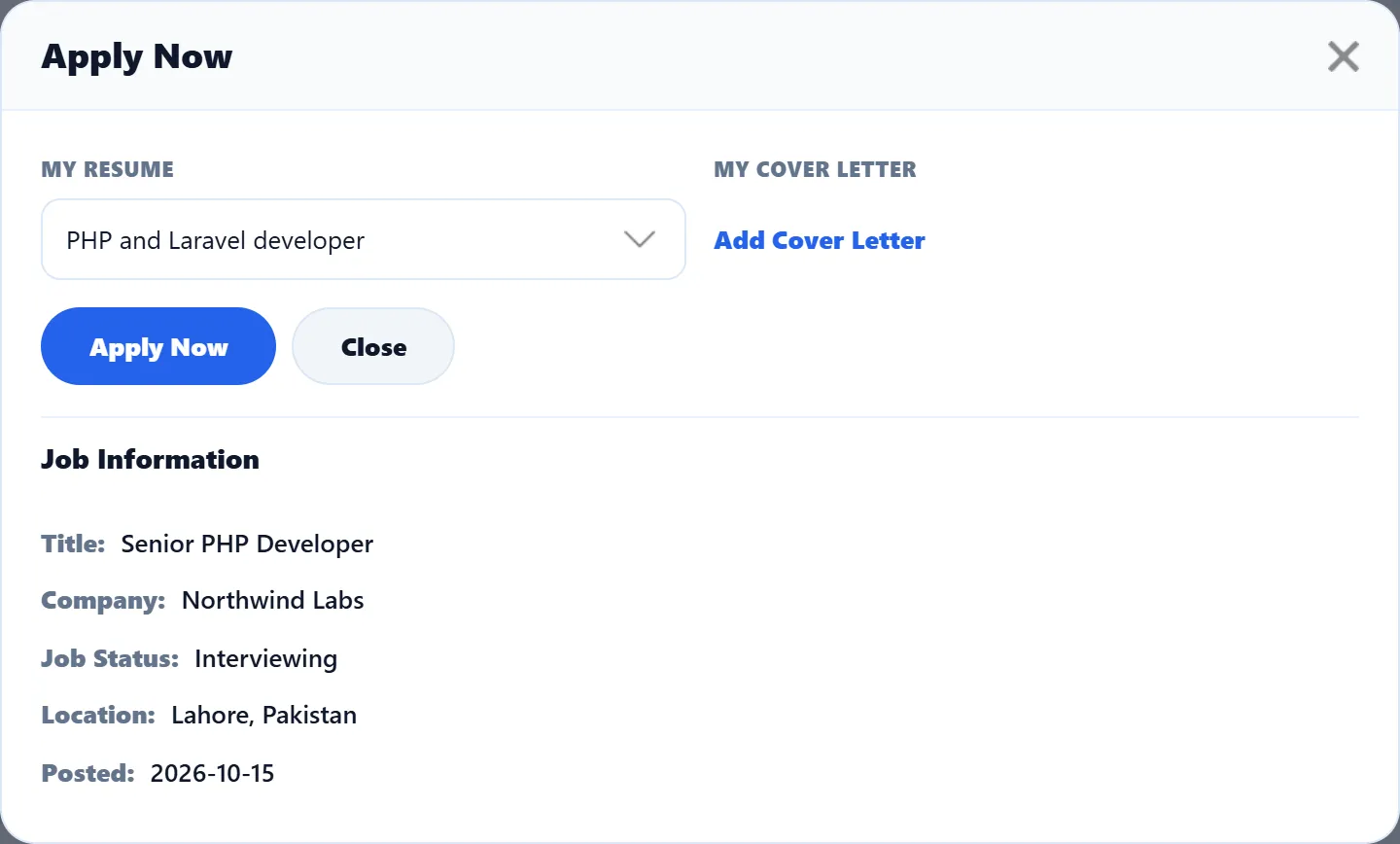
Only approved resumes are offered. A resume that is still waiting for approval doesn’t appear in the list.
If the employer takes applications on their own website, Apply Now opens that website in a new tab instead, and you apply there.
Messages you may see
Section titled “Messages you may see”| Message | Why |
|---|---|
| Application successfully applied | Done. |
| You already apply for this job | You have applied for this job before. You can apply only once per job, whichever resume you use. |
| You do not have a resume / Please add the resume to apply for a job | You have no approved resume yet. Add Resume opens the resume form. |
| You do not have the package | The site sells job seeker packages and applying needs one. Packages takes you to them. See Packages. |
| Your current package is expired | Your package has run out. Get a new one. |
| Your job apply limit is exceeded | Your package allows no more applications. |
| Employer not allow | You are logged in as an employer. Only job seekers can apply. |
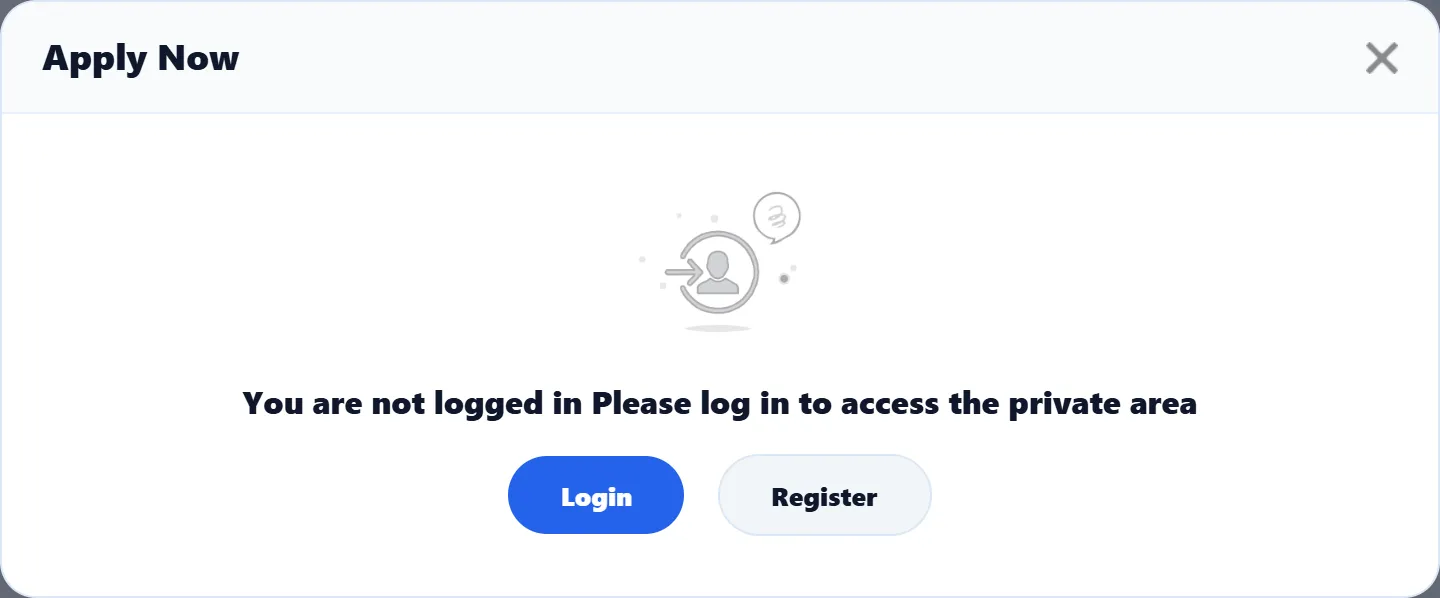
| You are not logged in / Please log in to access the private area | Log in, or register as a job seeker, with the Login and Register buttons. |
Apply without an account (Pro)
Section titled “Apply without an account (Pro)”Some sites let visitors apply without registering. On those sites, a visitor who clicks Apply Now goes to an Apply Now page instead of the box above.
-
Click Apply Now on the job.
-
The page says You are not login, Login or apply as a visitor. Either log in with your User Name and Password, or click Job apply as a visitor. (Some sites skip this step and go straight to the form.)
-
A resume form opens, headed You Are Applying On This Job! with a summary of the job. Fill it in as described in Creating a resume.
-
Answer the captcha if the form shows one.
-
Click Apply Now.
You are taken back to the job list with Application successfully applied.
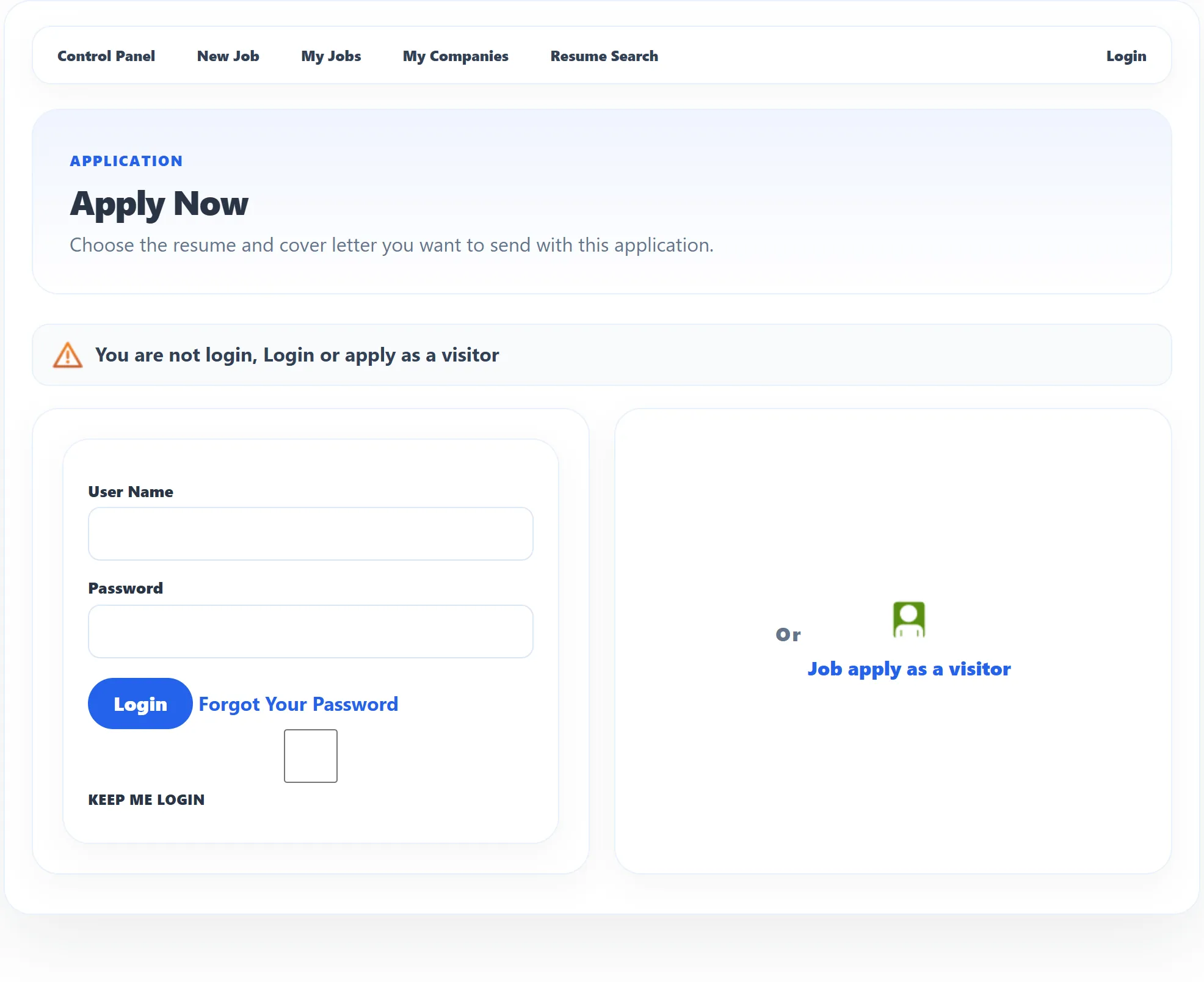
A visitor’s resume and application are not linked to any account, so you can’t see or change them afterwards, follow the application in My Applied Jobs, or use the resume for another job. If you plan to apply for several jobs, it is worth registering.
When an application is marked as spam
Section titled “When an application is marked as spam”An employer can ask JS Jobs to screen applications for a job by gender, education, category, sub category or city. If your resume doesn’t match what the job asks for, the application is still sent, but it is filed as Spam, no e-mails are sent about it, and that is the status you see in My Applied Jobs. Make sure the gender, highest education, category, sub category and address city in your resume are filled in correctly.