
GDPR
Components → JS Jobs → GDPR has two screens: GDPR Fields, the consent boxes people tick when they register, and Erase Data Requests, where you act on requests to remove someone’s data.
GDPR Fields
Section titled “GDPR Fields”A GDPR field is a required tick box with a sentence beside it, such as “I have read and agree to the Privacy Policy”, where part of the sentence links to your policy. Nobody can register without ticking it.
![The GDPR Fields form: Field Title, Field Text with the [link] example under it, and Link Type.](/js-jobs/_astro/configuration-gdpr-field-form.CoZ625v0_zkm7D.webp)
-
Open GDPR → GDPR Fields and click Add New Field.
-
Fill in the form:
Field What it does Field Title The field’s name in the list. If Field Text has no [link]markers, the title becomes the link text after the sentence.Field Text The sentence shown beside the tick box. Put [link]and[/link]around the words that should be the link, for exampleI have read and agree to the [link]Terms and Conditions[/link].HTML tags are removed when you save.Link Type Direct Link (then enter the URL) or Joomla Article (then pick the article). The link opens in a new tab. -
Click Save Fields.
The list shows each field’s title, text, link type and link. Click a title to edit it, or the delete icon to remove it. Every GDPR field is required; there is no setting to make one optional.
Where the boxes appear
Section titled “Where the boxes appear”In 1.5.3 the GDPR fields are shown on one form only: Joomla’s own registration form (Users component), and only when the System - JSJobs Register plugin is enabled and lets the visitor choose between Employer and Job Seeker. The boxes appear under the role list. They are not added to JS Jobs’ own registration page, nor to the company, job or resume forms.
How a user asks for their data to be erased
Section titled “How a user asks for their data to be erased”Logged-in employers and job seekers have a User Data link in their control panel. It opens the Erase Data Request page, where the user can:
- click Export under Export your data to download a spreadsheet
(
export-overall-reports.xls). It is a summary of their activity: companies, jobs and departments for an employer; resumes, applications and saved job searches for a job seeker. An employer with no jobs, or a job seeker with no resume, gets “No data found for export.” instead. - enter a Subject and Message and click Submit Request. The request lands in GDPR → Erase Data Requests with the status Awaiting response.
- withdraw a request they have filed, with To withdraw erases data request. While a request is open, the form edits that request; each user has one.
The User Data link is switched on and off by User data request in Employer settings and Job seeker settings (both Show by default). The visitor versions in Visitor settings are Hide by default.
The administrator can be e-mailed when a request arrives, and the user when you act on it. See Email templates.
Erase Data Requests
Section titled “Erase Data Requests”GDPR → Erase Data Requests lists every request, newest first, with the Subject, Message, Email, User Role, Request Status and Created date. Search by the user’s e-mail address with the box at the top.
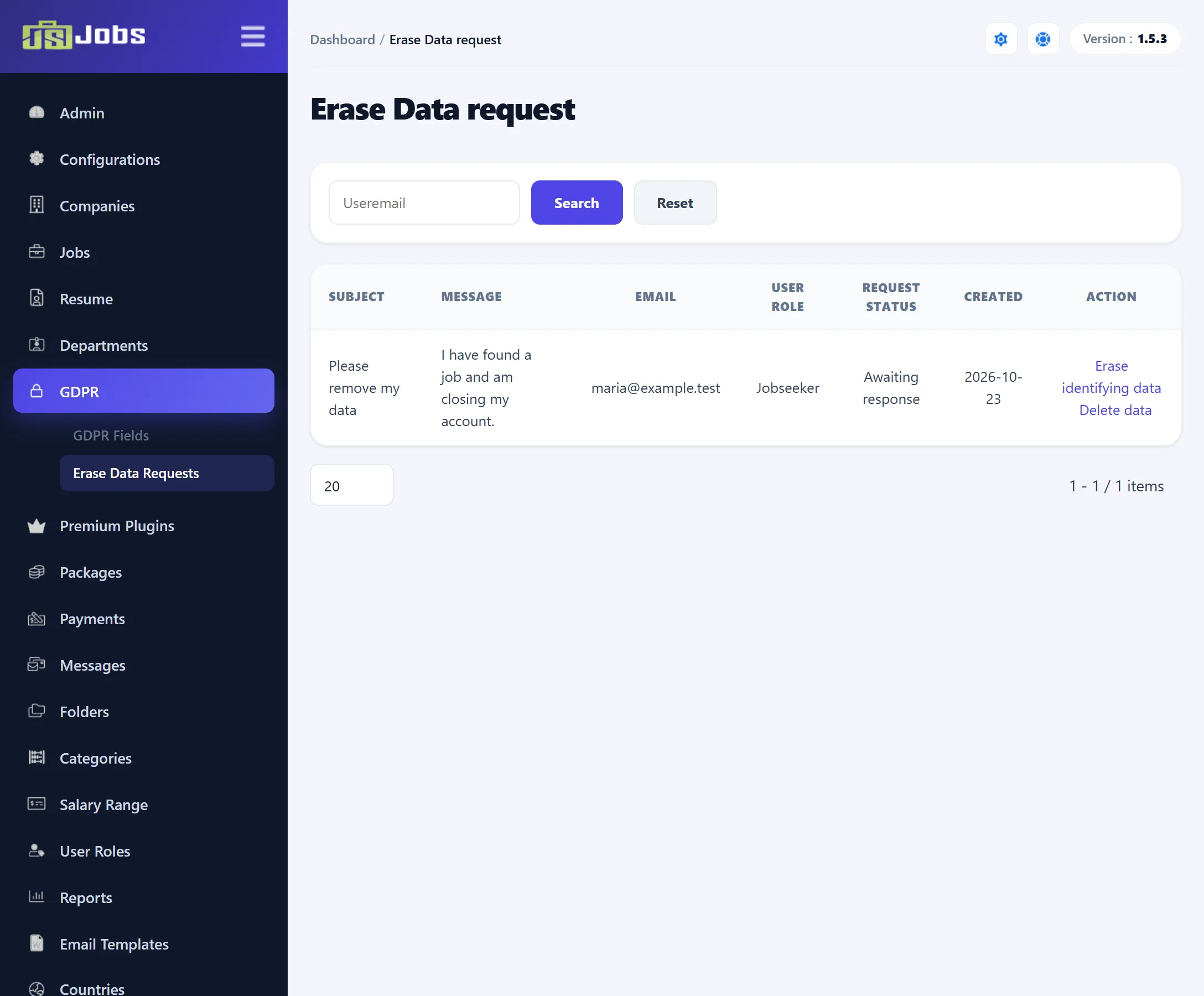
Each row has two buttons. Both ask you to confirm, both act on everything the user owns in JS Jobs, and neither can be undone.
Erase identifying data
Section titled “Erase identifying data”Keeps the records but replaces personal details with ----- or blanks. The
request’s status becomes Erased identifying data.
For an employer:
- Each company: name, website, contact name, e-mail, phone and fax, address, description and logo are cleared, and the company is unpublished. Its logo files are removed from the data directory.
- Each of those companies’ jobs: title, description, qualifications, skills, apply information, address, contact details and links are cleared, the job is unpublished and its stop-publishing date becomes today.
- Departments, saved resume searches, resume folders and the subject and text of messages the employer sent are blanked.
For a job seeker:
- Each resume: name, e-mail, phone numbers, nationality, photo, skills, licence details, video and the category, salary and experience choices are cleared, and the resume is unpublished and made unsearchable. Its addresses, employers, institutes, languages, references and uploaded files are deleted.
- Saved job searches, cover letters, shortlisted-job comments, job alerts and the subject and text of messages the job seeker sent are blanked.
Delete data
Section titled “Delete data”Removes the records. The request’s status becomes Deleted.
For an employer: every company, its cities, departments and logo; every job of those companies, together with the applications made to it, its cities and its resume-folder entries; gold and featured history; saved resume searches, resume folders, sent messages and payment history.
For a job seeker: every resume with all its sections and files, every application the job seeker made, saved job searches, cover letters, shortlisted jobs, job alerts, sent messages and payment history.
Both buttons stay on the row after you have used them, so you can, for example, delete data you erased earlier.