
Search modules
Two modules put a search form in a module position: Search JS Jobs for jobs and JS Resume Search for resumes. You choose which fields the form shows. Both forms end with a search button and an Advanced Search link to the job board’s full search page.
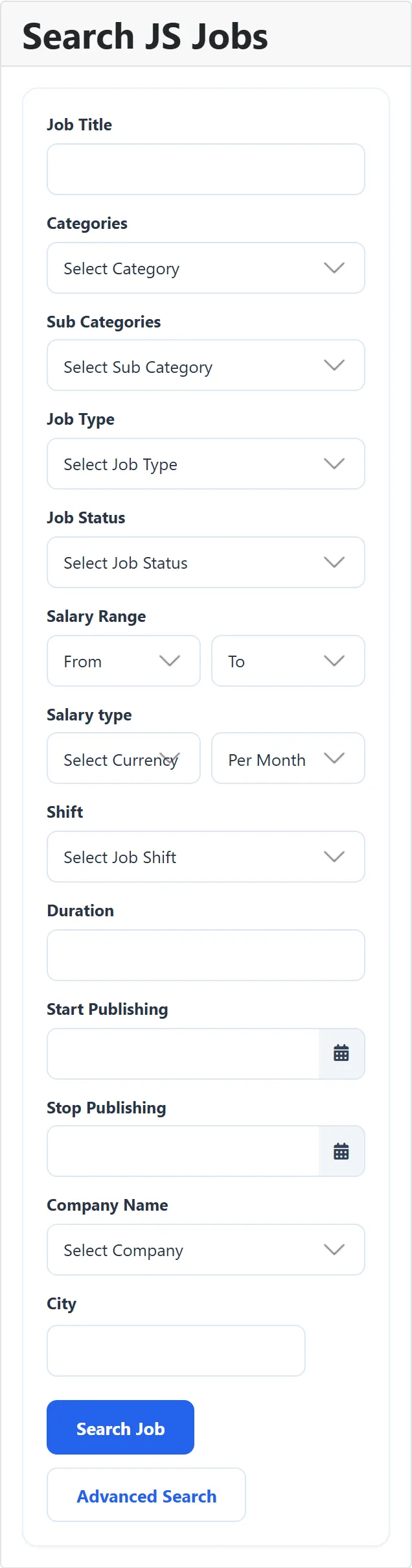
Search JS Jobs
Section titled “Search JS Jobs”The form sends the visitor to the job list, filtered by what they entered. Clicking Advanced Search opens the full job search page.
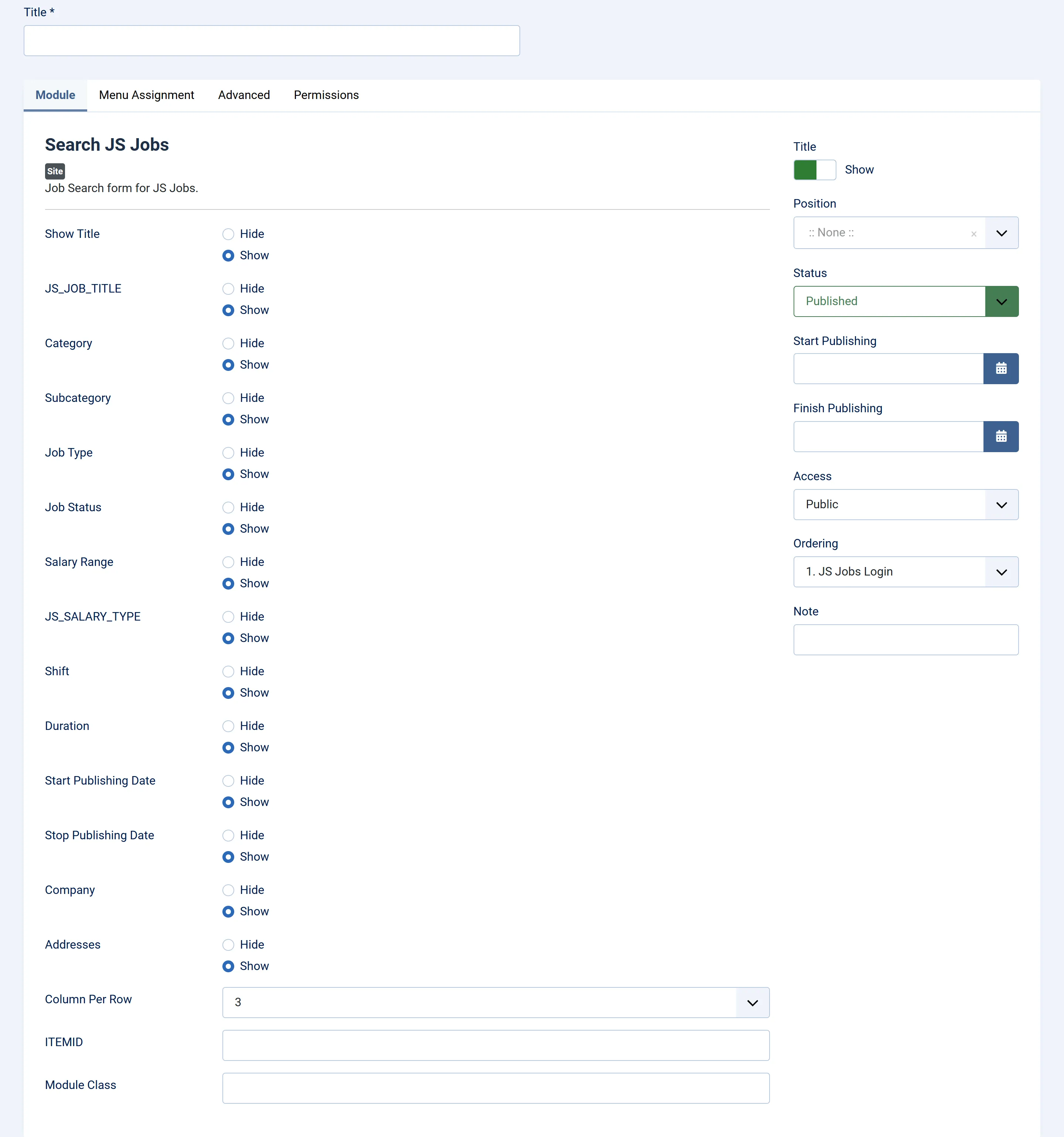
Every field setting is a Hide/Show switch and starts at Show.
| Setting | Field on the form |
|---|---|
| Show Title | Not a field: Hide hides the module’s heading, even if Joomla’s own Title switch is on. |
Job title (shows as a raw key, JS_JOB_TITLE, in 1.5.3) |
Job title: words in the job title. |
| Category | Categories list. |
| Subcategory | Sub categories list, filled when a category is picked. |
| Job Type | Job type list. |
| Job Status | Job status list. |
| Salary Range | Salary range: from and to lists. |
Salary type (shows as a raw key, JS_SALARY_TYPE, in 1.5.3) |
Salary type: currency and salary range type lists. |
| Shift | Shift list. |
| Duration | Duration text box. |
| Start Publishing Date | Start publishing date picker. |
| Stop Publishing Date | Stop publishing date picker. |
| Company | Company name list. |
| Addresses | City: type a few letters and pick cities from the suggestions. |
| Column Per Row | Not a field: how many fields sit side by side, 1 to 6. Default 3. |
Item ID (shows as a raw key, ITEMID, in 1.5.3) |
Not a field: the ID of the menu item the results and the Advanced Search link open in. Find it in the ID column under Menus. Empty uses the current page. |
| Module Class | Joomla’s usual extra CSS class. |
The submit button reads Search Job.
For a sidebar, show only a few fields (job title, category and city, say) and set Column Per Row to 1; visitors can use Advanced Search for the rest.
JS Resume Search
Section titled “JS Resume Search”The form sends the visitor to the resume search results, the same page the job board’s own resume search uses, with the same rules about who may see it (see How packages work for the Resume Search allowance). Put this module on pages employers visit.
Every field setting is a Hide/Show switch and starts at Show.
| Setting | Field on the form |
|---|---|
| Show Title | Not a field: Hide hides the module’s heading. |
| Application Title | Application title: words in the resume title. |
| Name | Name text box. |
| Nationality | Nationality list. |
| Gender | Gender list. |
| I am Available | Available tick box. |
| Category | Categories list. |
| Subcategory | Sub categories list. |
| Job Type | Job type list. |
| Salary Range | Salary range lists. |
| Heighest Education | Highest education list. |
| Experience | Experience: minimum and maximum lists. |
| Column Per Row | Not a field: fields side by side, 1 to 6. Default 3. |
| Module Class | Joomla’s usual extra CSS class. |
Item ID (shows as a raw key, ITEMID, in 1.5.3) |
Not a field: the menu item ID the results open in. |
The submit button reads Search resume.
Placing them
Section titled “Placing them”See Modules and plugins. The JS Search Jobs and JS Search Resumes content plugins put the same forms inside an article; see Content plugins.