
Packages and My Stats
Some sites charge job seekers, or limit what they can do, through packages. A package sets how many resumes and cover letters you may have, how many jobs you may apply for, and whether you may search for jobs, save searches, set job alerts, and promote resumes as gold or featured. Each package lasts a number of days.
On many sites packages aren’t needed at all. My Stats then says Package Not Required, and you can use everything without one.
The packages
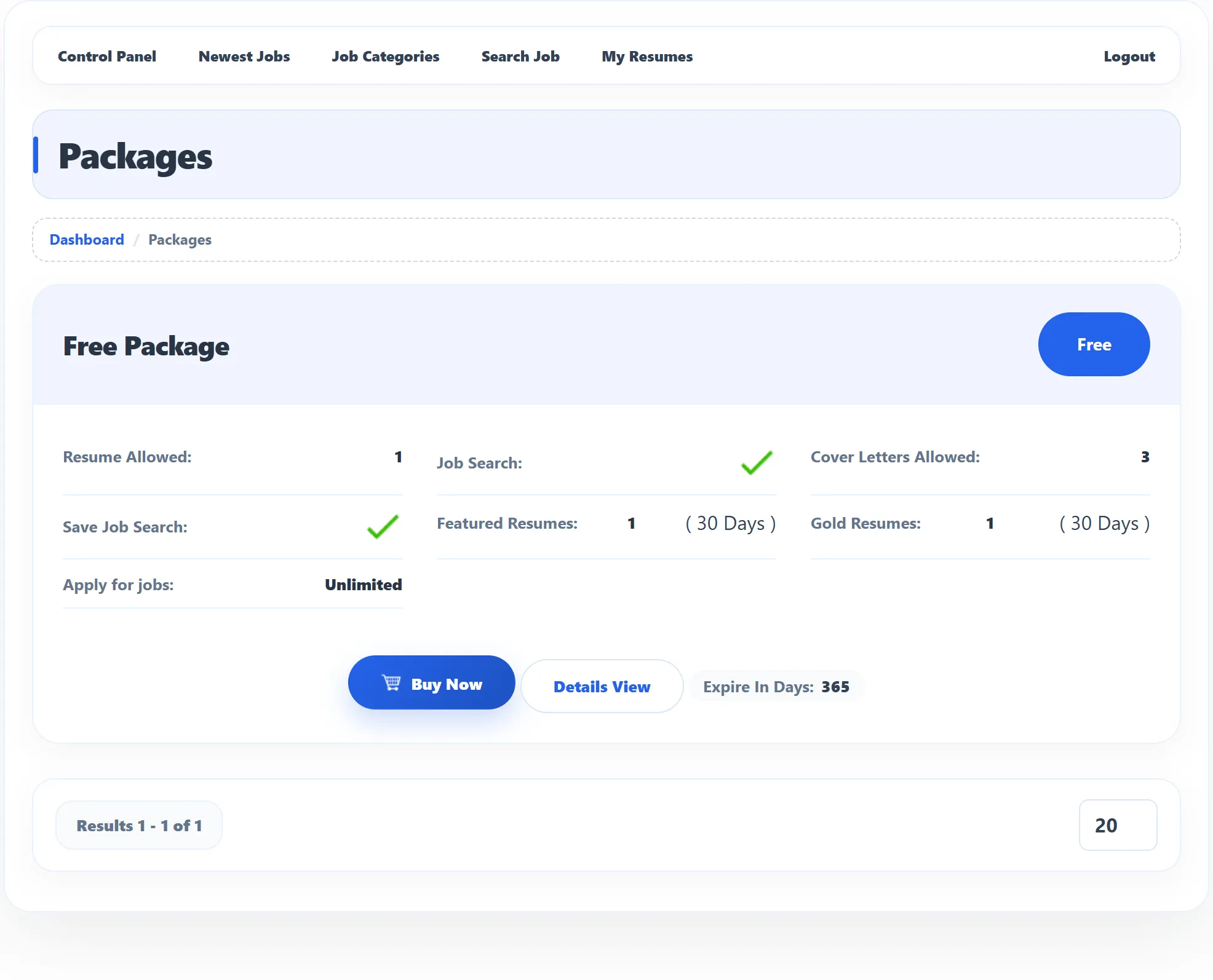
Section titled “The packages”Click Packages in the Job Seeker Control Panel. Each package shows its title, its price (or Free) and what it allows:
| Line | Meaning |
|---|---|
| Resume Allowed | How many resumes you may create. |
| Job Search | Whether you may use the job search (a tick). |
| Cover Letters Allowed | How many cover letters you may write. |
| Save Job Search | Whether you may save searches (a tick). |
| Featured Resumes / Gold Resumes | How many resumes you may promote, and for how many days each promotion lasts. |
| Apply for jobs | How many jobs you may apply for. |
| Expire In Days | How long the package lasts after you get it. |
Unlimited means there is no limit. Details View opens the package’s full description.
Get a package
Section titled “Get a package”-
Click Buy Now on the package.
-
Check the Package Detail page that opens.
-
For a free package, click Buy Now. For a paid package, choose one of the Payment Methods offered (Pro), such as PayPal or Stripe, and complete the payment on that service’s page.
A free package is added at once with the message Package saved, and you land on your Purchase History. You can get each free package only once; trying again gives Can not get free package more then once. Depending on the site, a package may need the site owner’s approval before you can use it.
Purchase History
Section titled “Purchase History”Click Purchase History in the Job Seeker Control Panel to see the packages you have had: each with the Purchase Date, what it allows, how many days are left (Expire In Days) or Expired, and the payment.
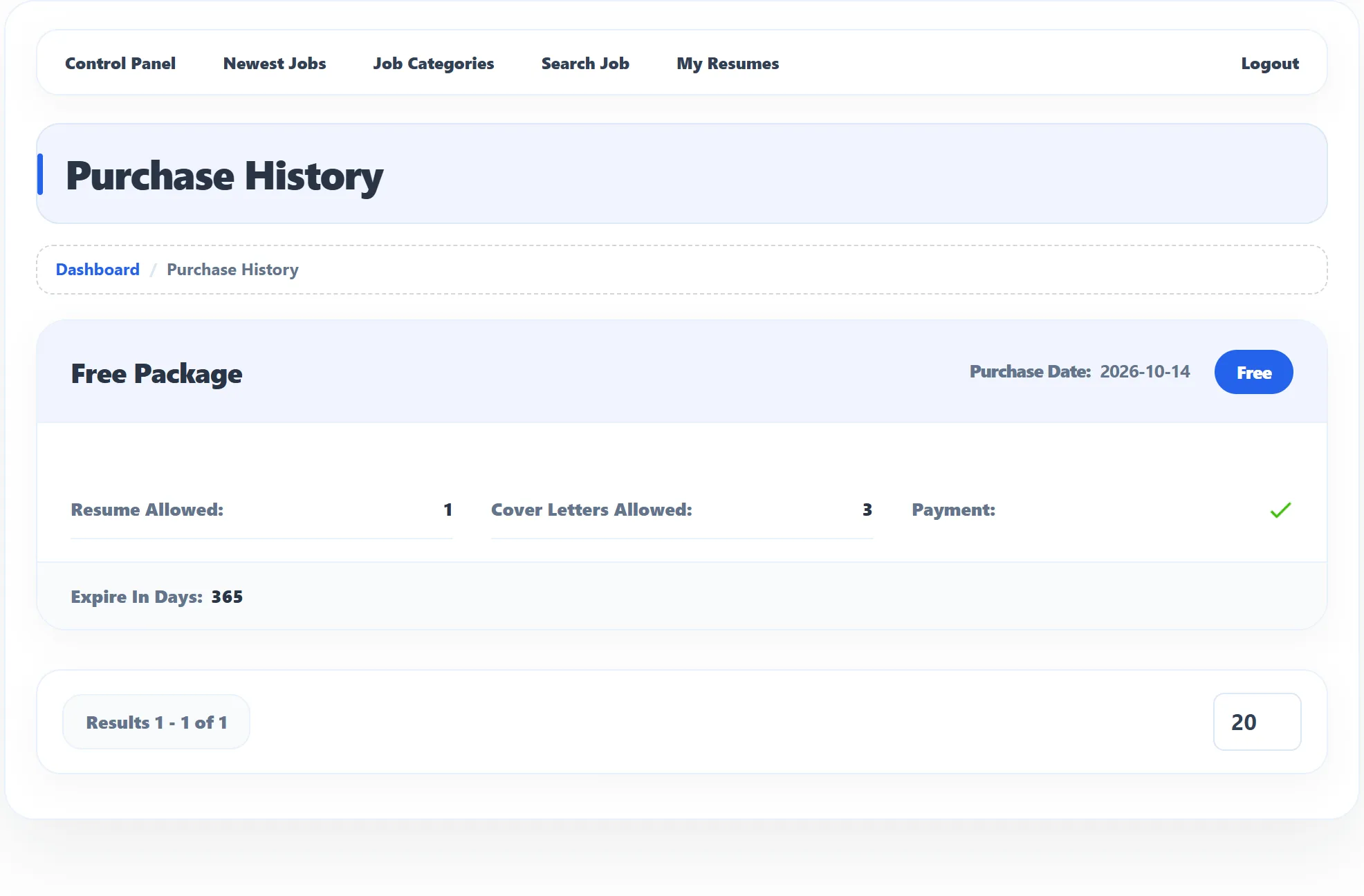
When a package runs out, a red line on your dashboard says Your Package “…” Has Expired … Ago, with a link back to the packages.
My Stats
Section titled “My Stats”My Stats in the Job Seeker Control Panel shows what you have and what you may still add.
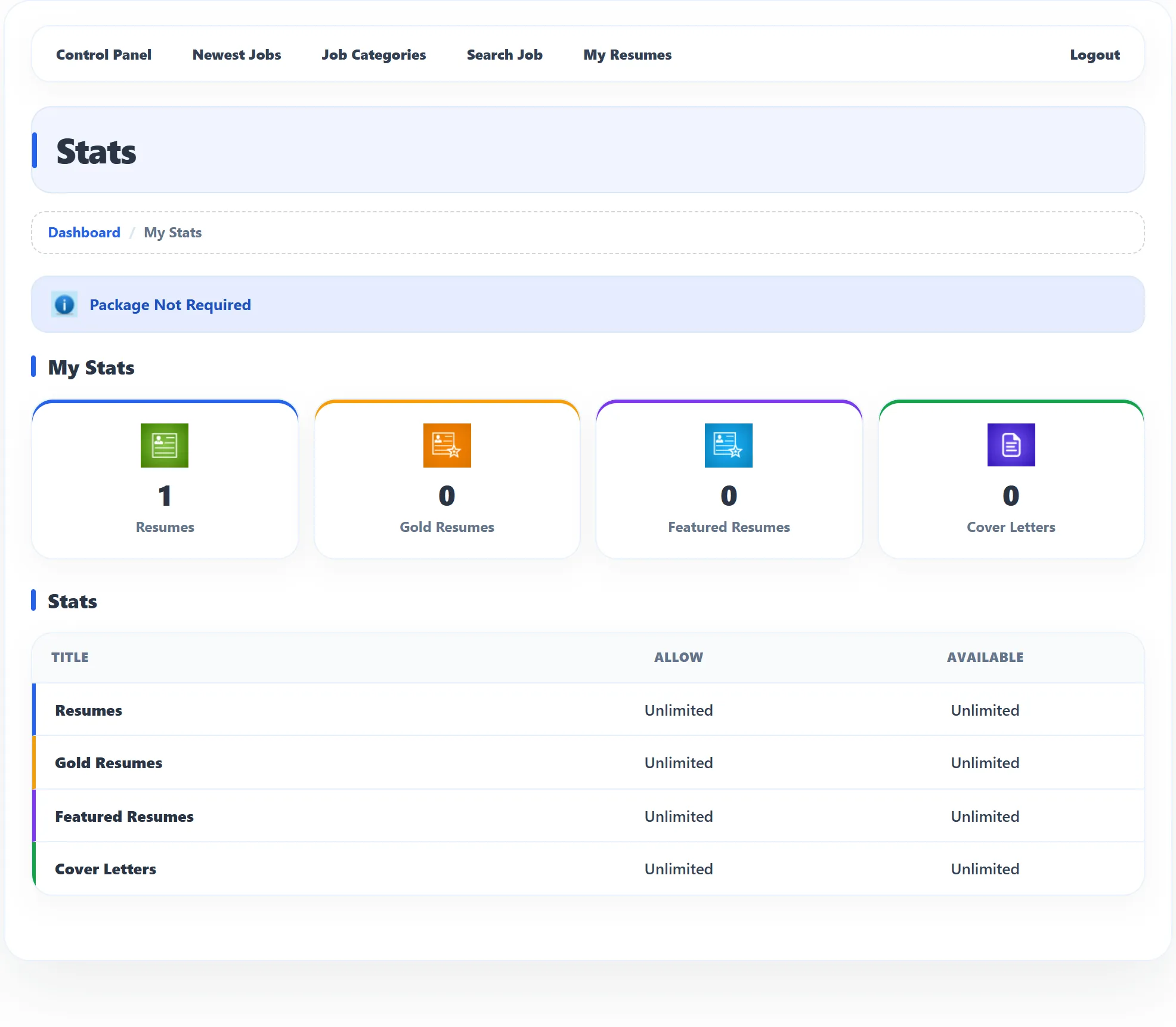
- The boxes under My Stats count your Resumes, Gold Resumes, Featured Resumes and Cover Letters.
- The Stats table shows, for each of these, how many your packages Allow and how many are still Available.