
Abuse reports
Visitors can report a job or a company they think is wrong: a scam, wrong information, an expired job and so on. The report goes to Jobs → Abuse Reports for you to look at. Reporting a job or company doesn’t change it in any way; any action is up to you.
Where reports come from
Section titled “Where reports come from”A job’s page on the site has Report this job, and a company’s page has Report this company. The visitor picks a Reason and can add details for the administrator, their name and their e-mail address, then clicks Submit Report. The reasons are:
| Reason on the site | Shown in the list as |
|---|---|
| Scam or fake job (Scam or fake company) | scam |
| Wrong information | wrong information |
| Expired job (jobs only) | expired |
| Offensive content | offensive |
| Duplicate | duplicate |
| Other | other |
The same person (by Joomla account, e-mail address or IP address) can report the same job or company only once a day while their earlier report is still New. The visitor then sees “This item has already been reported recently.”
The list
Section titled “The list”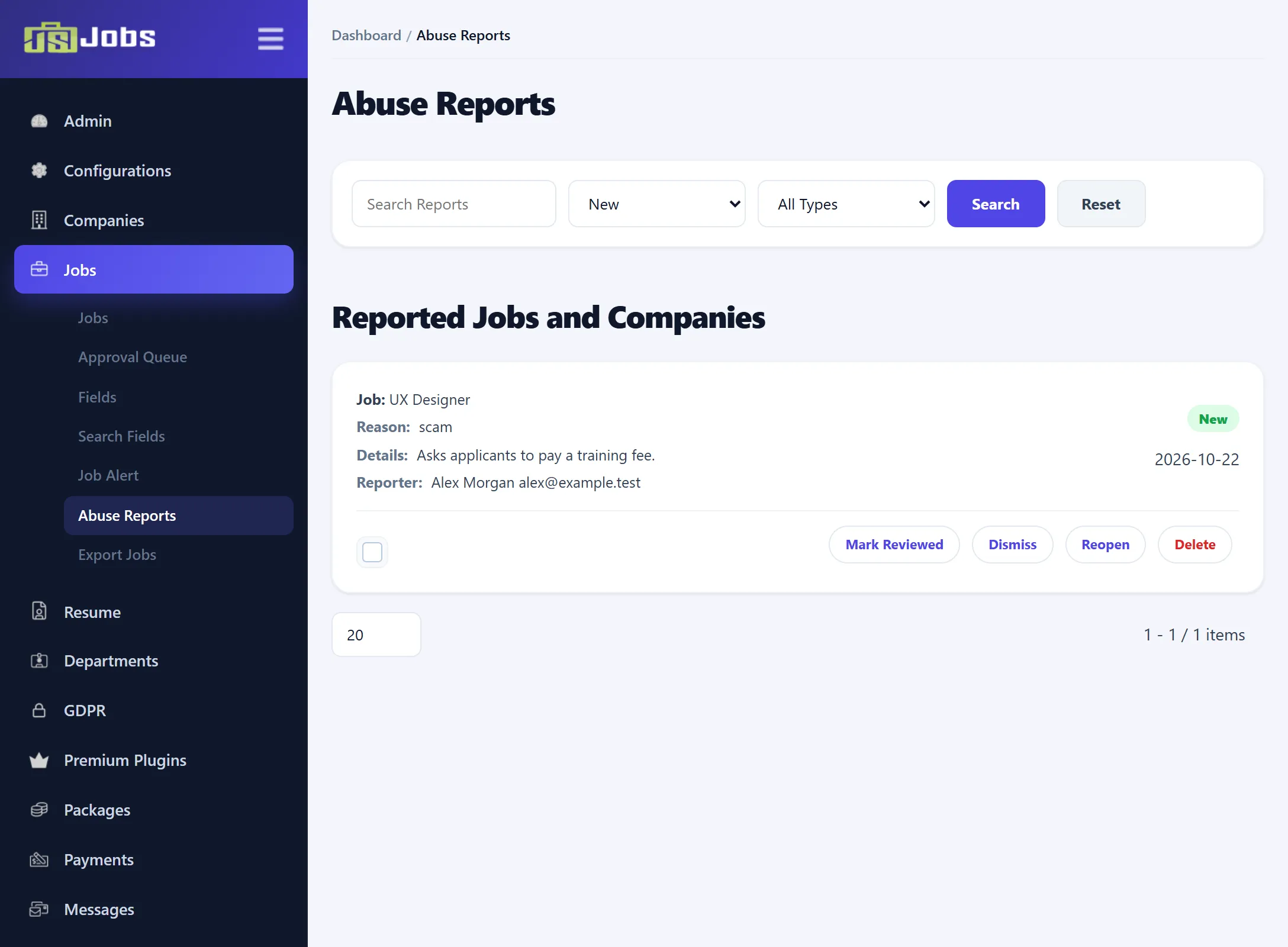
The list opens on New reports, newest first. Each report shows:
- whether it is about a Job or a Company, and its title or name (“Item not found” if it has since been deleted);
- the Reason and Details;
- the Reporter: the name and e-mail address they gave, if any;
- its status and the date it was sent.
| Filter | What it matches |
|---|---|
| Search Reports | Words in the details, the reporter’s e-mail address, the job title or the company name. |
| Status list | All Statuses, New, Reviewed or Dismissed. |
| Type list | All Types, Job or Company. |
Click Search to apply. Reset clears the search box and the lists.
Dealing with a report
Section titled “Dealing with a report”Look at the job or company on the jobs list or the companies list. If it needs changing, edit it, reject it or delete it there. Then use the links under the report:
| Link | What it does |
|---|---|
| Mark Reviewed | Sets the report to Reviewed: you have looked at it. |
| Dismiss | Sets it to Dismissed: no action needed. |
| Reopen | Sets it back to New. |
| Delete | Deletes the report after you confirm. The job or company is not touched. |
Reviewed and dismissed reports leave the default New view; choose them in the status list to see them again. No e-mail is sent to the reporter or to the employer.