
My Applied Jobs
My Applied Jobs lists every job you have applied for, newest first. Open it with View Details under Applied Job on your dashboard, or Show More under Applied Resume.
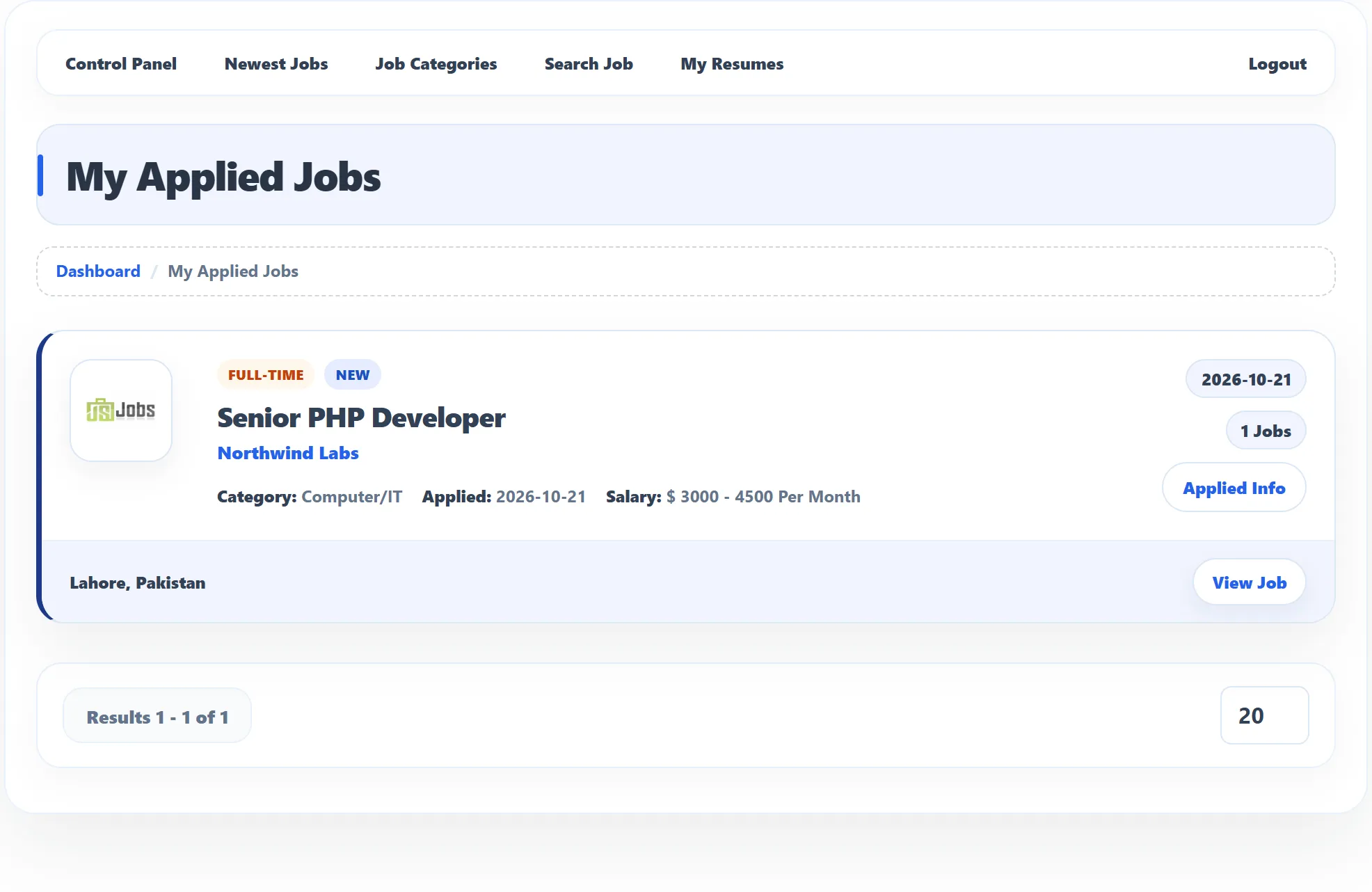
Each application
Section titled “Each application”Each card shows the job’s type, the job title (click it to open the job), the company (click it to open the company page), the category, the date you applied (Applied), the salary, and the job’s location. View Job opens the job.
A badge on the card shows where your application stands (Pro):
| Status | Meaning |
|---|---|
| New | The employer hasn’t acted on it yet. |
| Shortlisted | The employer has put you on their shortlist. |
| Interview | The employer wants to interview you. Interview details, when given, appear under Applied Info. |
| Offered | The employer has offered you the job. See Answer an offer. |
| Hired | You got the job. |
| Rejected | The employer has turned the application down. |
| Spam | The application didn’t match the job’s screening rules. See Applying for a job. |
The same status appears next to each application in Applied Resume on your dashboard. The site owner can choose not to show statuses to job seekers. When an employer changes the status, you may also get an e-mail.
Applied Info
Section titled “Applied Info”Click Applied Info to open the details of the application:
- Resume: the resume you sent. Click it to view it.
- Cover Letter: the cover letter you sent, if any.
- Interview Schedule, when the employer has set one: Interview Date and Time, Interview Location and Interview Note.
- Offer Details, when the employer has made an offer: Offer Start Date, Offer Salary, Offer Note, and your answer so far under Candidate Response (Awaiting response, Accepted or Declined).
Click Applied Info again to close the details.
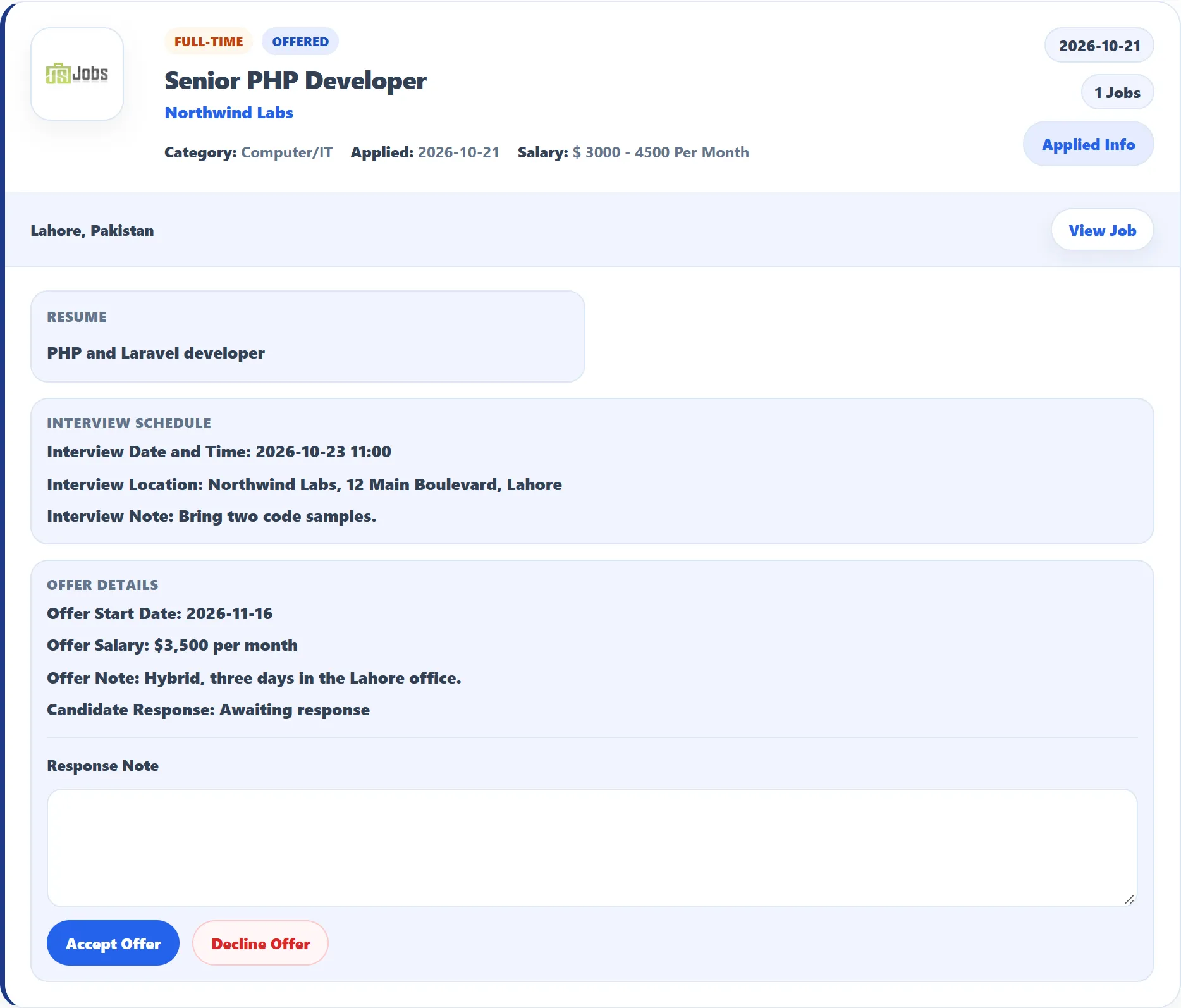
Answer an offer (Pro)
Section titled “Answer an offer (Pro)”-
Click Applied Info on the application.
-
Under Offer Details, write a Response Note if you want to say something to the employer, for example the date you can start.
-
Click Accept Offer or Decline Offer.
You see Offer response has been saved. Candidate Response now shows your answer, with the Response Date and your note. The employer sees your answer on their side. You can change your answer later the same way.
If the list is empty or closed
Section titled “If the list is empty or closed”- Could not find any matching results: you haven’t applied for any jobs yet.
- Employer not allowed: you are logged in as an employer.
- You are not logged in: log in first. Applications made as a visitor without an account don’t appear here.
Use the number box under the list to show more applications per page.