
Company modules
JS Featured Companies and JS Gold Companies show the companies employers have promoted, as cards linking to each company’s page. They have the same settings.
| Module | Shows |
|---|---|
| JS Featured Companies | Approved companies that are featured and whose featured period hasn’t ended. |
| JS Gold Companies | Approved companies that are gold and whose gold period hasn’t ended. |
Both list the newest companies first. A company drops out on the day after its gold or featured period ends, without anyone doing anything. How long the period lasts is set by the employer’s package, or under Configurations when packages aren’t required; see How packages work.
Until a company is made gold or featured, the module shows “No companies found”.
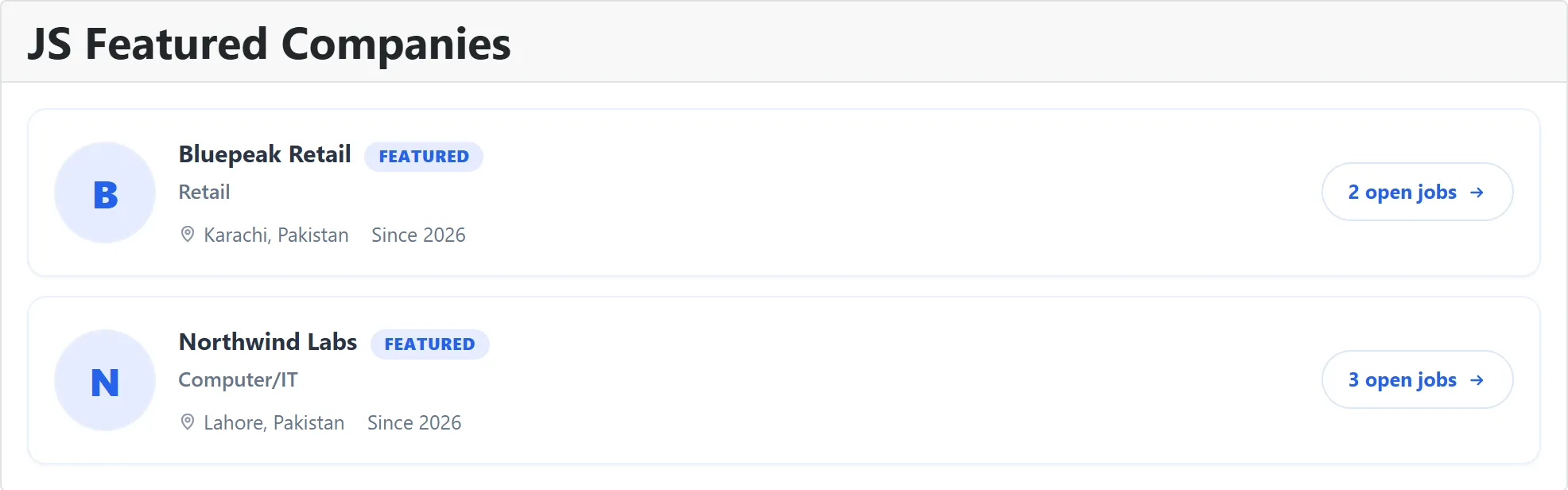
What a card shows
Section titled “What a card shows”The company logo and name, then, depending on the settings, its category (the industry line under the name), its location, a count of its open jobs, and the year it joined, shown as “Since 2026”. A company that is both gold and featured shows both badges.
The open jobs count is live: it counts the company’s approved jobs whose publishing period includes today, and reads “1 open job” or “5 open jobs”.
Settings
Section titled “Settings”| Setting | Default | What it does |
|---|---|---|
| Number of companies | 6 | How many companies to show, from 1 to 30. |
| Layout | List | List, Grid or Compact. Compact leaves out the logos. |
| Grid columns | 2 | With Grid, how many cards per row: 2, 3 or 4. |
| Company logo | Show | Shows each company’s logo. |
| Industry / category | Show | Shows the company’s category under its name. |
| Location | Show | Shows the company’s city. |
| Open jobs count | Show | Shows how many jobs the company has open now. |
| Member since | Show | Shows the year the company was added. |
| Link target menu item | The menu item the company links open in. |
Use Content → Site Modules to place and publish the module, as described in Modules and plugins. The JS Featured Companies and JS Gold Companies content plugins show the same lists inside an article; see Content plugins.