
Translations
JS Jobs ships in English. Components → JS Jobs → Translations downloads ready-made language files for it from the JS Jobs translation server at joomsky.com.
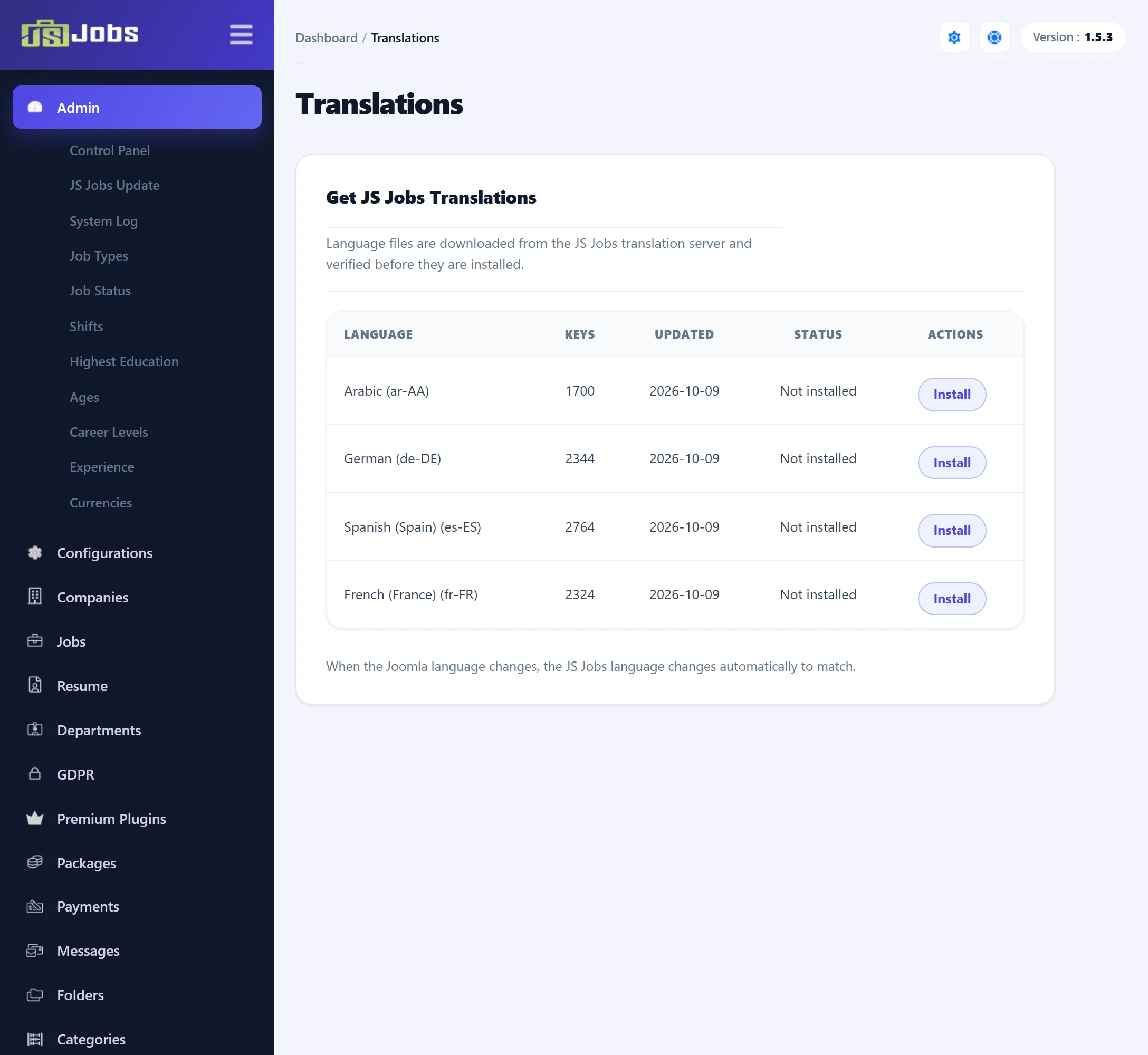
Installing a language
Section titled “Installing a language”-
Install the language itself in Joomla first (System → Install → Languages). JS Jobs follows the language Joomla is using; it has no language setting of its own.
-
Open Translations and click Get Translations. A table lists the languages on offer:
Column What it shows Language The language name and code, such as de-DE.Keys How many texts the translation covers. Updated When the translation was last published. Status Not installed, Installed (your copy matches the published one) or Update available. Actions Install, Update or Reinstall. -
Click Install (or Update) on the language’s row. A message confirms that the language has been saved, and the table refreshes.
The list is kept for 12 hours, so a translation published in the meantime may not appear until then.
What gets installed
Section titled “What gets installed”One file per language: administrator/language/<code>/<code>.com_jsjobs.ini
(for example administrator/language/de-DE/de-DE.com_jsjobs.ini). JS Jobs loads
this file on both the administrator and the front end, so it translates both.
Module and plugin texts are not part of it.
Before writing the file, JS Jobs checks it against the checksum in the server’s
list and cleans it: HTML is stripped from the texts, and any text that lost a
%s or %d placeholder is left out so the English one is used instead.
Your own changes are kept
Section titled “Your own changes are kept”If you have edited an installed file by hand, Install and Update refuse to overwrite it (“The local translation file has been modified, so it was not overwritten.”). The header of each installed file says the same thing: put local changes in Joomla’s language overrides (System → Manage → Language Overrides) instead, so updates can still be installed.
Related settings
Section titled “Related settings”Two settings in the #__js_job_config table belong to this screen. Neither is on
the Configurations screen.
| Setting | Default | What it does |
|---|---|---|
translations_manifest_url |
empty | The address of the list of translations. Empty means the joomsky.com list. Another address is used only if it starts with https://, or http:// on a local development host. |
translations_auto_install |
0 | In 1.5.3 nothing reads this setting; translations are only installed from this screen. |