
Interviews, offers and follow-ups
The Workflow buttons on each application keep the hiring steps with the application itself: Schedule Interview, Offer Details and Follow Up. Each opens a small form inside the application card. Find them on the job’s applications page; see Reviewing applications.
| Button | Saves | Seen by the candidate | Moves the application to |
|---|---|---|---|
| Schedule Interview | Date and time, place, note | Yes, on their My Applied Jobs page | Interview |
| Offer Details | Start date, salary, note | Yes, on My Applied Jobs, where they can accept or decline | Offered |
| Follow Up | A date and a note for yourself | No | (no change) |
Schedule an interview
Section titled “Schedule an interview”-
Click Schedule Interview on the application.
-
Fill in the Interview Schedule form:
- Interview Date and Time
- Interview Location: an address, or a video-call link (up to 255 characters).
- Interview Note: what to bring, who they will meet (up to 1000 characters).
-
Click Save Interview.
You see Interview schedule has been saved. The application moves to the Interview stage, its card shows the Interview Schedule, and if the site sends status e-mails the candidate gets one.
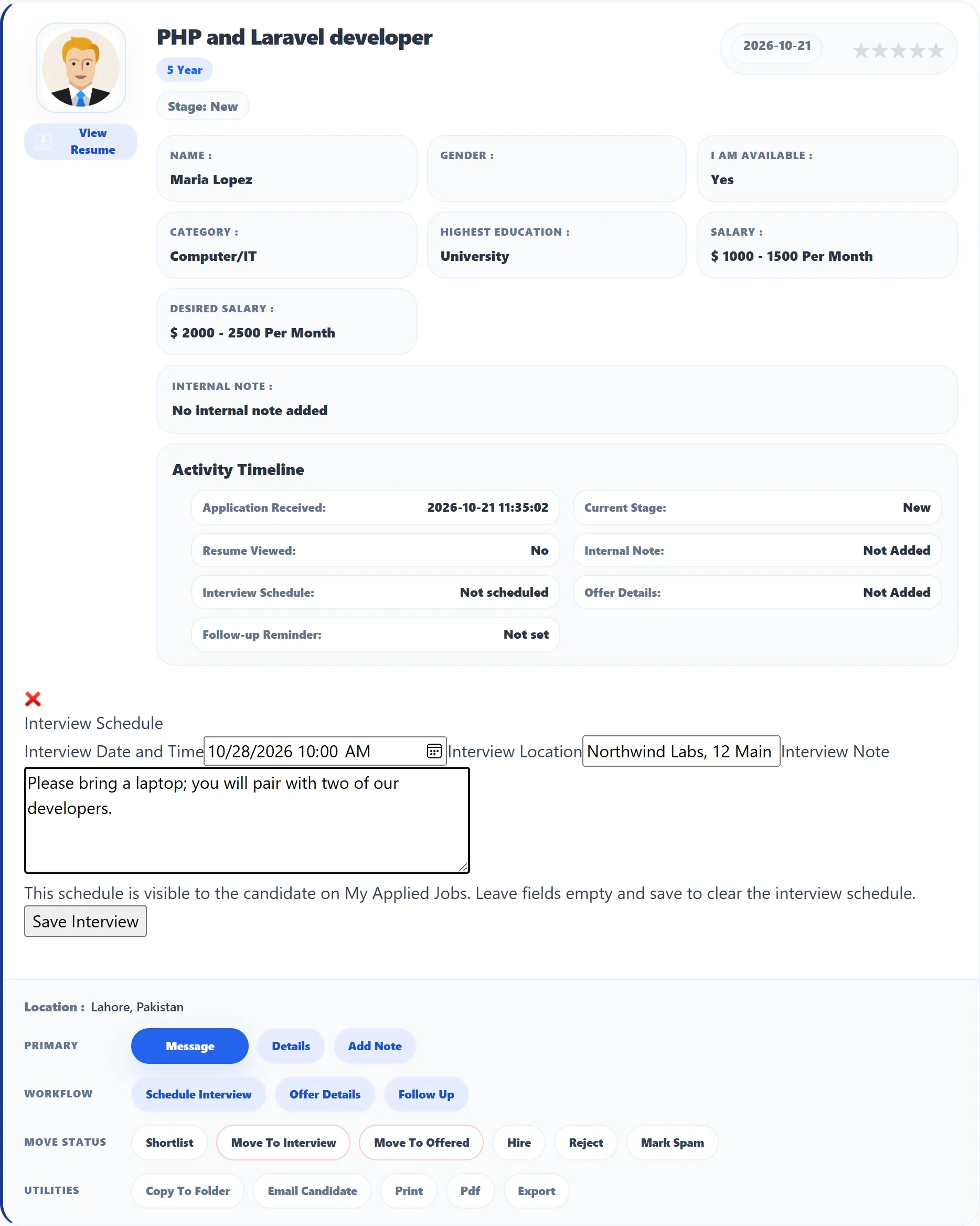
To change the interview, open the form again: it shows what you saved. To remove it, empty all three fields and save. Removing it doesn’t move the application back.
Record an offer
Section titled “Record an offer”-
Click Offer Details.
-
Fill in Offer Start Date, Offer Salary (free text, for example “$3,500 per month”) and Offer Note (up to 1000 characters).
-
Click Save Offer.
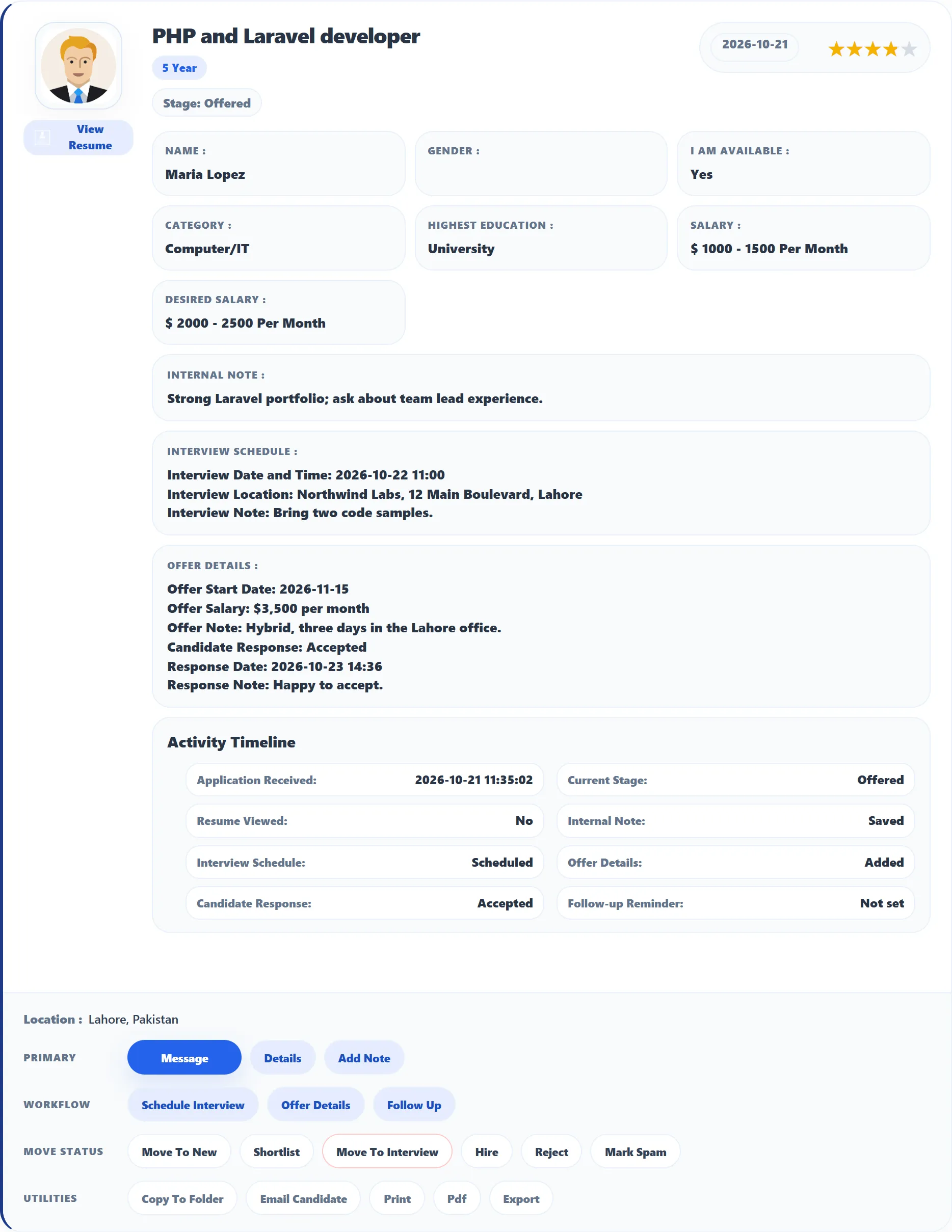
You see Offer details have been saved. The application moves to Offered and the candidate can see the offer on My Applied Jobs.
The candidate’s answer
Section titled “The candidate’s answer”The candidate can accept or decline the offer, with a note. Their answer shows on the application card under Offer Details:
- Candidate Response: Accepted, Declined, or Awaiting response while they haven’t answered;
- Response Date and Response Note, once they have.
Accepting doesn’t move the application to Hired: click Hire yourself when the hire is confirmed.
Set a follow-up reminder
Section titled “Set a follow-up reminder”A follow-up is a private reminder, for example “Call references on Monday”.
-
Click Follow Up.
-
Fill in Follow-up Date and Time and Follow-up Note.
-
When it’s done, open the form again and tick Mark follow-up as completed.
-
Click Save Follow-up.
You see Follow-up reminder has been saved. The card shows the Follow-up Reminder with its date, note and Follow-up Status (Pending or Completed). The candidate never sees it, and nothing is sent when the date comes: check your applications yourself. Empty the fields and save to clear the reminder.
Errors
Section titled “Errors”If a date can’t be read you see Invalid interview date, Invalid offer start date or Invalid follow-up date. Pick the date again with the date picker and save.