
Job listing modules
Five modules show a short list of jobs as cards, for a sidebar, the home page or any other module position. They look the same and have the same settings; they differ only in which jobs they pick.
| Module | Picks | Order |
|---|---|---|
| JS Newest Jobs | All live jobs | Newest first |
| JS Hot Jobs | Live jobs with at least one application | Most applications first. Each card also shows “N applications”. |
| JS Top Jobs | All live jobs | Most viewed first. Each card also shows “N views”. |
| JS Featured Jobs | Live jobs that are featured | Newest first |
| JS Gold Jobs | Live jobs that are gold | Newest first |
A live job is one that is approved and whose publishing period includes today. Jobs waiting for approval, expired jobs and jobs not yet started never show. Gold and featured jobs count once the request has been granted, not while it is waiting.
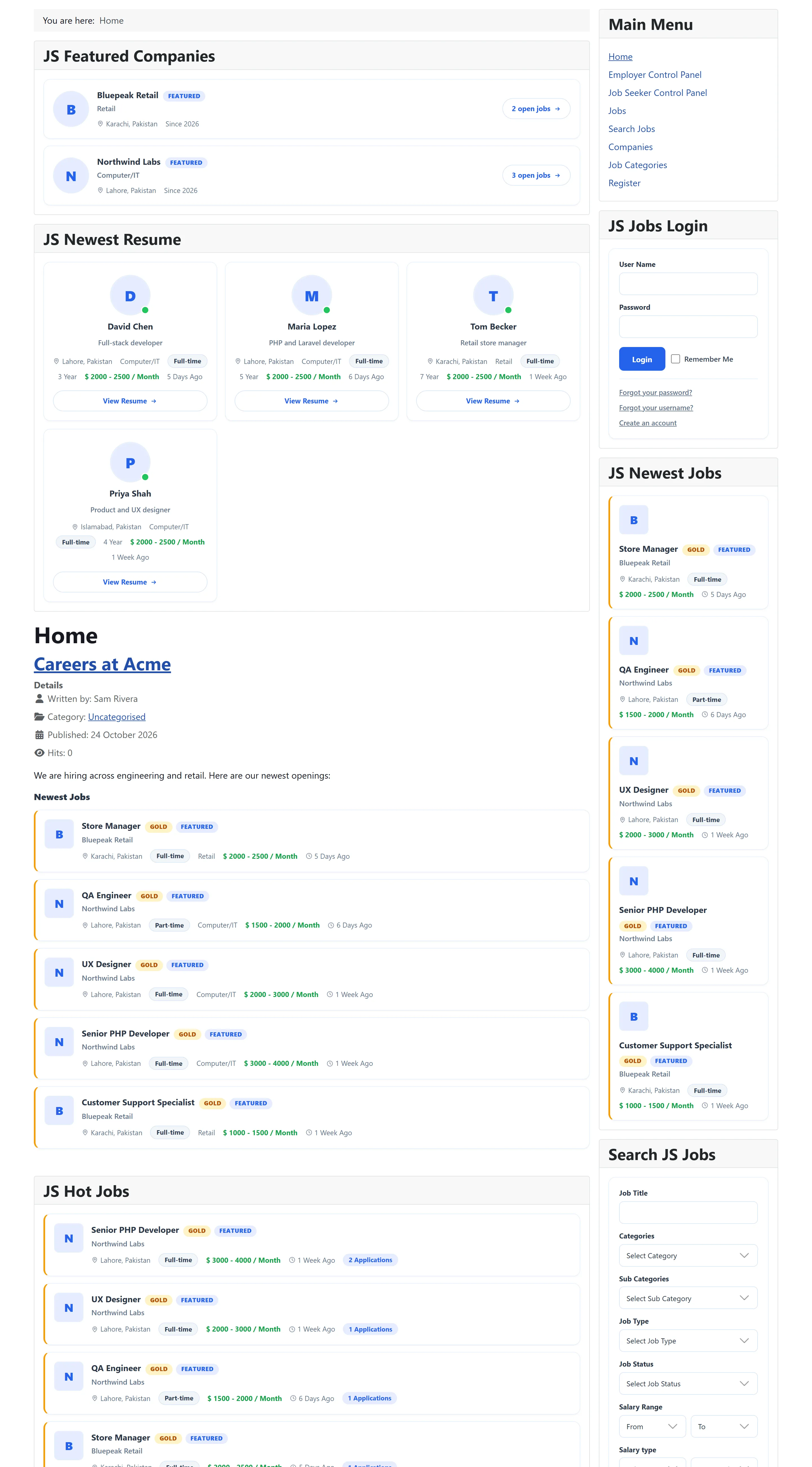
What a card shows
Section titled “What a card shows”Each card has the job title, linking to the job, and, depending on the settings, the company logo and name, the location, a job type chip, the category, the salary range and when the job was posted. A job that is gold or featured gets a Gold or Featured badge in any of the five modules.
The posted date reads “Today”, “Yesterday”, “3 days ago” or “2 weeks ago” for jobs up to about two months old, and the full date after that. The salary is shown as the currency symbol, the range, and the salary range type after a slash.
Settings
Section titled “Settings”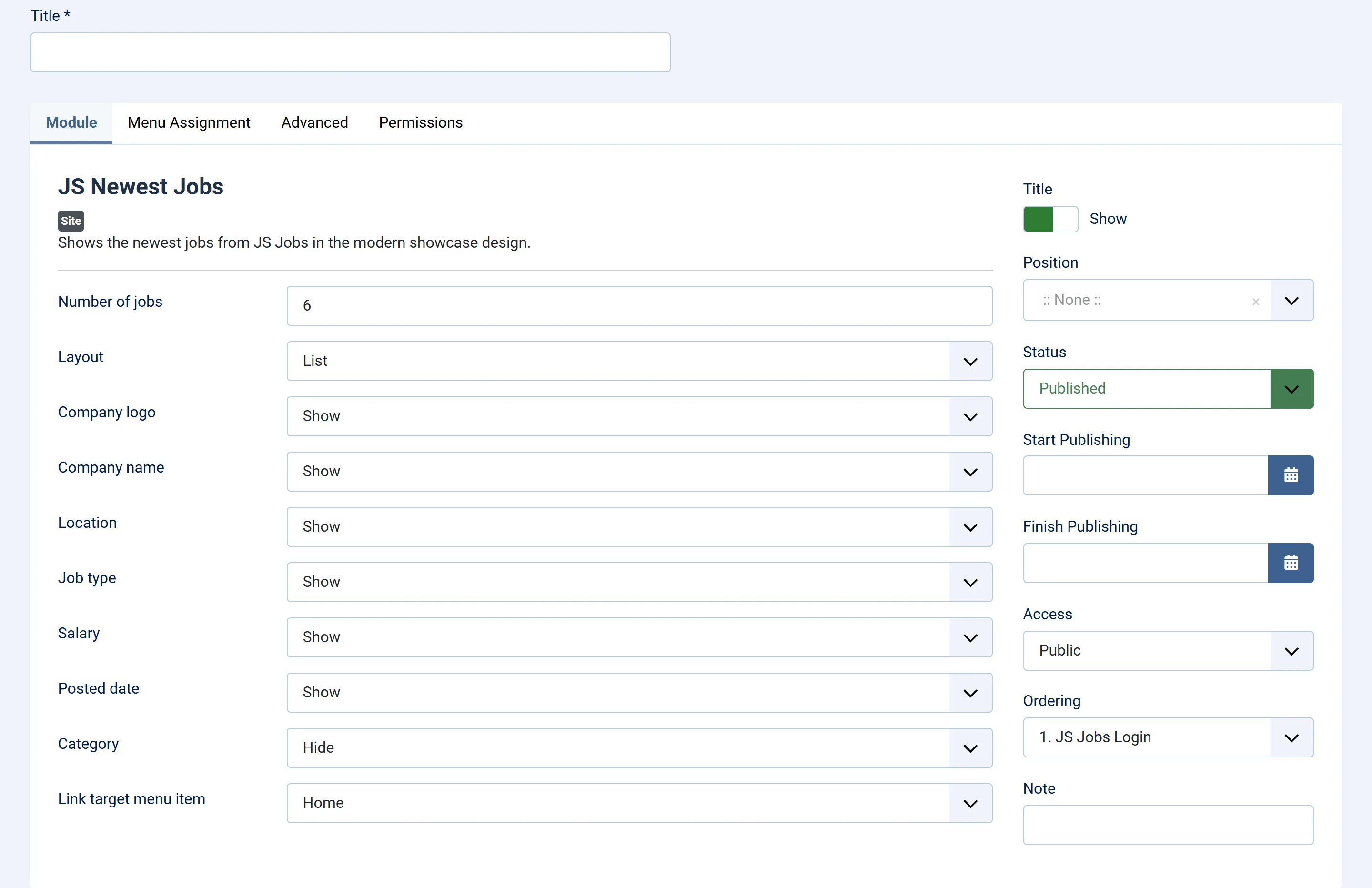
| Setting | Default | What it does |
|---|---|---|
| Number of jobs | 6 | How many jobs to show, from 1 to 30. |
| Layout | List | List: one card per row, with logo. Grid: cards side by side. Compact: a tight list without logos, for narrow positions. |
| Grid columns | 2 | With Grid, how many cards per row: 2, 3 or 4. Appears only when Layout is Grid. |
| Company logo | Show | Shows the company logo on each card. Not shown in Compact. |
| Company name | Show | Shows the company name. |
| Location | Show | Shows the job’s city or cities. |
| Job type | Show | Shows the job type (Full-time, Part-time…) as a chip. |
| Salary | Show | Shows the salary range, when the job has one. |
| Posted date | Show | Shows when the job was posted. |
| Category | Hide | Shows the job’s category. |
| Link target menu item | The menu item the job links open in. Pick your job board’s menu item, such as Jobs. |
The usual Joomla fields (Title, Position, Status, Menu Assignment and the Advanced tab) work as for any module. See Modules and plugins.
Choosing between them
Section titled “Choosing between them”- JS Newest Jobs suits the home page: it keeps changing as jobs are posted.
- JS Featured Jobs and JS Gold Jobs show the jobs employers paid to promote. They stay empty until a job is made featured or gold. See How packages work.
- JS Hot Jobs stays empty until jobs receive applications.
- JS Top Jobs ranks by how often each job’s page has been opened.
To show the same lists inside an article instead of a module position, use the matching content plugin.