
Your data
Under privacy laws such as the GDPR you may ask what a site holds about you and ask for it to be removed. JS Jobs gives you a page for both. Click User Data in the Job Seeker Control Panel; the page is headed Erase Data request.
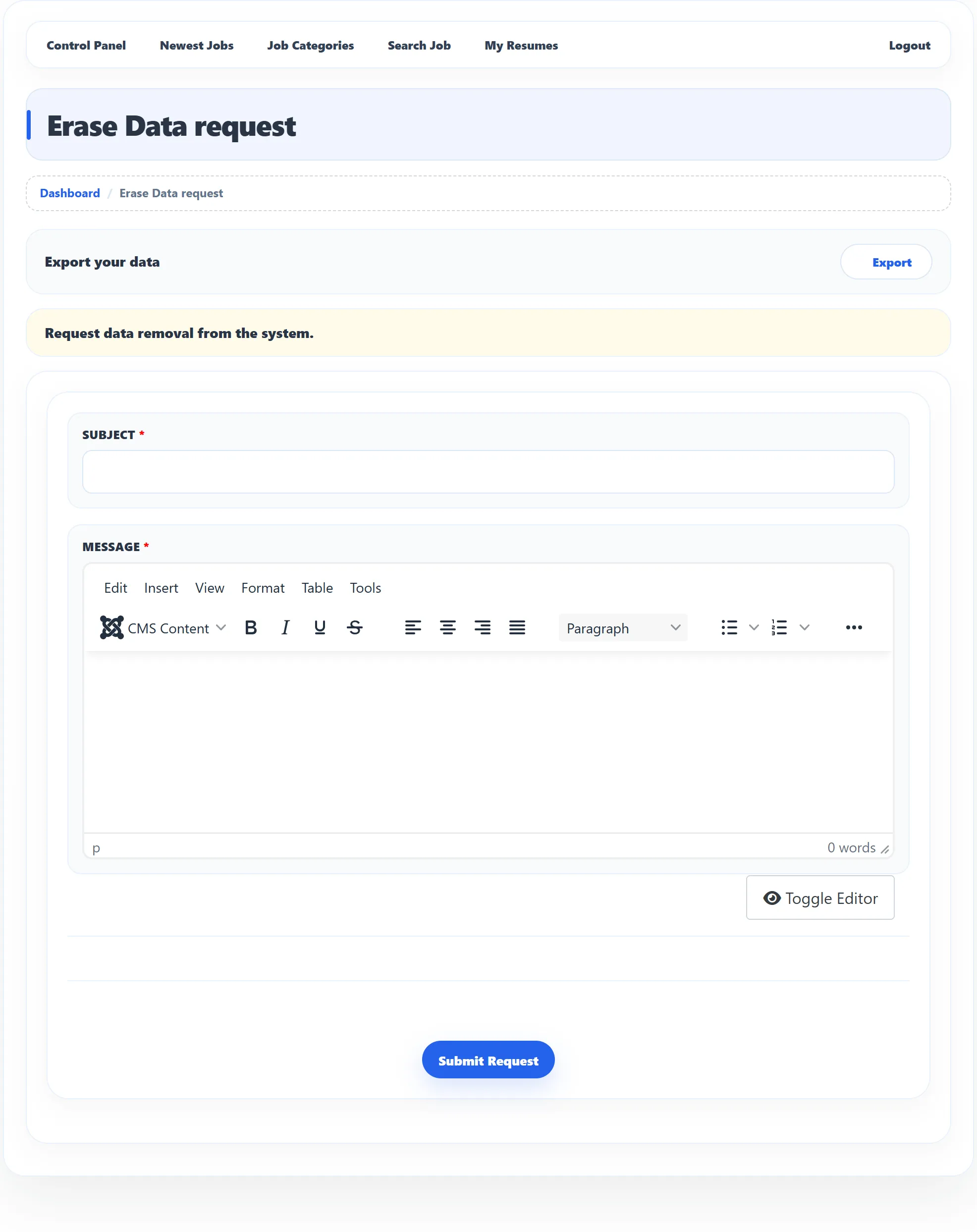
Export your data
Section titled “Export your data”Click Export next to Export your data. Your browser downloads a
spreadsheet file (export-overall-reports.xls) with:
- your name and e-mail, and how many resumes, applications and saved searches you have;
- each resume: name, Application Title, e-mail, category, job type, salary range and the date it was created;
- each job you applied for: the job title, the resume you used, the category, company, job type, job status and the date.
It is a summary. To keep a full copy of a resume, use Export Resume or View in My Resumes. If you have nothing to export, you see No data found for export.
Ask for your data to be erased
Section titled “Ask for your data to be erased”-
Under Request data removal from the system., enter a Subject, for example “Please delete my account”.
-
In Message, say what you want removed and anything else the site owner should know.
-
Click Submit Request.
You see Erase Data request has been saved successfully. The request goes to the site owner (who may also get an e-mail about it), and they decide what to erase. Nothing is deleted until they act on it.
While your request is open, the page shows You have filed a request to remove your data. in place of the form. If you change your mind, click To withdraw erases data request; you see Erase Data request has been deleted.