
Your company profile
Every job you post belongs to a company, so add your company first. You can run more than one company from the same account, for example a group and its subsidiaries, unless your package limits the number.
Add a company
Section titled “Add a company”-
Click My Companies in the menu bar, then Add New Company. (The New Company short link on the dashboard opens the same form.)
-
Fill in the form. Fields with a red star are required.
-
Click Save Company.
You return to My Companies with the message Company has been saved successfully. If the site checks new companies before they go live, the company shows Pending approval until the administrator approves it.
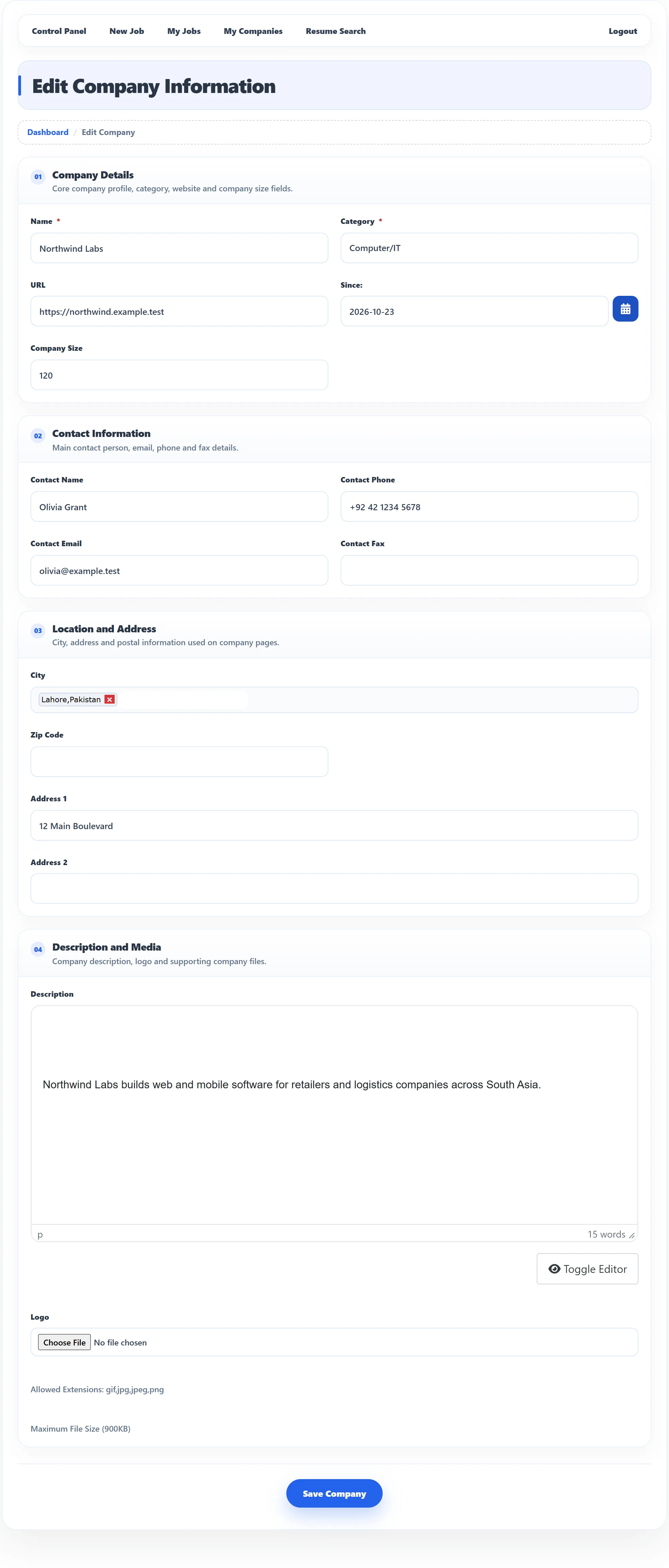
The fields
Section titled “The fields”The site owner chooses which fields appear and which are required, so your form may differ. On the demo site the form looks like this:
| Field | What to enter |
|---|---|
| Name | Your company name, as job seekers should see it. |
| Category | The industry you work in, such as Computer/IT. |
| URL | Your website, as a full address starting with https://. An address that isn’t a valid web address is not saved. |
| Since | When the company was founded. The date can’t be in the future. |
| Company Size | Number of employees. |
| Contact Name, Contact Phone, Contact Email, Contact Fax | Who job seekers should contact. They may appear on the company page. |
| City | Start typing a city and pick it from the suggestions. You can add more than one city. If the site lets you add new cities, type them as “City Name, Country Name” or “City Name, State Name, Country Name”. |
| Zip Code, Address 1, Address 2 | Your postal address. |
| Description | What the company does. Shown on the company page. |
| Logo | An image file. The allowed file types and the largest size in KB are shown under the field. When you edit a company with a logo, tick Delete Logo File to remove it. |
An Additional Fields section appears if the site owner has added fields of their own.
If the logo is too large or of the wrong type, the company is saved without it and you see Error uploading file. The file is larger than the allowed size or Invalid file type.
My Companies
Section titled “My Companies”My Companies lists your companies with their logo, website, category, creation date and city.
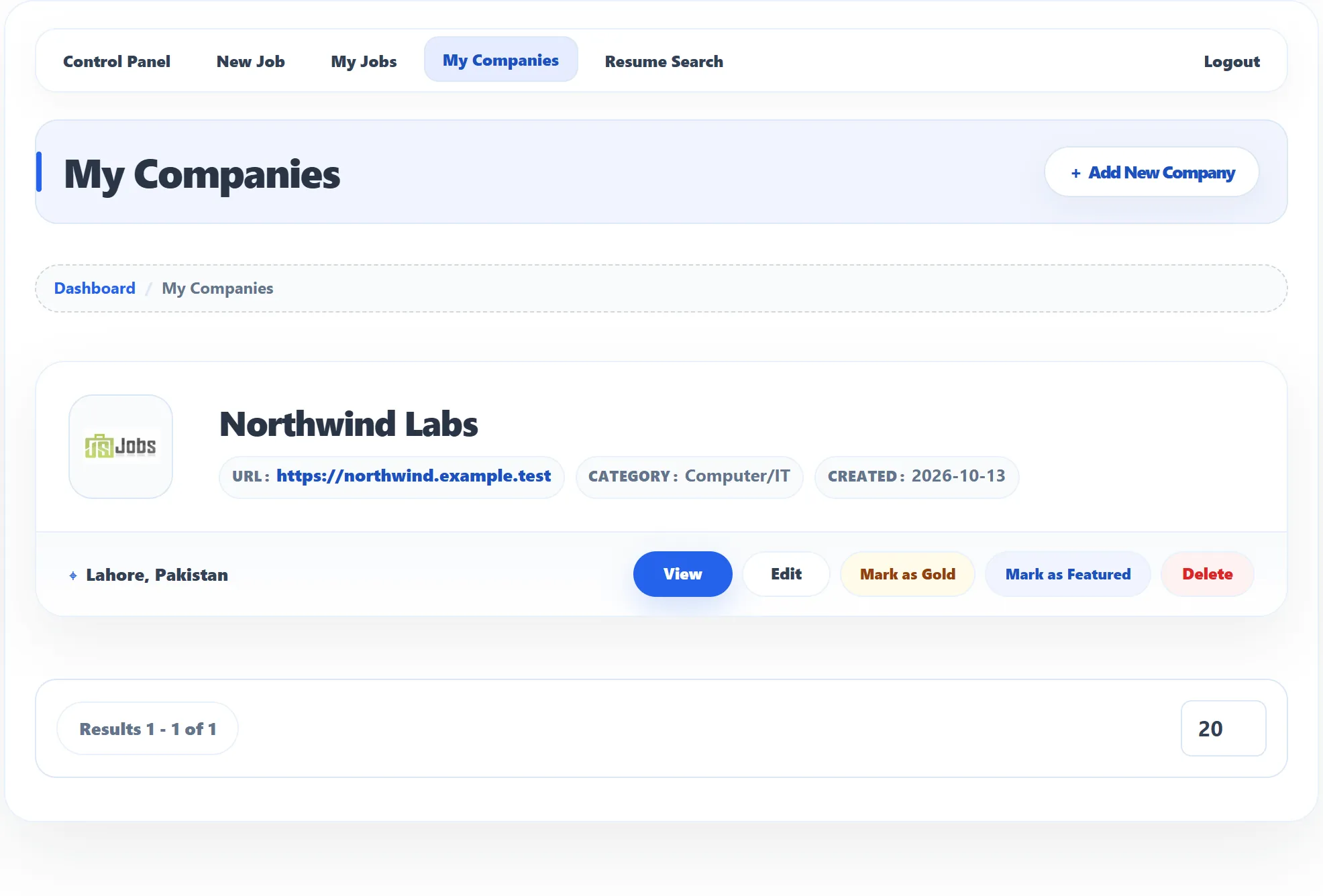
Labels next to the name show the company’s state:
| Label | Meaning |
|---|---|
| Pending approval | The administrator hasn’t approved the company yet. |
| Rejected | The administrator rejected it. |
| Gold / Featured | The company is promoted. Hover over the label to see when it ends. |
| Gold pending / Featured pending | You asked for the promotion and it is waiting for approval. |
The buttons appear only on approved companies:
| Button | What it does |
|---|---|
| View | Opens the public company page: description, contact details, address and View All Jobs. |
| Edit | Opens the form. Editing doesn’t change the company’s approval or its gold and featured status. |
| Mark as Gold (Pro) | Promotes the company to gold. See below. |
| Mark as Featured (Pro) | Promotes the company to featured. |
| Delete | Deletes the company after you confirm. |
A company that still has jobs or departments can’t be deleted: you see Company could not be deleted. Delete or move its jobs and departments first.
Gold and featured companies (Pro)
Section titled “Gold and featured companies (Pro)”Gold and featured companies get extra visibility on the site, for example in the gold and featured company lists. Click Mark as Gold or Mark as Featured on an approved company. The button disappears while the promotion is running.
- If the site requires packages, each promotion uses one gold or featured company credit from your package. Without a credit left you see You cannot add a new Gold Company (or Featured Company). See Packages and credits.
- The promotion lasts the number of days set in your package, or set by the site when packages aren’t required.
- If the site approves promotions by hand, you see Gold Company is waiting for approval and the label reads Gold pending until then.
When you can’t add a company
Section titled “When you can’t add a company”If the site requires packages, the form may be replaced by a message with a link to the packages page:
| Message | Why |
|---|---|
| You do not have the package | You haven’t got an employer package yet. |
| Your current package is expired | Your package has run out. Get a new one. |
| Company limit exceeds | You already have as many companies as your packages allow. |