
Login and registration
Open Components → JS Jobs → Configurations and click Login/Register in the list on the left. The section has two tabs, login and register. It is part of the same page as General, so Save Configurations saves both.
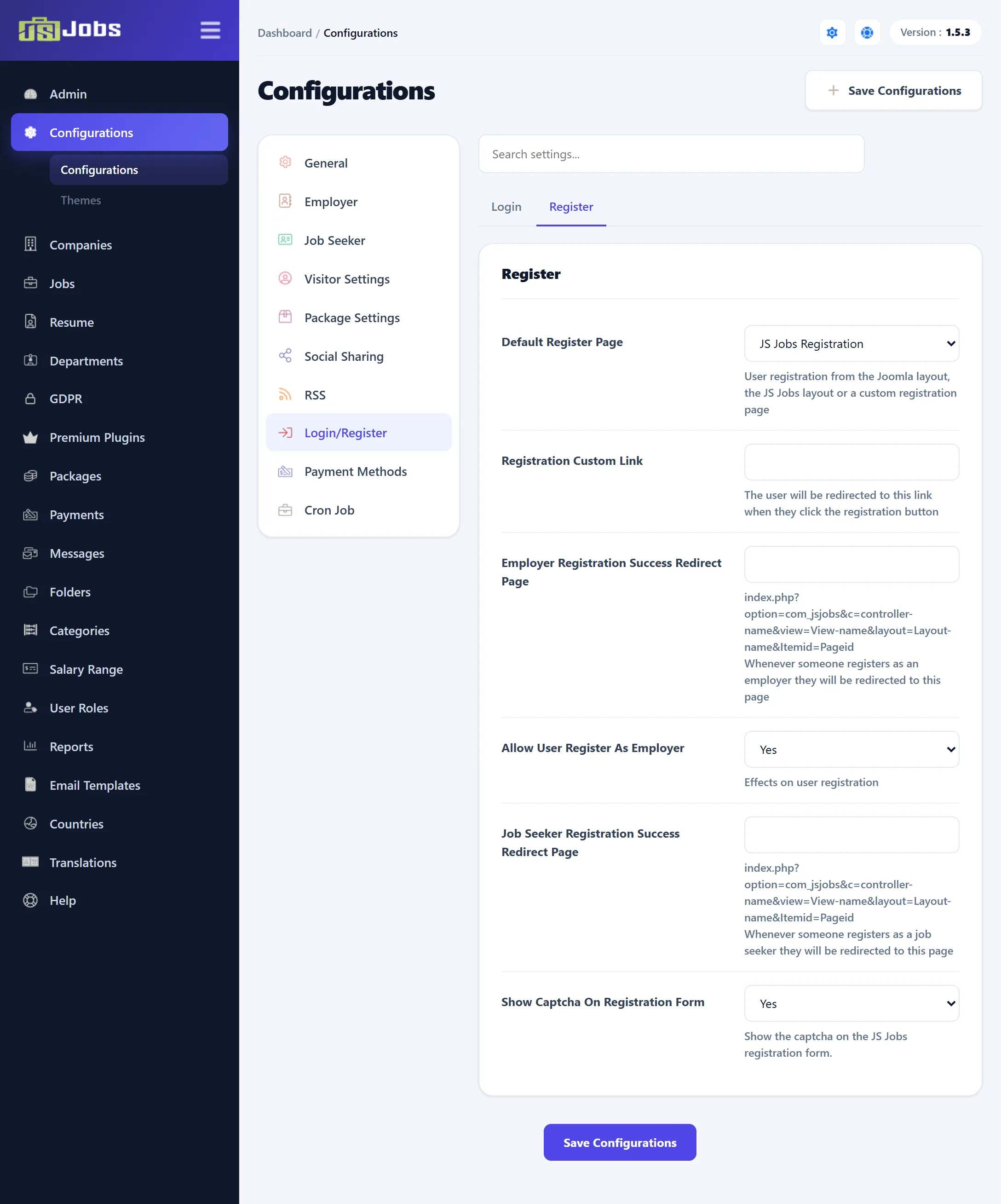
| Setting | Default | What it does |
|---|---|---|
| Default Login layout | JS Jobs Login | Where JS Jobs sends someone who must log in, for example a visitor who opens My Jobs or applies for a job: JS Jobs Login (the component’s own login page), Joomla Login (Joomla’s Users login page) or Custom Link. |
| Login Custom Link | Empty | The address used with Custom Link. If you leave out http:// or https://, http:// is put in front. When this is empty, the JS Jobs login page is used. |
After logging in on the JS Jobs or Joomla login page, the user comes back to JS Jobs.
register
Section titled “register”| Setting | Default | What it does |
|---|---|---|
| Default Register Page | JS Jobs Registration | The registration page JS Jobs links to, from its login page (“Do not have an account?”) and when a visitor applies for a job: JS Jobs Registration, Joomla Registration or Custom Link. |
| Registration Custom Link | Empty | The address used with Custom Link. Empty means the JS Jobs registration page. |
| Employer Successfully Registration Redirect Page | Empty | Where a new employer is sent after registering on the JS Jobs registration page. |
| Allow User Register As Employer | Yes | No stops people from becoming employers on the front end: the registration page and the page where a new user picks a role offer only the job seeker role. |
| Jobseeker Successfully Registration Redirect Page | Empty | Where a new job seeker is sent after registering on the JS Jobs registration page. |
| Show Captcha On Registration Form | Yes | Shows a captcha on the JS Jobs registration page. The kind of captcha is set by Set Default Captcha on General settings. |
The JS Jobs login page shows its Do not have an account? link only when Joomla allows registration (Users → Options → Allow User Registration set to Yes).
The JSJobs Register plugin
Section titled “The JSJobs Register plugin”The JS Jobs registration page relies on the JSJobs Register system plugin. It is the plugin that saves the role (employer or job seeker) a new user picks. Unless it is enabled, with its User Register in Role option set (Any by default):
- the registration form shows “Please install or enable the JS Jobs register plugin” where the role choice should be, and no captcha,
- the two redirect pages above aren’t used.
Find the plugin in System → Manage → Plugins. The plugin is covered in the Modules and plugins section of these docs.