
Introduction
JS Support Ticket is a help desk for Joomla. Your customers raise tickets from your website, your support team answers them, and every message on a ticket is kept in one conversation that both sides can see.
These docs cover version 1.3.0, the Pro edition, on Joomla 5 and 6.
Who uses which part
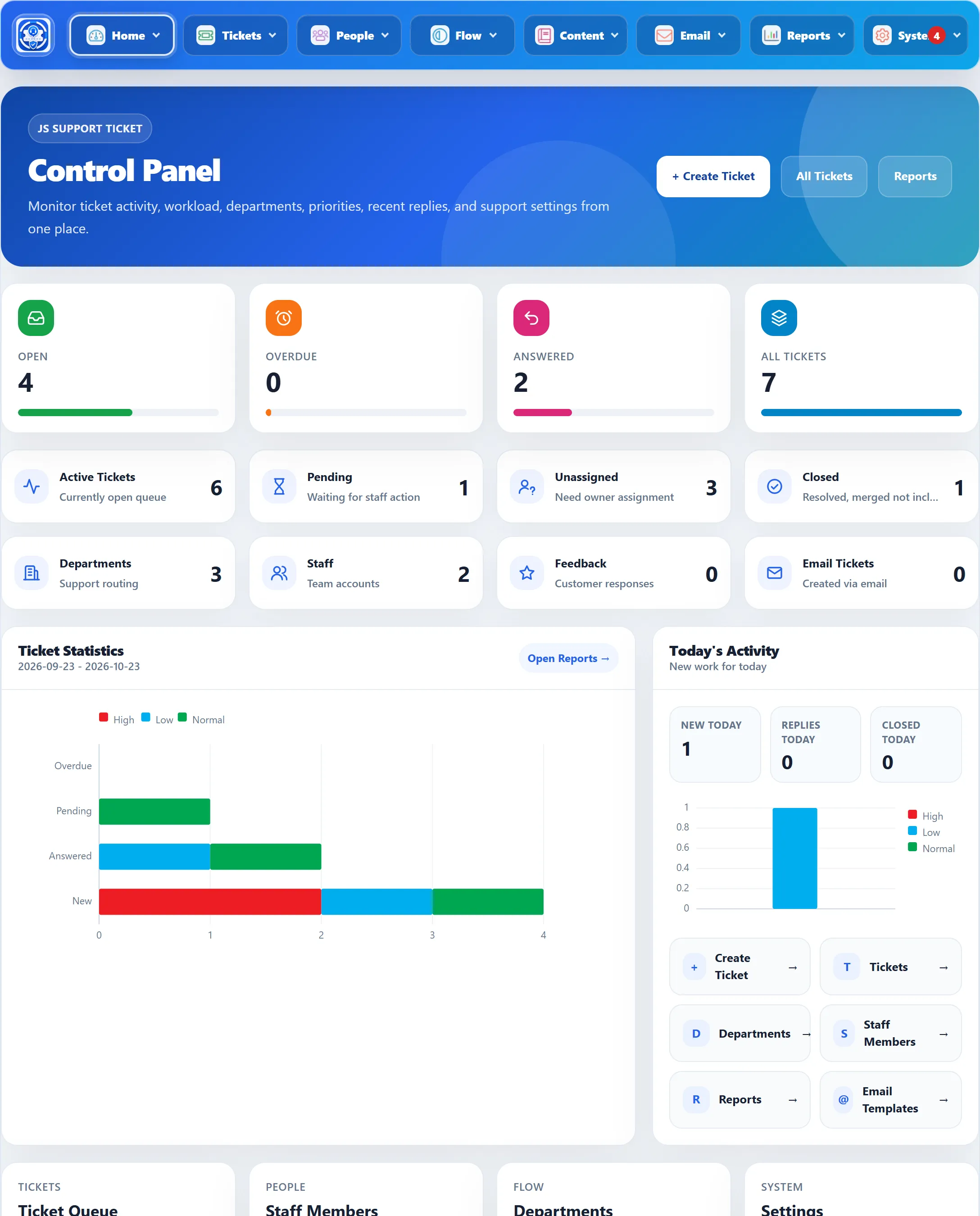
Section titled “Who uses which part”The administrator sets the help desk up in Joomla’s administrator, under Components → JS Support Ticket. The component has its own menu bar across the top of every screen, with eight groups: Home, Tickets, People, Flow, Content, Email, Reports and System. The administrator can also answer tickets there. See The Control Panel.
Customers use the front end of your site. They need a Joomla user account and log in with it. From the help desk pages they can submit a ticket, follow their tickets in My Tickets, reply, and read the knowledge base, FAQs, downloads and announcements. If you allow it, visitors without an account can submit tickets too, and check on one later with their e-mail address and ticket ID.
Staff members also work on the front end. A staff member is a Joomla user you add under People → Staff Members. When they log in and open the help desk page, they see a staff dashboard instead of the customer one, with the tickets they may work and the tools their role allows. Staff do not need access to Joomla’s administrator.
The main ideas
Section titled “The main ideas”| Term | What it is |
|---|---|
| Ticket | One support request: a subject, the customer’s message, the replies, and details such as department, priority and status. Each ticket gets a Ticket ID the customer can quote. |
| Department | The team a ticket belongs to, for example Support or Billing. The customer picks one on the ticket form. A new install has one department, Support. |
| Help topic | A more specific subject inside a department, for example “Refunds” under Billing. The ticket form only offers the help topics of the department the customer chose. |
| Priority | How urgent a ticket is. A new install has High, Low and Normal, with Normal as the default. Each priority has a colour used across the screens. |
| Status | Where a ticket stands: New, Pending (the customer replied), In Progress, Answered (staff replied) or Closed. Replying sets most of these for you. |
| Staff member | A Joomla user who works tickets on the front end. |
| Role | A set of permissions given to staff members, for example what they may do to a ticket and which departments they see. A new install has one role, Manager. |
| Canned response | A saved reply you can insert into an answer. |
The Glossary has the rest.
How a ticket moves
Section titled “How a ticket moves”- A customer fills in the ticket form on your site. The ticket is New.
- Staff, or the administrator, reply. The ticket becomes Answered.
- If the customer replies, it becomes Pending, waiting for staff again.
- Someone closes it, or the help desk closes it automatically after a set number of days without a reply from the customer.
Your first ticket walks through this on a real install.
Free and Pro
Section titled “Free and Pro”JS Support Ticket comes in a free edition and a Pro edition. Both share the same menu, ticket screens and settings. Pro adds staff members and roles, the knowledge base, FAQs, downloads and announcements, visitor tickets, ticket by e-mail, internal notes, merging, assigning, SLA and automation rules, more reports and more. The free edition marks those menu items with a star and opens a page describing the feature instead.