User Reports
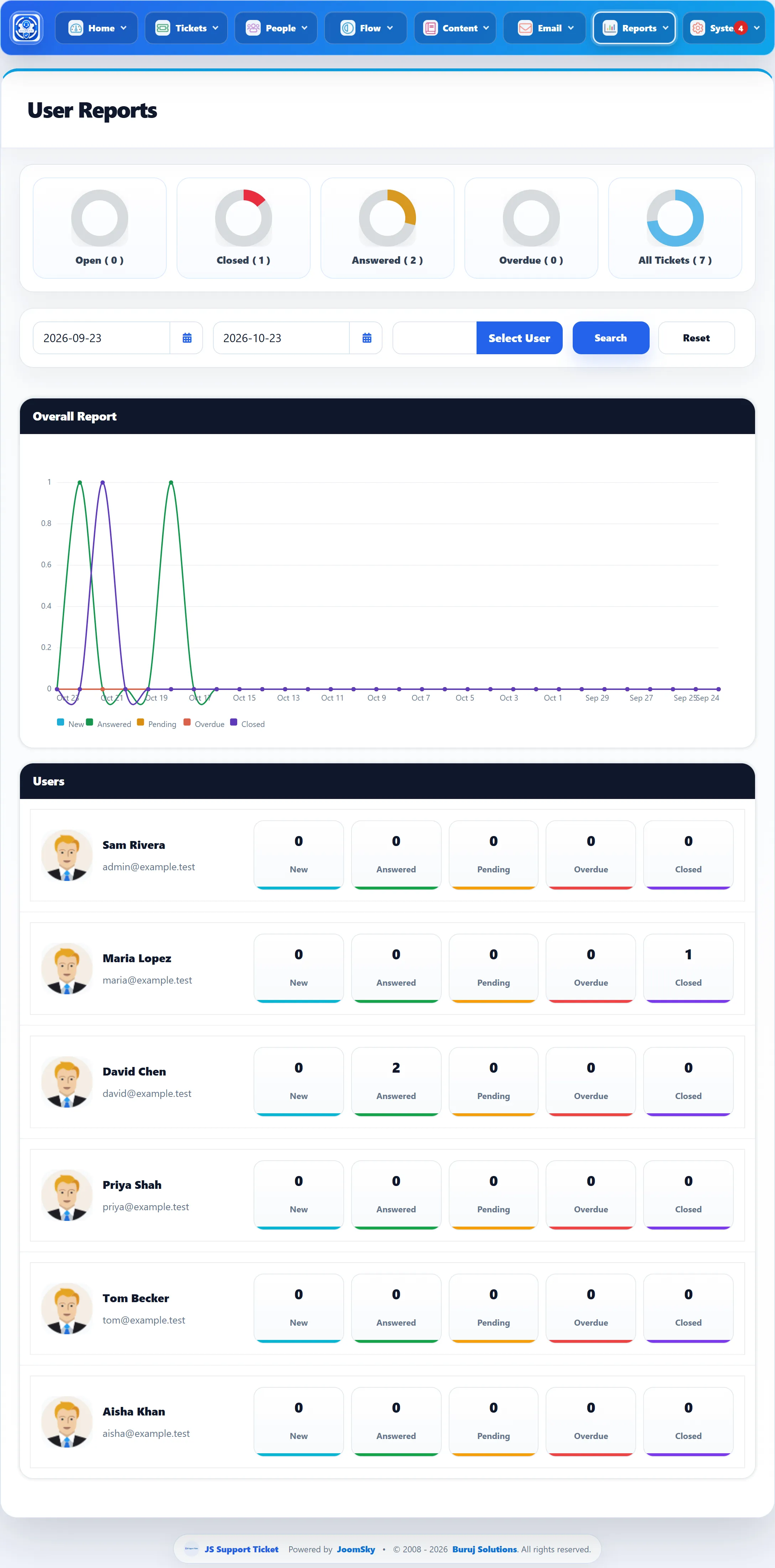
Reports → User Reports shows how many tickets each customer has raised in a period and where those tickets stand. It is useful for spotting the customers who need the most help.
Who is listed
Section titled “Who is listed”The Users list has every Joomla user account that is not a staff member, including administrators. Tickets are matched to an account by the user who raised them, so tickets raised by guests (visitors who were not logged in) are not in any row.
Filters
Section titled “Filters”The report opens on the last month up to today.
- Pick a start and end date (in your Date Format) and click Search.
- Select User opens a search box. Find a customer by name, username or email and click them to show only that customer.
- Reset clears the customer and goes back to the last month.
A ticket is in the period if it was created in it.
What it shows
Section titled “What it shows”Rings. Open, Closed, Answered, Overdue and All Tickets for the period, each as a share of All Tickets. Open counts new tickets that nobody has replied to and that are not overdue. The counts in brackets hide when Show count on my tickets is No.
Overall Report. A line chart across the days of the period with New, Answered, Pending, Overdue and Closed, by the day the tickets were created.
Users. One row per account, with the name and email address and the customer’s New, Answered, Pending, Overdue and Closed counts for the period. See how tickets are counted.
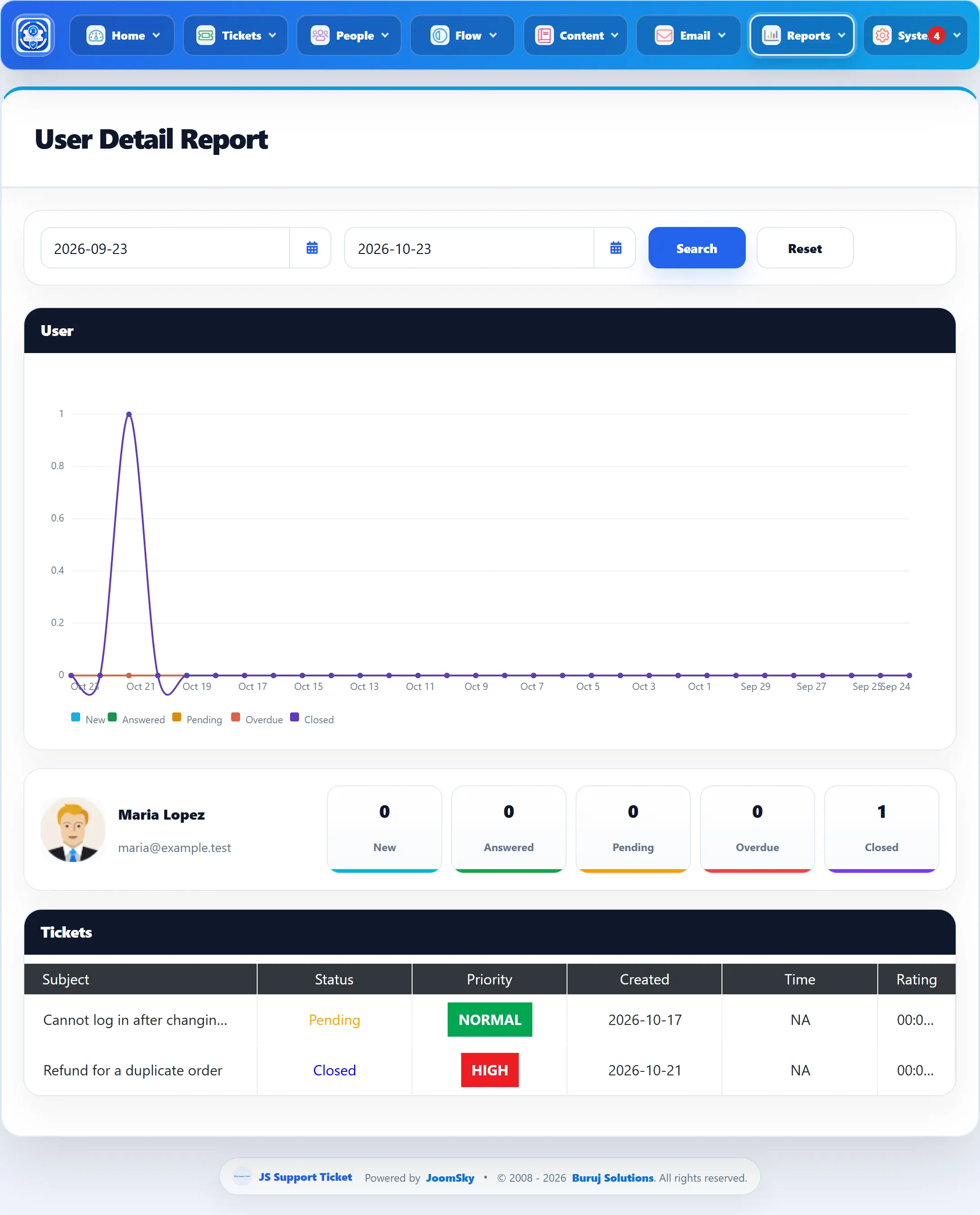
User Detail Report
Section titled “User Detail Report”Click a row to open the User Detail Report for that customer, for the same period (you can change the dates there). It shows the same line chart and boxes for this customer, then a Tickets list with Subject (a link to the ticket), Status, Priority, Created, Time and Rating.
Time is the total time staff recorded on the ticket with the ticket timer. Rating is the customer’s own feedback on that ticket, out of 5.