
Settings
System → Settings holds the component’s own settings: how the help desk looks and behaves, which links customers and staff see, and when background work runs. Everything is stored in the component; nothing here changes Joomla’s System → Global Configuration.
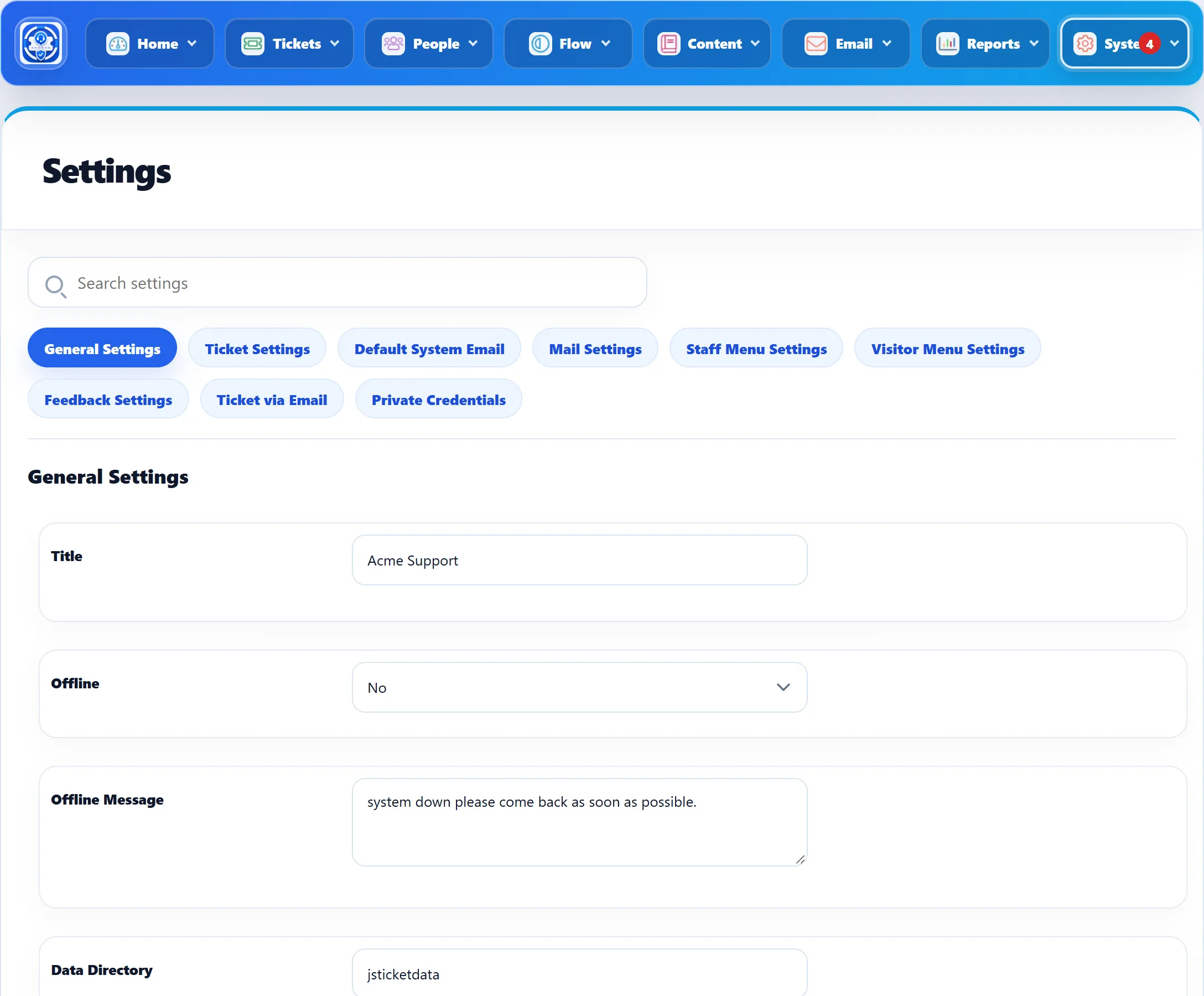
The tabs
Section titled “The tabs”Two more tabs are covered here:
- Default System Email: see below.
- Mail Settings: which notification emails are sent to the administrator, to staff and to customers for each ticket event. See Email notifications.
In the Free edition the Ticket via Email and Private Credentials tabs are not there, and settings for Pro features are marked with an asterisk.
Finding a setting
Section titled “Finding a setting”Type in Search settings at the top. Every tab is searched at once, by the setting’s name and help text. Matching settings are shown under their section headings, each tab shows how many it matched, and the line beside the box says how many settings were found in total. Clear (or the Esc key, or clicking a tab) goes back to the normal one-tab view. Pressing Enter in the box does not save the form.
Saving
Section titled “Saving”Click Save Settings, at the bottom of the form or in the toolbar. All tabs are saved together, so you can change settings on several tabs and save once. Cancel in the toolbar leaves without saving and goes to the Control Panel.
When saving works you see “The configuration has been stored”. Two messages stop the save:
- Invalid data directory: the Data Directory on General Settings is
empty or contains
com_jssupportticket. - Data directory in not writable: the folder exists (or was just created) but the web server cannot write to it.
The Options button in the toolbar is Joomla’s own: it sets which user groups may use the component (Permissions). It is shown to users allowed to change Joomla’s permissions.
Default System Email
Section titled “Default System Email”These two settings choose addresses from Email → System Emails. Use Add Email beside either list to add a new address first.
| Setting | What it does | Default |
|---|---|---|
| Default Alert Email | The address emails are sent from when the ticket’s department has no email address of its own. | The address added at install |
| Default admin email | The address that receives the administrator’s notification emails (new ticket, reply, close and so on, as switched on under Mail Settings). | The address added at install |
When the component is installed, the email address of the administrator who installed it is added to System Emails, and both settings point to it.
Outgoing Mail Delivery, which decides whether email is sent at once or from a queue, is on General Settings.