
Priorities
Every ticket has a priority. Priorities are shown as coloured labels on ticket lists and ticket pages, and can be used to route tickets and to pick an SLA rule.
A fresh install has three: High, low and Normal, with Normal as the default.
Open Flow → Priorities.
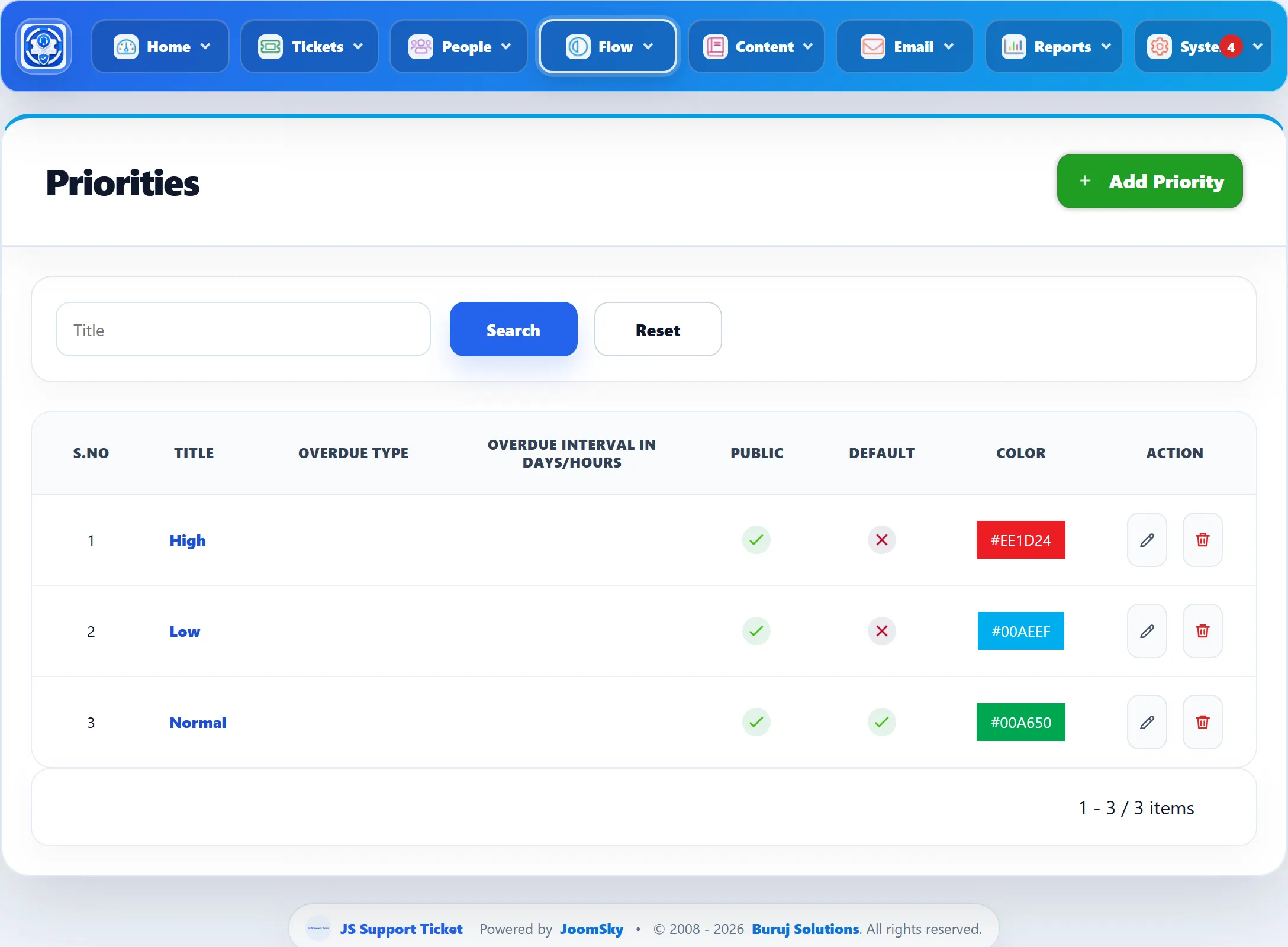
| Column | What it shows |
|---|---|
| Title | Click it to edit the priority. |
| Overdue Type | Days or Hours. |
| Overdue interval in Days/Hours | How long before an unanswered ticket of this priority is marked overdue. |
| Public | A tick when customers can choose it. |
| Default | A tick on the default priority. |
| Color | The colour of its label. |
Adding a priority
Section titled “Adding a priority”-
Click Add Priority.
-
Fill in the form (below).
-
Click Save Priority.
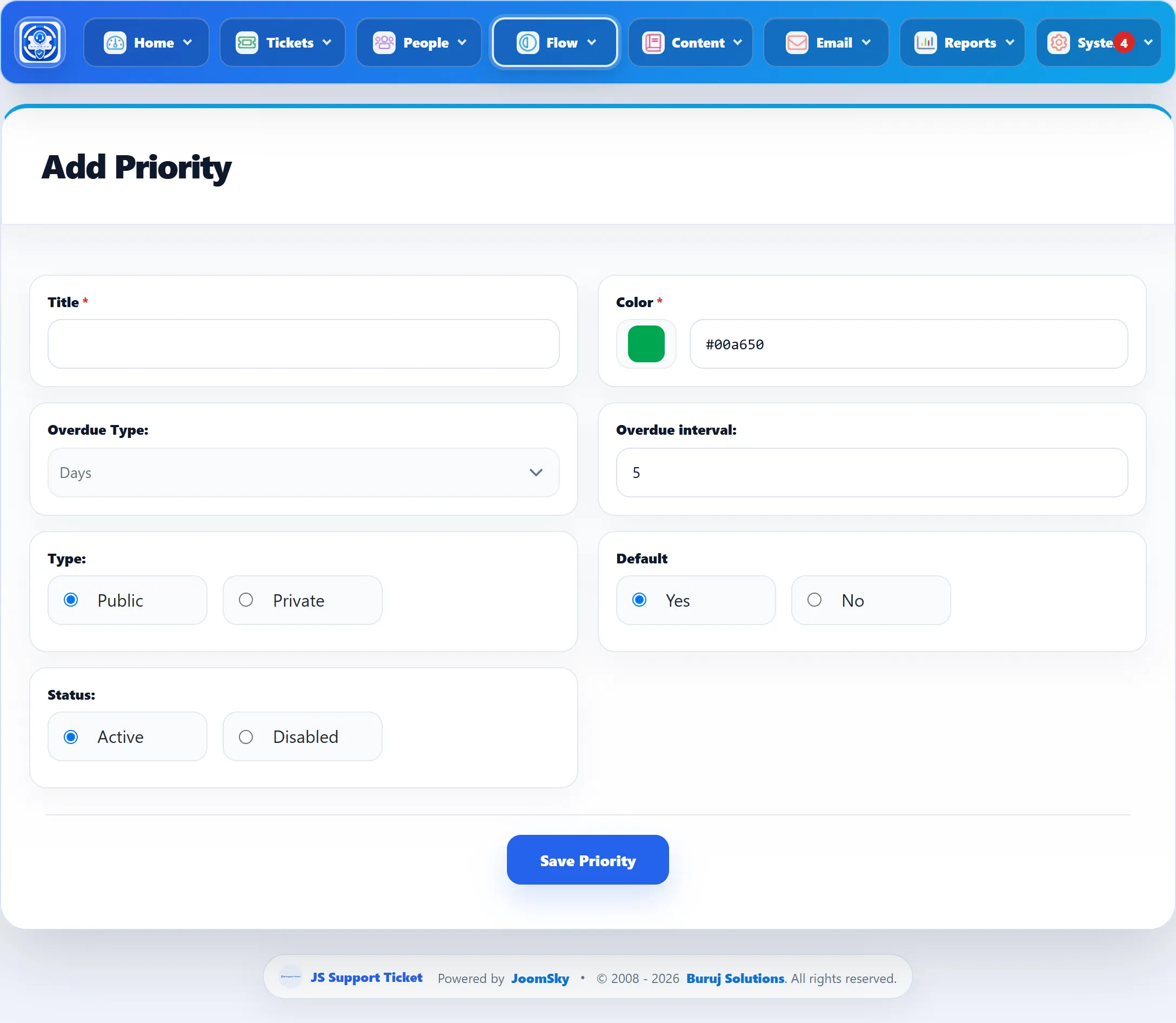
| Field | What it does | Default |
|---|---|---|
| Title | The priority’s name. Required, up to 60 characters. | |
| Color | The label colour. Pick it with the colour box or type a hex value such as #ee1d24. Required. |
#00a650 |
| Overdue Type | Whether Overdue interval counts Days or Hours. | Days |
| Overdue interval | How many days or hours an unanswered ticket of this priority may wait before it is marked overdue. See below. | 5 |
| Type | Public priorities are offered to customers on the ticket form. Private ones are only offered to staff and in the administrator. | Public |
| Default | Yes makes this the default priority, preselected on the ticket form. Only one priority is the default: saving one as default clears the others. | Yes |
| Status | Active or Disabled. Only active priorities are checked for overdue tickets. Disabled priorities are still offered on ticket forms. | Active |
Overdue tickets
Section titled “Overdue tickets”The help desk’s background job marks a ticket overdue when its priority is Active and the ticket:
- is open and has not been answered, and its last reply is older than the priority’s interval, or
- is still New (nobody has replied) and was created longer ago than the interval.
Closed tickets are never marked. A ticket with a due date is also marked overdue once the due date has passed and it is still unanswered.
The background job runs when someone opens a page of your site, at most once every 30 minutes (unless Run Background Tasks On Page Load is turned off in System → Settings), or on a schedule if you have set up the Joomla scheduled task JS Support Ticket: ticket maintenance (System → Manage → Scheduled Tasks).
Deleting a priority
Section titled “Deleting a priority”Click the delete button in the list. The default priority, and any priority a ticket uses, cannot be deleted; you see “Priority has not been deleted.”