
System email addresses
Every email JS Support Ticket sends goes out from one of its system emails. You list them under Email → System Emails, then choose which one each department sends from and which ones the help desk uses by default.
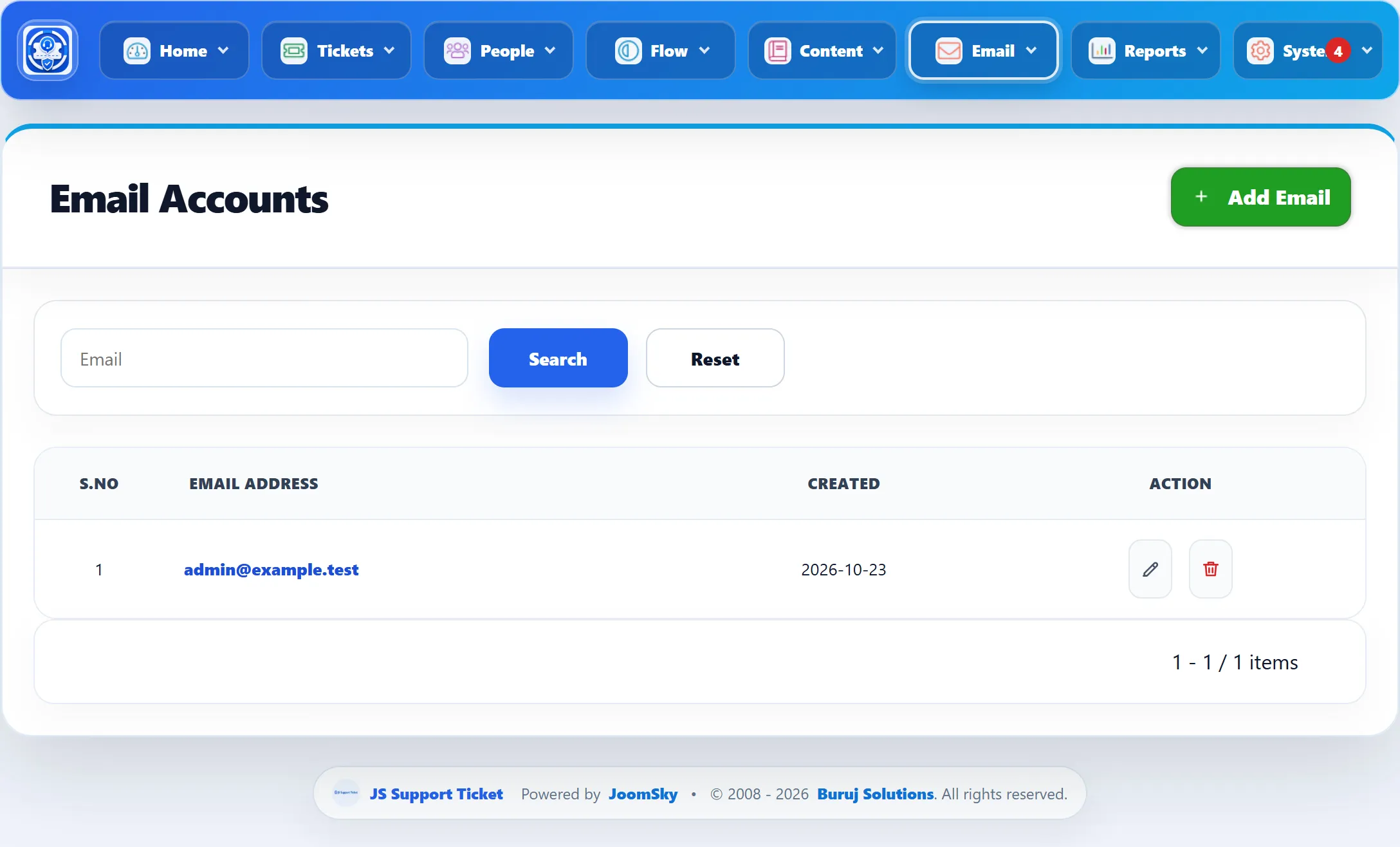
The list is headed Email Accounts and shows each Email Address with the date it was added. The Email box above it searches the addresses.
Which address is used
Section titled “Which address is used”- A ticket email is sent from the Outgoing Email of the ticket’s department (People → Departments).
- If the department has none, it is sent from the Default Alert Email.
- Mail that isn’t about a ticket, such as ban-list and data-erasure notices, is sent from the Default Alert Email.
- Copies meant for the administrator go to the Default admin email.
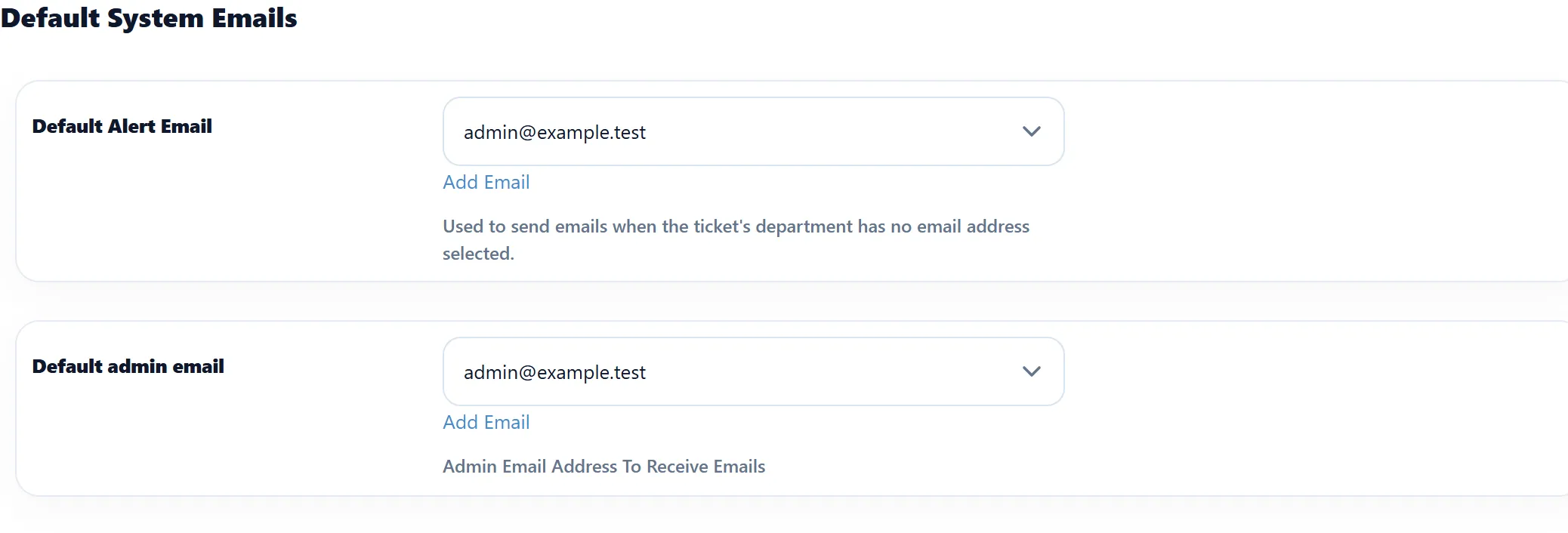
Both defaults are set under System → Settings → Default System Email.
| Setting | What it does | Default |
|---|---|---|
| Default Alert Email | Sends ticket emails for departments without an Outgoing Email, and all other help desk mail. | The first system email: the Joomla address of the administrator who installed the component |
| Default admin email | Receives the administrator’s copy of each notification you switch on for Admin in Notifications, and the Check Settings test email below. | The first system email: the Joomla address of the administrator who installed the component |
The sender name on every message is the help desk’s Title from System → Settings → General Settings.
When a ticket-via-email mailbox is enabled, outgoing ticket emails also carry its address as the reply-to address, so customers’ replies reach the mailbox the help desk reads.
Adding an address
Section titled “Adding an address”-
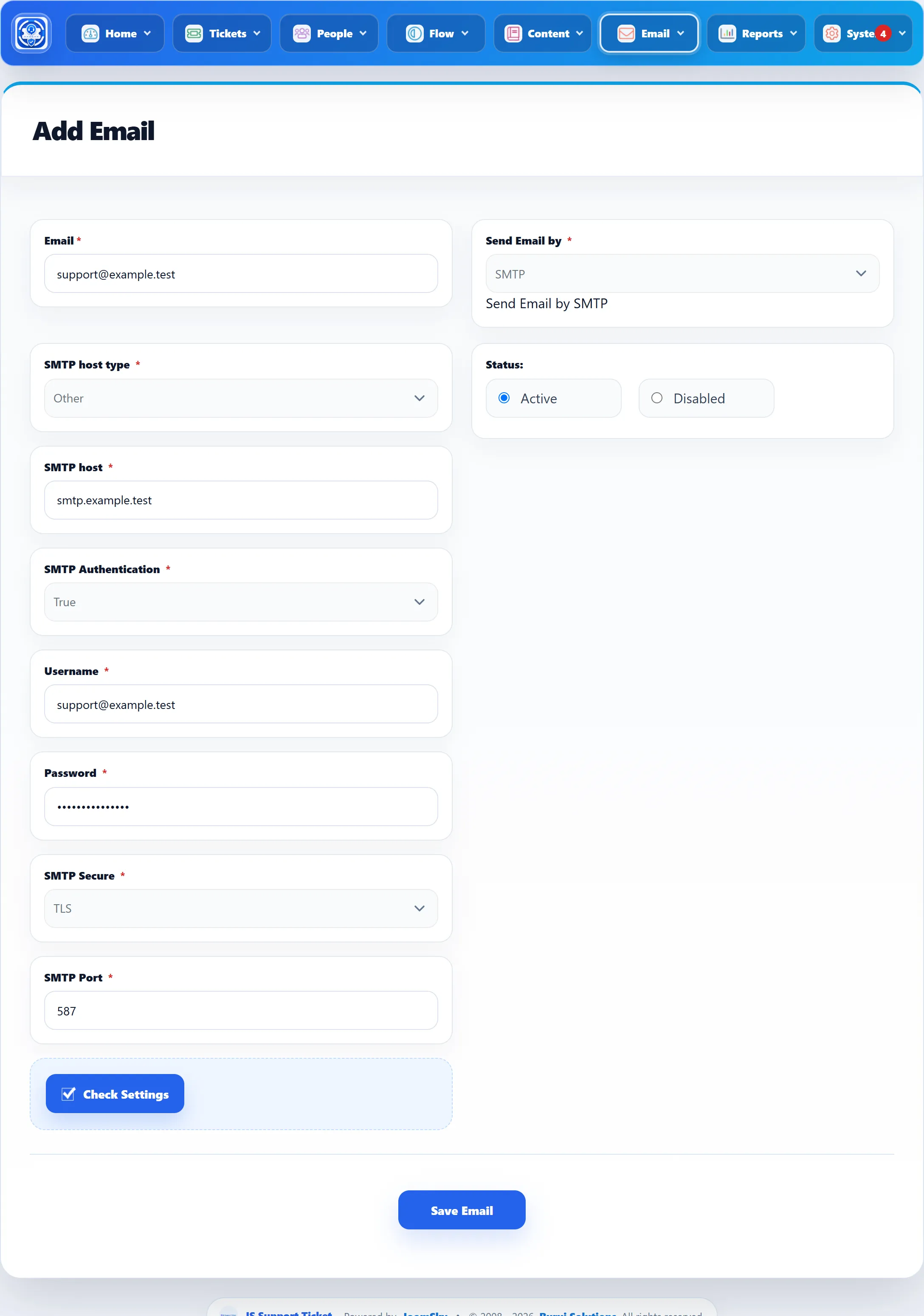
Go to Email → Add Email, or click Add Email on the list.
-
Type the address under Email.
-
Choose Send Email by: Default or SMTP.
-
Click Save Email.
| Field | What it does |
|---|---|
| The address mail is sent from. Required, and it must not already be on the list. | |
| Send Email by | Default sends through Joomla’s own mail settings (System → Global Configuration → Server). SMTP (Pro) sends through the mail server you enter below, whatever Joomla is set to. |
| Status | Active or Disabled. A disabled address is left out of the email menus, such as a department’s Outgoing Email and the Default System Email settings. |
The toolbar has Save Email (stay on the form), Save & New and Save & Close.
SMTP settings (Pro)
Section titled “SMTP settings (Pro)”These fields appear when Send Email by is SMTP. All are required.
| Field | What it does |
|---|---|
| SMTP host type | Gmail, Yahoo, Hotmail, Aol or Other. Choosing one fills in SMTP host for you (smtp.gmail.com, smtp.mail.yahoo.com, smtp.live.com, smtp.aol.com); Other leaves it empty for you to type. |
| SMTP host | The mail server’s name. |
| SMTP Authentication | True if the server needs a user name and password, which nearly all do. |
| Username | The SMTP user name, often the full address. |
| Password | The SMTP password. When you edit a saved address the box is empty: leave it empty to keep the saved password. |
| SMTP Secure | TLS or SSL. Use what your provider gives, usually TLS on port 587 or SSL on port 465. |
| SMTP Port | The server’s port. |
Check Settings tries to send a test email, “SMPT Test email”, through the server you entered, to the Default admin email. It reports “Test email has been sent on :” and the address, or the mail server’s error. If nothing comes back within 30 seconds, the help desk can’t reach the server.
If you switch an address back to Default, its SMTP details are cleared when you save.
Deleting an address
Section titled “Deleting an address”Click the bin icon and confirm. The help desk doesn’t check whether the address is still in use, so first change any department whose Outgoing Email it is, and the Default System Email settings.
When mail doesn’t arrive
Section titled “When mail doesn’t arrive”Every attempt is recorded under Email → Email Logs, with the error for failed ones. See Mail queue and logs. With Send Email by set to Default, also check that Send Mail is on in Joomla’s Global Configuration.