
Ticket via Email and Private Credentials
Ticket via Email
Section titled “Ticket via Email”System → Settings → Ticket via Email has two settings. The mailboxes that email is collected from, and how often, are set up under Tickets → Email Tickets.
| Setting | Default | What it does |
|---|---|---|
| UTF Auto Switch | Yes | When a customer replies to a ticket by email, decodes the sender’s name if their mail program encoded it, so names with accents or non-Latin letters show correctly on the reply instead of as =?UTF-8?…?= text. |
| Enabled | Disabled | Not used in 1.3.0. Changing it does not start or stop anything. |
Email is collected from every mailbox under Tickets → Email Tickets that is switched on, whatever Enabled says here. To stop collecting from a mailbox, switch that mailbox off there. Collection runs with the background jobs.
Private Credentials
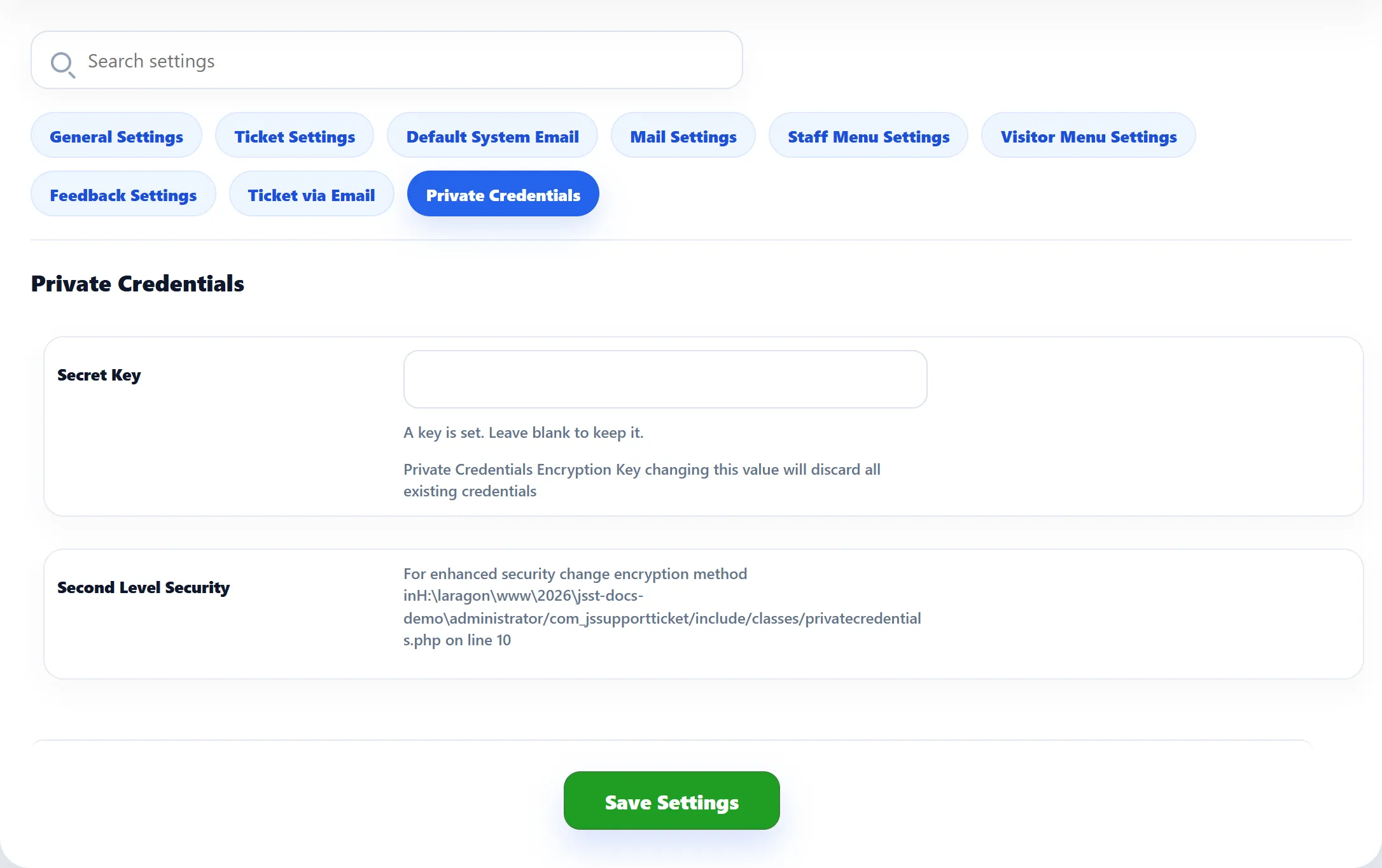
Section titled “Private Credentials”Private credentials are logins and similar details attached to a ticket, such as an account your team needs to look into a problem. They are stored encrypted. This tab holds the key for that encryption.
| Setting | What it does |
|---|---|
| Secret Key | The key for credentials stored by older versions, and for new ones on a server that can’t use the current method. The box is always shown empty; leave it empty to keep the key you have. |
| Second Level Security | A note, not a setting. See below. |
How credentials are encrypted
Section titled “How credentials are encrypted”- Credentials saved in 1.3.0 are encrypted with AES-256-GCM, using the
secret of your Joomla site (stored in
configuration.php, not in the database). A copy of the database alone can’t be read. - The Secret Key is used for the older AES-256-CBC method. JS Support Ticket reads credentials saved by earlier versions with it, and falls back to it only if the server has no OpenSSL or the Joomla site has no secret. The first time it is needed, a random key is generated for your site, and the box then says “A unique key was generated for this site. Leave blank to keep it.” If you typed your own passphrase in the past, it says “A key is set. Leave blank to keep it.”
- Each credential is re-encrypted with the current method the next time it is saved.
Second Level Security suggests changing the encryption method in a file of the component. You don’t need to: new credentials already use AES-256-GCM, and any change you make to the component’s files is lost when you update it.