
What comes with the component
JS Support Ticket installs a few Joomla extensions of its own next to the component. They put the help desk where Joomla expects things to be: a search box and a “submit a ticket” card for your site’s module positions, routines for Joomla’s task scheduler, knowledge base articles in the site search, and the help desk’s data in Joomla’s privacy requests.
You don’t download or install these separately. Installing or updating the component installs them too.
What ships
Section titled “What ships”| Extension | Name in Joomla | Type | Where you find it | Edition |
|---|---|---|---|---|
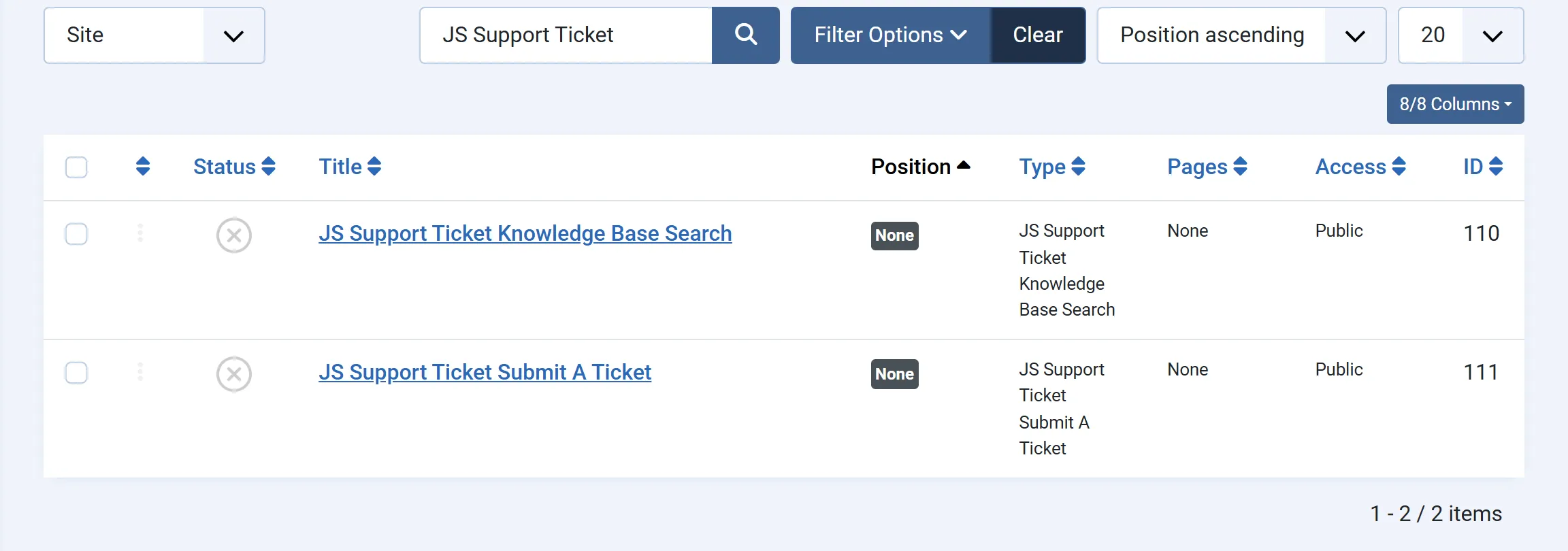
| Submit a ticket module | JS Support Ticket Submit A Ticket | Site module | Content → Site Modules | Free and Pro |
| Knowledge base search module | JS Support Ticket Knowledge Base Search | Site module | Content → Site Modules | Pro |
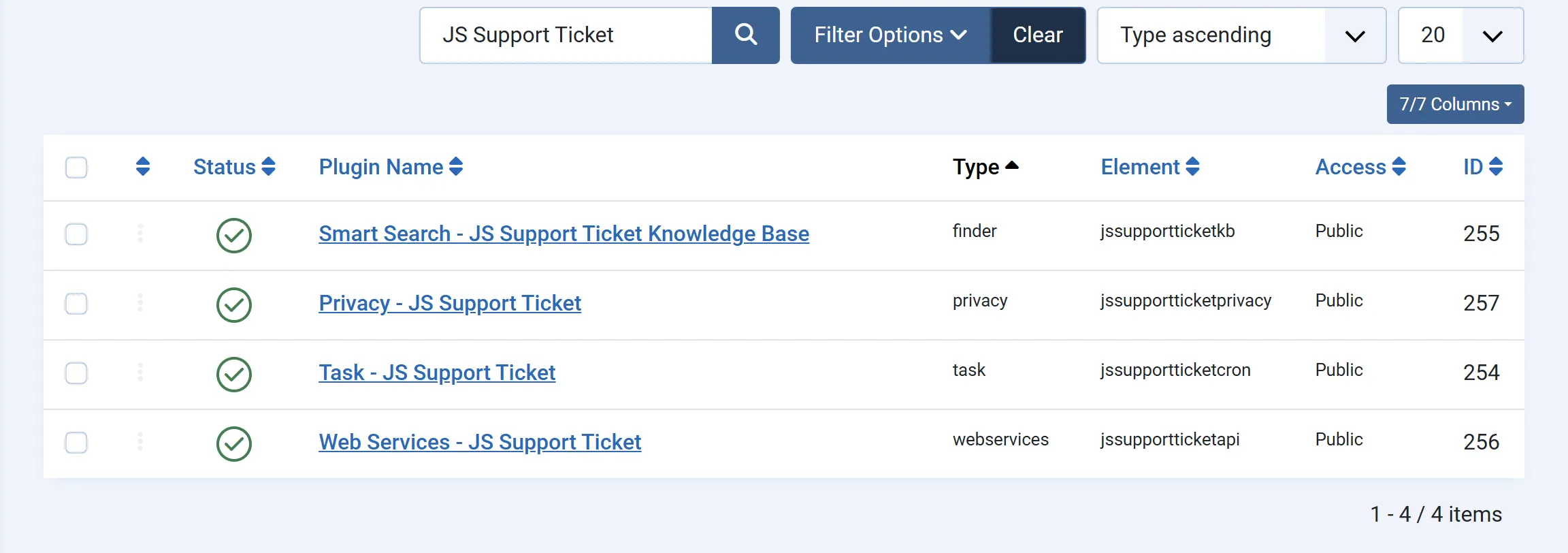
| Scheduled tasks | Task - JS Support Ticket | Task plugin | System → Scheduled Tasks | Free and Pro (Pro has more routines) |
| Smart Search | Smart Search - JS Support Ticket Knowledge Base | Finder plugin | Components → Smart Search | Pro |
| Privacy | Privacy - JS Support Ticket | Privacy plugin | Users → Privacy | Free and Pro (Pro covers more data) |
| Web services API | Web Services - JS Support Ticket | Web services plugin | Keys under Flow → Integrations | Pro |
The Pro edition also has a command line script for converting the help desk’s database tables.
What installing does
Section titled “What installing does”- The four plugins are switched on. You’ll find them under System → Manage → Plugins: search for “JS Support Ticket”.
- The two modules are added but not shown anywhere. Joomla creates one module of each type, unpublished and with no position. Open it from Content → Site Modules, choose a position and publish it. You can also make more copies with New.
After an update
Section titled “After an update”Every install or update of the component reinstalls these extensions and turns the four plugins on again. If you have switched one off on purpose (the web services plugin, say, because you don’t use the API), switch it off again after updating.
Uninstalling
Section titled “Uninstalling”Uninstalling the component leaves these extensions in place. To remove them, uninstall each one from System → Manage → Extensions.
The plugins at a glance
Section titled “The plugins at a glance”None of the plugins has settings of its own; in System → Manage → Plugins you only turn them on or off. What each one does is set elsewhere:
- Task - JS Support Ticket adds four task types to System → Scheduled Tasks. Nothing runs until you create a task from one of them. See Scheduled tasks.
- Smart Search - JS Support Ticket Knowledge Base puts active knowledge base articles into Joomla’s Smart Search index. Tickets are never indexed. See Smart Search.
- Privacy - JS Support Ticket answers the export and removal requests you handle under Users → Privacy → Requests. See Privacy requests.
- Web Services - JS Support Ticket adds the help desk’s routes to Joomla’s API. See Web services API.