
Overall Report
Reports → Overall Report (also the Reports quick link at the top of every screen) opens Overall Statistics: a summary of every ticket in the help desk, or of the tickets created in a period you choose.
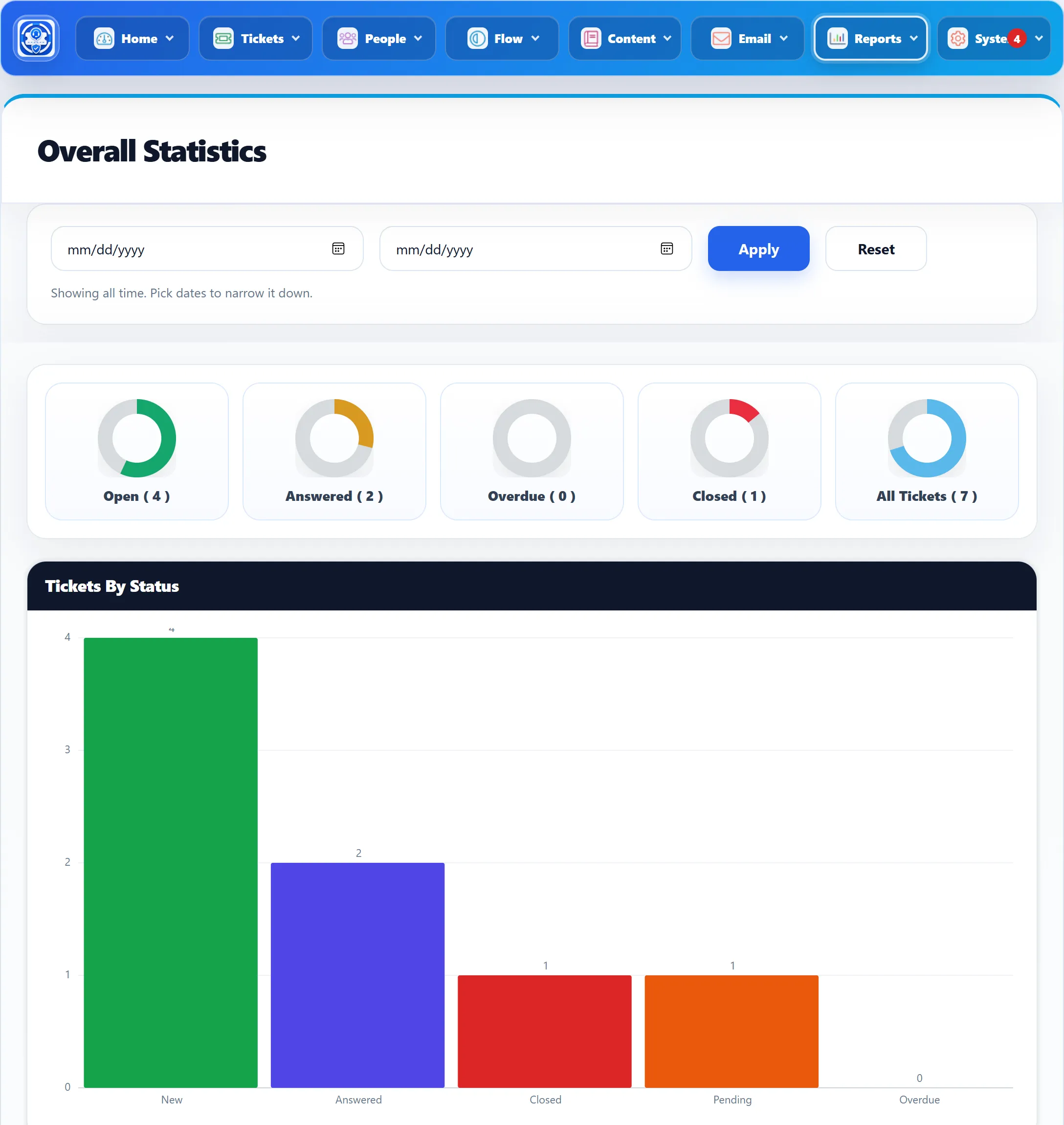
Choosing a period
Section titled “Choosing a period”Pick a From date, a To date or both, then click Apply. The line under the boxes changes from “Showing all time. Pick dates to narrow it down.” to “Showing tickets created in this period.” Both dates are included. Reset goes back to all time.
The period always filters by the day a ticket was created. A ticket opened last month and closed today counts in last month.
The rings
Section titled “The rings”The five rings at the top show each group as a share of All Tickets. The number in brackets is the count; it is hidden when Show count on my tickets is set to No under General Settings.
| Ring | Counts the tickets that |
|---|---|
| Open | are not closed or merged and have not been answered |
| Answered | have the status Answered |
| Overdue | are marked overdue and are not closed |
| Closed | have the status Closed |
| All Tickets | were created in the period |
The charts
Section titled “The charts”| Chart | What it shows |
|---|---|
| Tickets By Status | Bars for New (the same tickets as the Open ring), Answered, Closed, Pending and Overdue. Pending is every ticket that is not answered or closed and has had at least one reply. |
| Tickets By Departments | A pie of tickets per department. |
| Tickets By Priorities | A pie of tickets per priority, in each priority’s own colour. |
| Tickets By Priority And Status | One bar each for Overdue, Pending, Answered and New, split by priority. Here Pending leaves out overdue tickets. If no ticket falls in any of these, the card says “No priority status data available”. |
| Tickets By Channel | Tickets and replies, each split into Direct (made on the website or in the administrator) and Email (made by email, see Tickets → Email Tickets). Replies count by the day the reply was written. |
| Tickets By Staff | A pie of tickets per staff member, by who the ticket is assigned to. Unassigned tickets are not in it. With no assigned tickets the card says “No staff ticket data available”. |
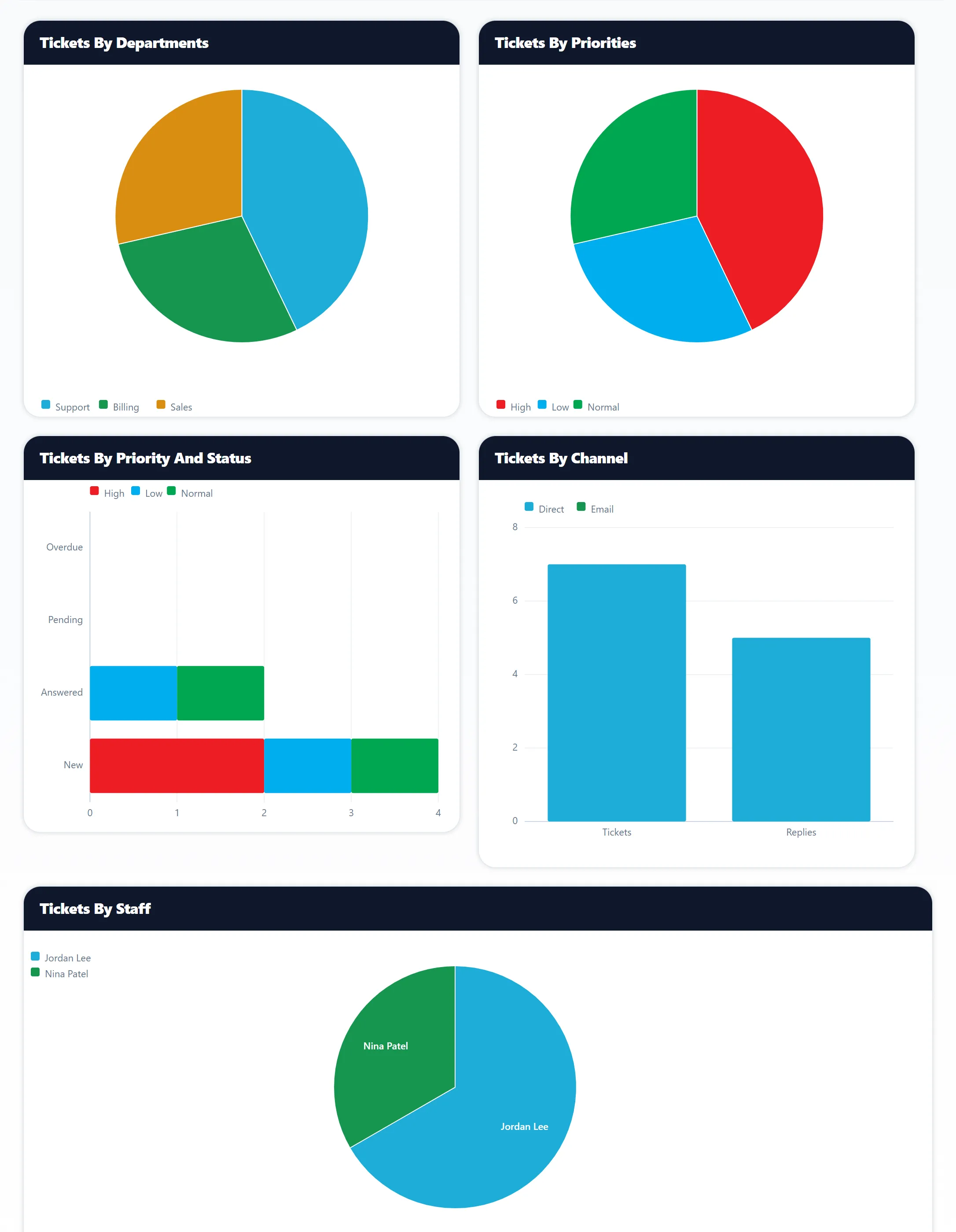
The charts are drawn by the component itself, in your browser. Nothing is sent to an outside service.