
Notifications
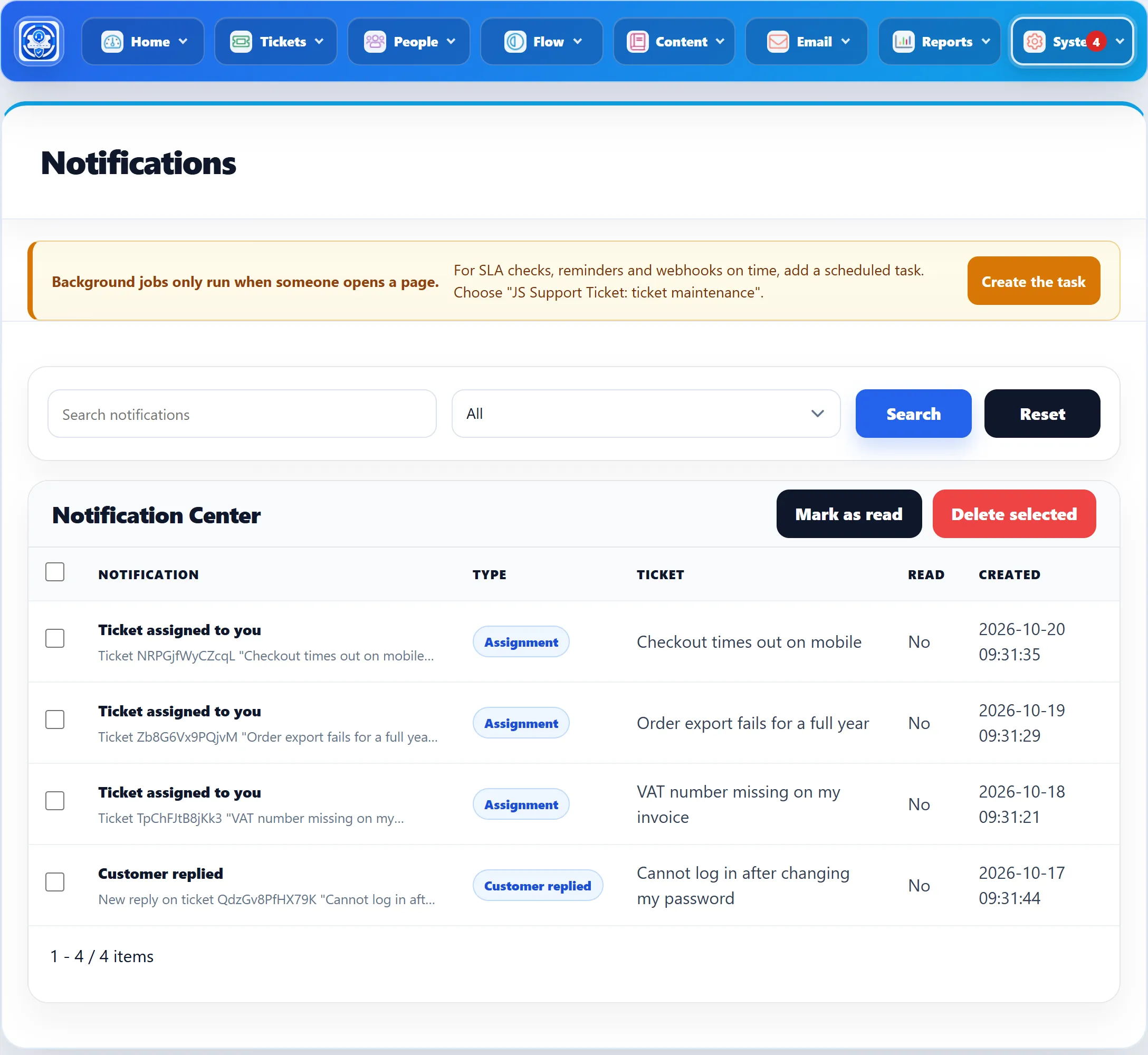
Besides email, the help desk keeps notifications inside the site. System → Notifications lists all of them, for every staff member, newest first. The number of unread notifications is shown on the Notifications item and on the System button of the top bar, so you see it from any screen (it shows 99+ above 99).
What creates a notification
Section titled “What creates a notification”| Type | Created when | For |
|---|---|---|
| Assignment | A ticket is assigned to a staff member by someone else, or by an automatic assignment. | The staff member it was assigned to |
| Customer replied | A customer replies to a ticket. | The assigned staff member, or everyone when the ticket is unassigned |
| Escalation | An SLA rule escalates a ticket. | The staff member it was escalated to |
| SLA breached | A ticket misses its SLA target. | The assigned staff member, or everyone when the ticket is unassigned |
| Automation Rule | An automation rule with a notify action matches a ticket. | The staff the rule names; if nobody can be notified, it is kept for the administrator |
| Reminder | A reminder a staff member set on a ticket comes due. | The staff member who set it |
SLA, escalation and reminder notifications come from the background jobs. Until a JS Support Ticket: ticket maintenance task is enabled in Joomla’s Scheduled Tasks, this screen shows a notice about it, with a Create the task button.
Staff members see their own notifications on the front end, through the Notifications card on their dashboard, which shows their unread count.
Working with the list
Section titled “Working with the list”- Filter with Search notifications (searches the title, text and type) and All, Unread or Read, then click Search. Reset clears the filters.
- Each row shows the Notification (title and text), its Type, the Ticket it is about, whether it is Read, and Created.
- Mark as read marks the ticked rows as read, or every notification when nothing is ticked.
- Delete selected deletes the ticked rows, after asking “This cannot be undone. Delete the ticked rows?”