
Smart Search
Knowledge base articles live inside the help desk, so Joomla’s site search doesn’t see them on its own. The Smart Search - JS Support Ticket Knowledge Base plugin adds them to Joomla’s Smart Search index. A visitor who searches your site for a problem then finds the article that answers it, next to your other content.
Tickets are never indexed. See Why tickets aren’t searchable.
Setting it up
Section titled “Setting it up”The plugin is switched on when the component is installed. Articles that already exist only reach the index when Smart Search indexes your site.
-
Go to Components → Smart Search.
-
Click Index. Joomla indexes all its content, the knowledge base included.
-
Check that your articles are listed with the type Knowledge Base Article.
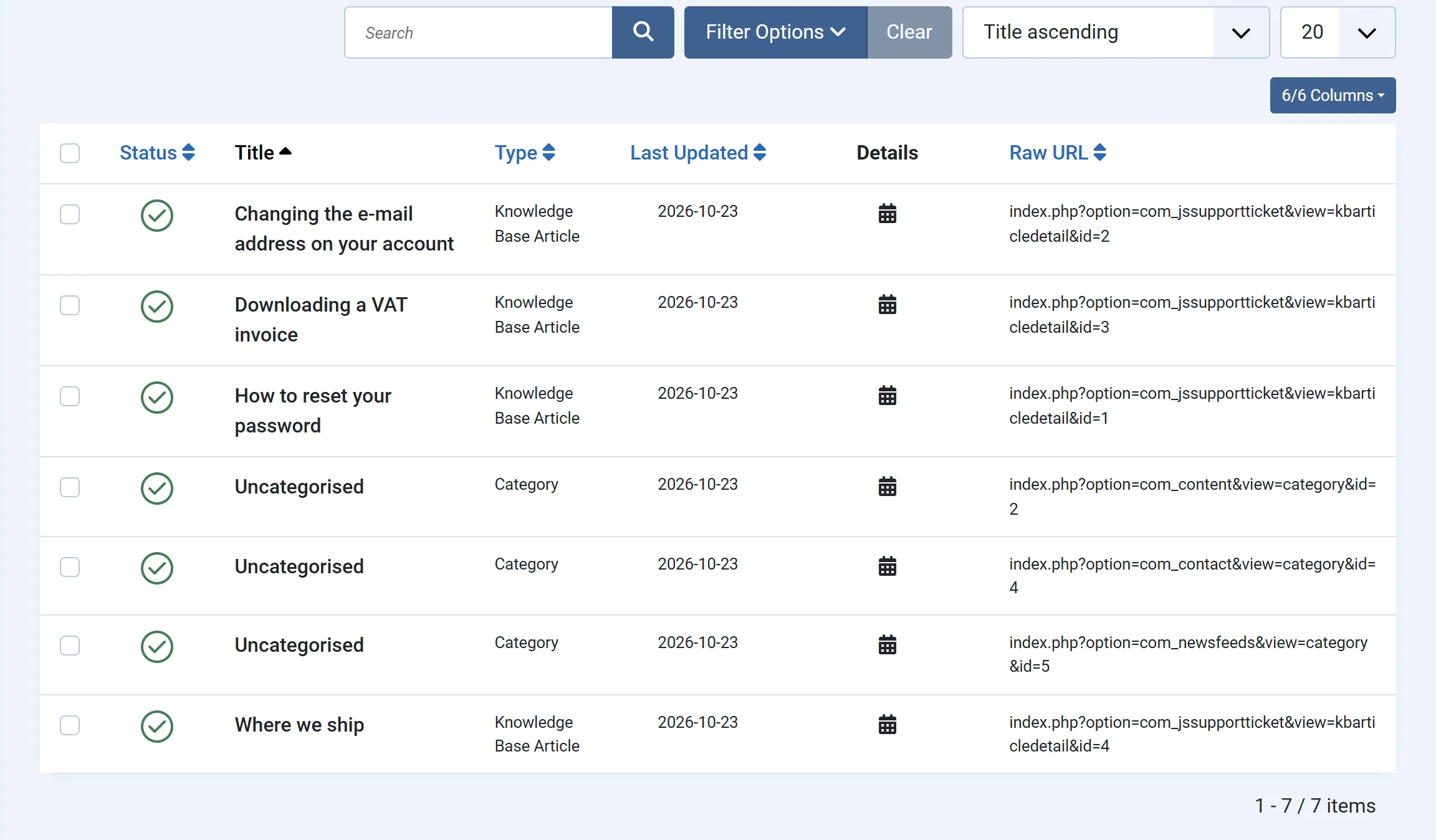
After that you don’t need to index again for the knowledge base. Saving an article, deleting one or restoring an earlier revision of one updates the index straight away.
Your site needs a way to search, of course: Joomla’s Smart Search module or a Smart Search menu item.
What is indexed
Section titled “What is indexed”For each article:
- the title,
- the article text, with the formatting removed,
- the meta keywords and meta description,
- the date it was created,
- its category.
Every article is indexed, but only active ones appear in search results. Disabling an article in the knowledge base takes it out of the results.
The knowledge base has no access levels, so every active article is public in search results: anyone who can use your site search can find it.
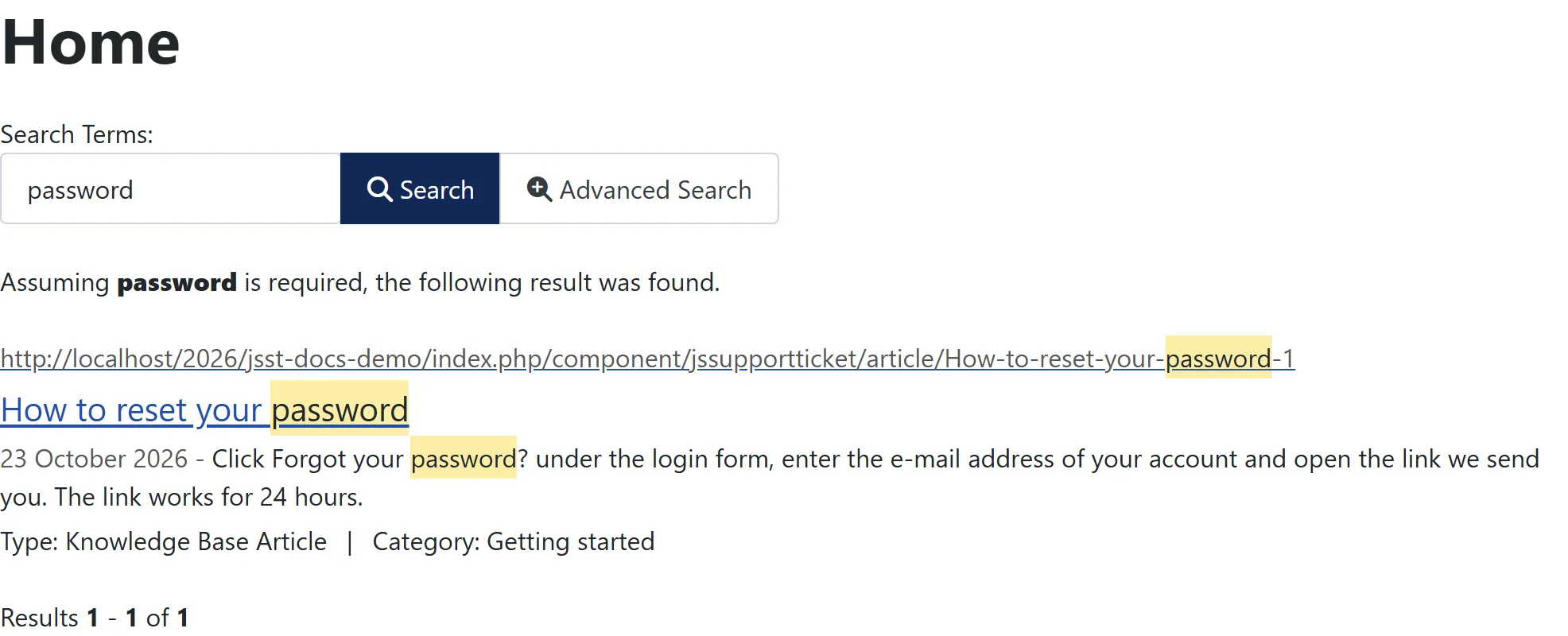
A search result opens the article’s page in the help desk.
Filtering results
Section titled “Filtering results”Each article is tagged in the index with:
| Tag group | Value |
|---|---|
| Type | Knowledge Base Article |
| Category | The article’s knowledge base category |
| Language | * (all languages) |
You can use these in Smart Search filters (Components → Smart Search → Filters), for example a search page that shows only knowledge base articles.
Why tickets aren’t searchable
Section titled “Why tickets aren’t searchable”Smart Search decides who sees a result by Joomla access levels. Tickets don’t use Joomla access levels: the help desk itself checks who may see each ticket. Indexing tickets would therefore show every customer’s ticket to anyone who searched the site. Customers and staff search tickets inside the help desk, where those checks are made.
Turning it off
Section titled “Turning it off”To stop indexing the knowledge base, switch off Smart Search - JS Support Ticket Knowledge Base under System → Manage → Plugins. The rest of your Smart Search content is not affected.