
Feedback Settings
After a ticket is closed, JS Support Ticket can email the customer a link to a short feedback form, where they rate the help they got and leave a comment. System → Settings → Feedback Settings decides when that email is sent and what the customer sees once they have answered.
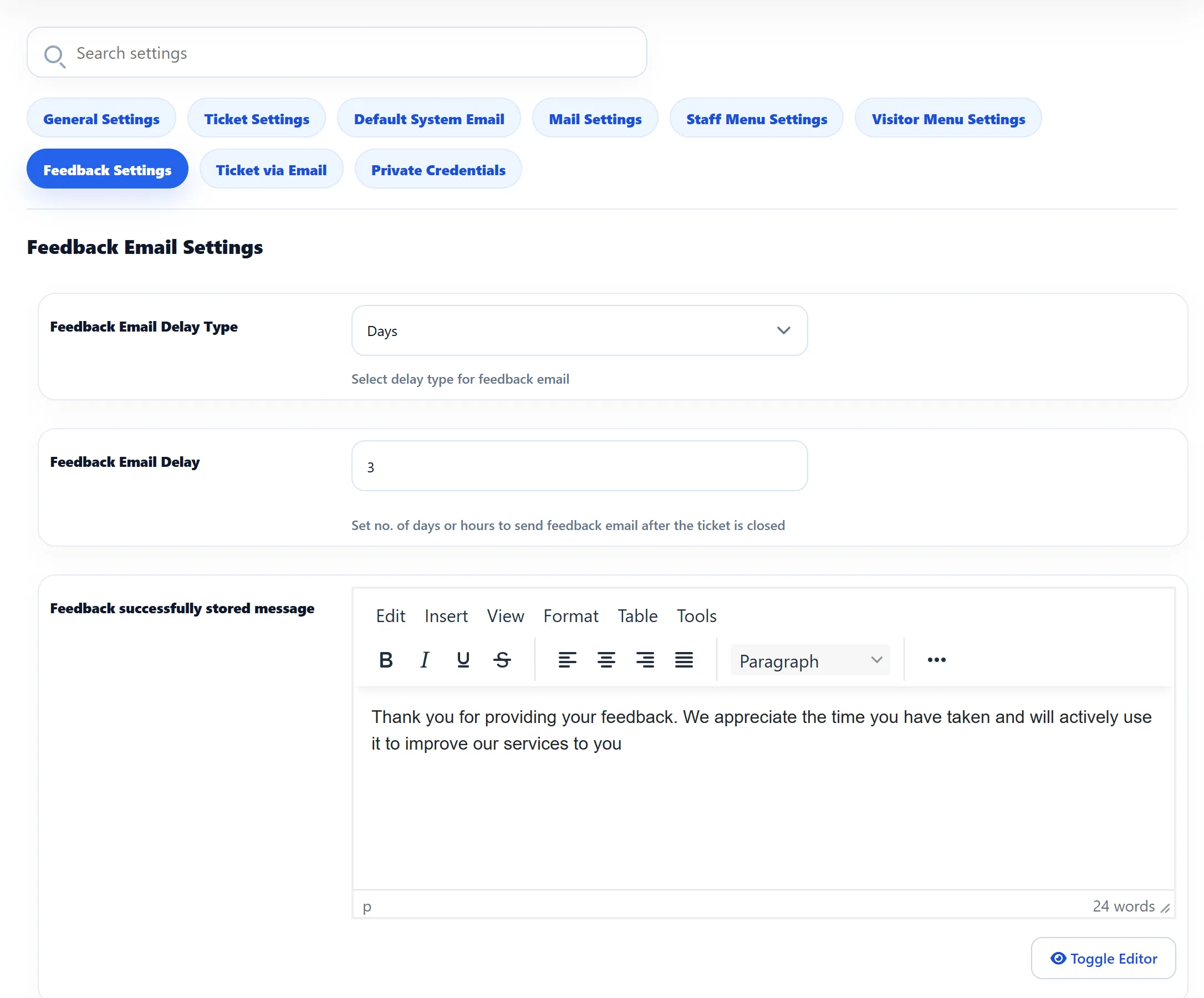
Settings
Section titled “Settings”| Setting | Default | What it does |
|---|---|---|
| Feedback Email Delay Type | Days | Whether the delay below is counted in Days or Hours. |
| Feedback Email Delay | 3 | How long after a ticket is closed the feedback email is sent. |
| Feedback successfully stored message | “Thank you for providing your feedback. We appreciate the time you have taken and will actively use it to improve our services to you” | Shown to the customer after they submit the feedback form. Edited with your site’s editor. |
When the email is sent
Section titled “When the email is sent”The feedback email is sent by the background jobs, not at the moment the ticket is closed. Each time they run, they look for closed tickets that have waited long enough:
- Hours: the ticket was closed more than the set number of hours ago.
- Days: whole calendar days are compared. With a delay of 3, a ticket closed on the 1st gets its email from the 5th.
So the email goes out on the first run after the delay is over. If the jobs only run when someone visits the site, or once an hour, it can come later than the delay suggests.
Each ticket gets one feedback email at most. A ticket that is reopened and closed again is not emailed a second time.
Turning the email on and off
Section titled “Turning the email on and off”The email itself is switched on or off with Feedback Email To User on the Mail Settings tab, and its wording is the feedback template under Email → Email Templates. See Email notifications.
What customers fill in
Section titled “What customers fill in”The fields on the feedback form, such as the rating and remarks, are set under Flow → Feedback Fields. The answers are listed under Flow → Feedback, and the ratings make up the Satisfaction Report.