
Satisfaction Report
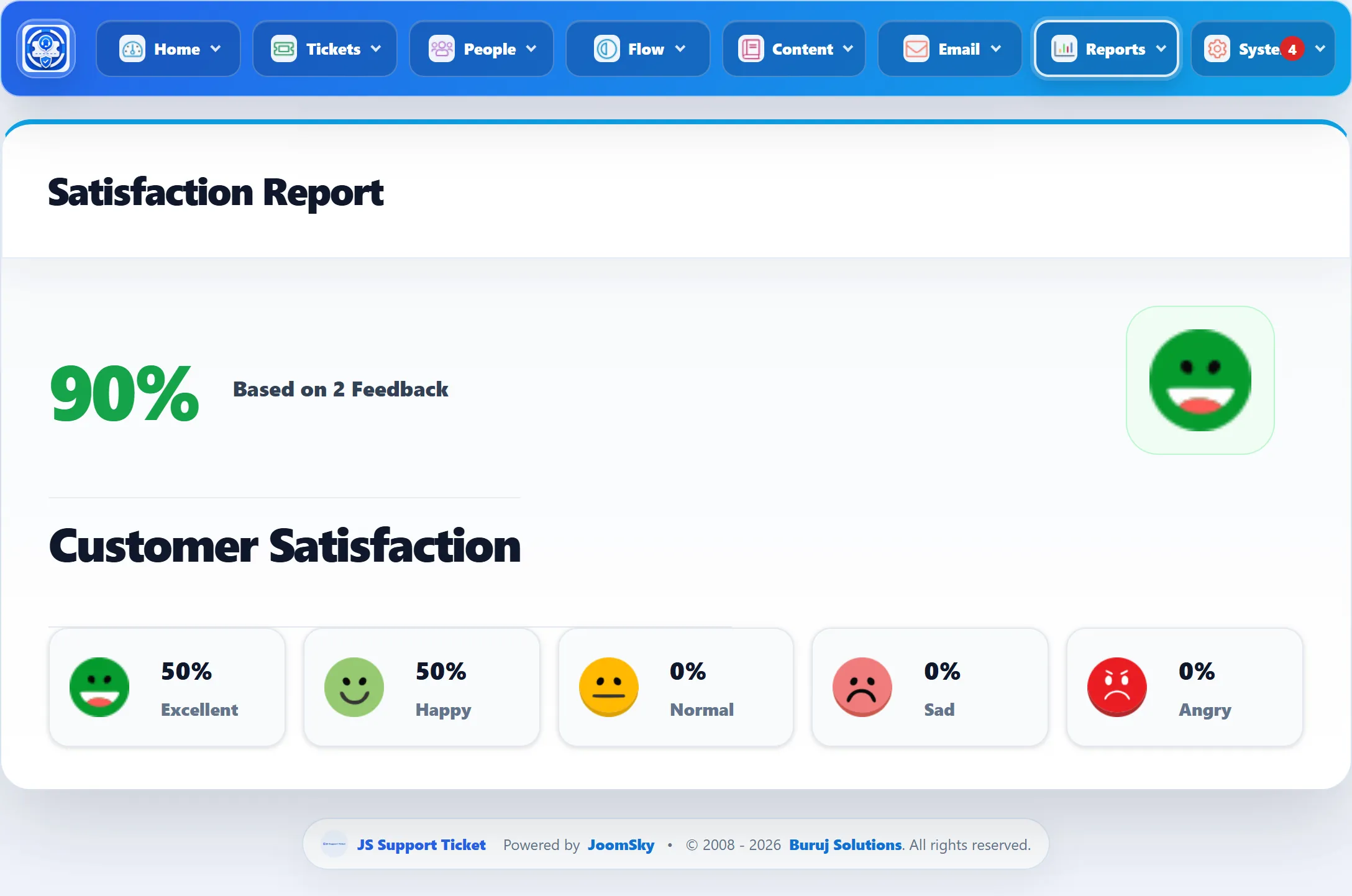
Reports → Satisfaction Reports turns the ratings customers give in their feedback into one score.
Where the ratings come from
Section titled “Where the ratings come from”After a ticket is closed, the customer can be emailed a link to a feedback form, where they rate the help they got from 1 to 5. When and whether that email goes out is set under Feedback Settings. Every rating saved from that form counts here.
The report has no date range or filters. It always covers all feedback ever given.
The score
Section titled “The score”Customer Satisfaction is the average rating as a percentage: the average of all ratings multiplied by 20. An average of 4.2 out of 5 shows as 84%. Based on … Feedback says how many ratings it comes from.
The face beside the score follows the percentage:
| Score | Face |
|---|---|
| Over 80% | Excellent |
| Over 60% up to 80% | Happy |
| Over 40% up to 60% | Normal |
| Over 20% up to 40% | Sad |
| Over 0% up to 20% | Angry |
With no feedback yet, the score shows 0%.
The breakdown
Section titled “The breakdown”Along the bottom, each rating has its own share of all feedback:
| Label | Rating |
|---|---|
| Excellent | 5 |
| Happy | 4 |
| Normal | 3 |
| Sad | 2 |
| Angry | 1 |
Each share is that rating’s count divided by the total number of ratings. They show NA until there is some feedback.
To read the comments customers left with their ratings, go to Flow → Feedback. To see ratings per staff member, use the Average Rating box on Staff Reports.