
Your data
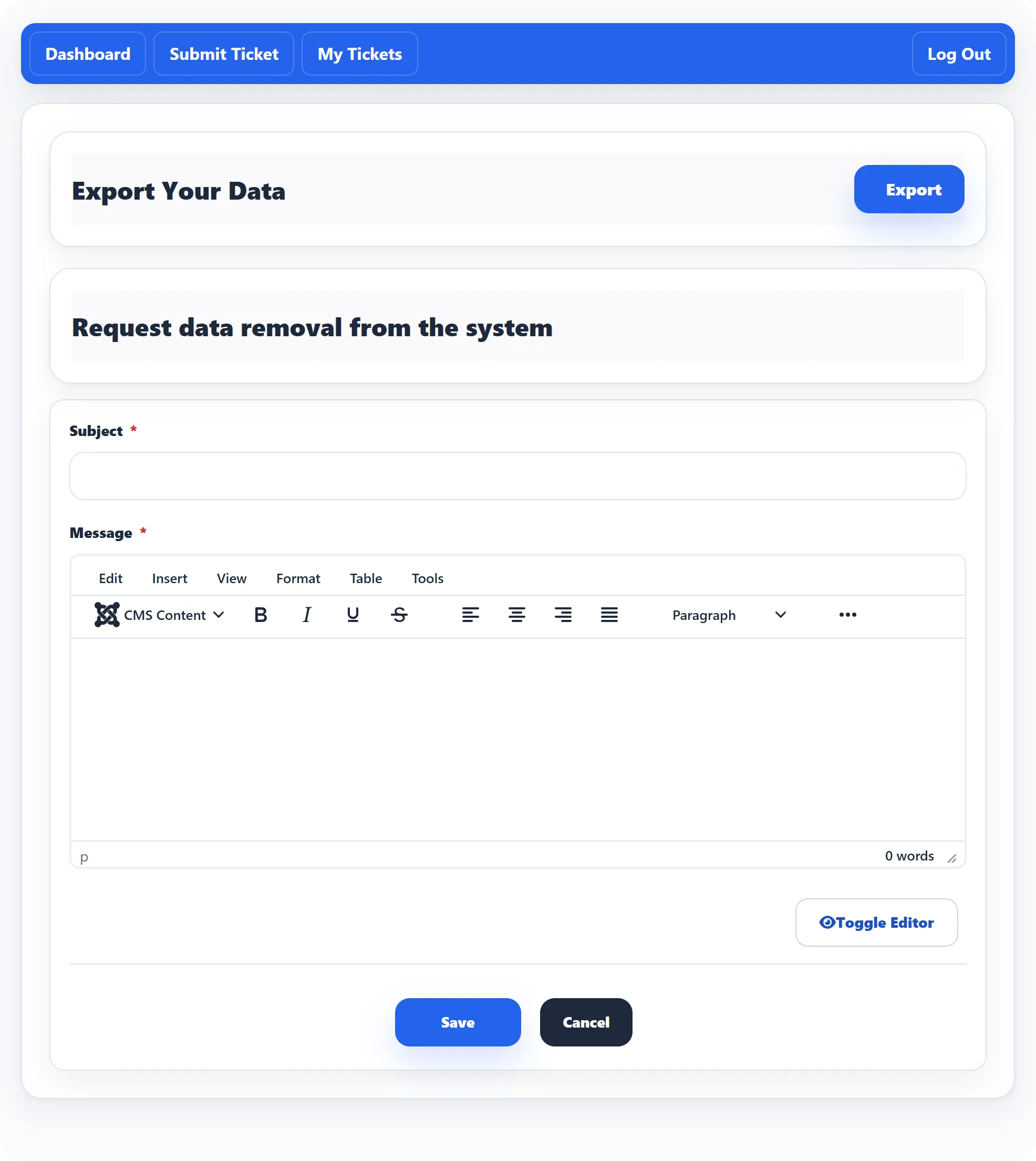
The Delete my data card on the help desk Dashboard opens a page where you can take a copy of your help desk data, or ask the site owner to erase it. You need to be logged in.
Export your data
Section titled “Export your data”Click Export beside Export Your Data. Your browser downloads a spreadsheet file with:
- how many of your tickets are new, answered, closed, pending and overdue;
- a list of your tickets with their subject, status, priority, creation date, rating and time spent.
If there is nothing to export, you see No data is available to export.
Ask for your data to be removed
Section titled “Ask for your data to be removed”-
Under Request data removal from the system, enter a Subject and a Message. Both are required. Say what you want removed and why.
-
Click Save and confirm with OK when asked Are you sure to submit erase data request?
The request goes to the site’s administrator, who decides what to erase. Nothing is deleted at the moment you send it.
Afterwards the page says You have submitted a request to remove your data. Your request stays in the form below so you can see what you sent.
Changing your mind
Section titled “Changing your mind”While the request is waiting, the page shows a Withdraw my request button next to that message. Click it to take the request back.