
Departments
Every ticket belongs to a department, such as Support, Billing or Sales. Departments decide which staff see a ticket, which help topics and canned responses are offered with it, and which address e-mail about it comes from.
A fresh install has one department, Support.
Open People → Departments.
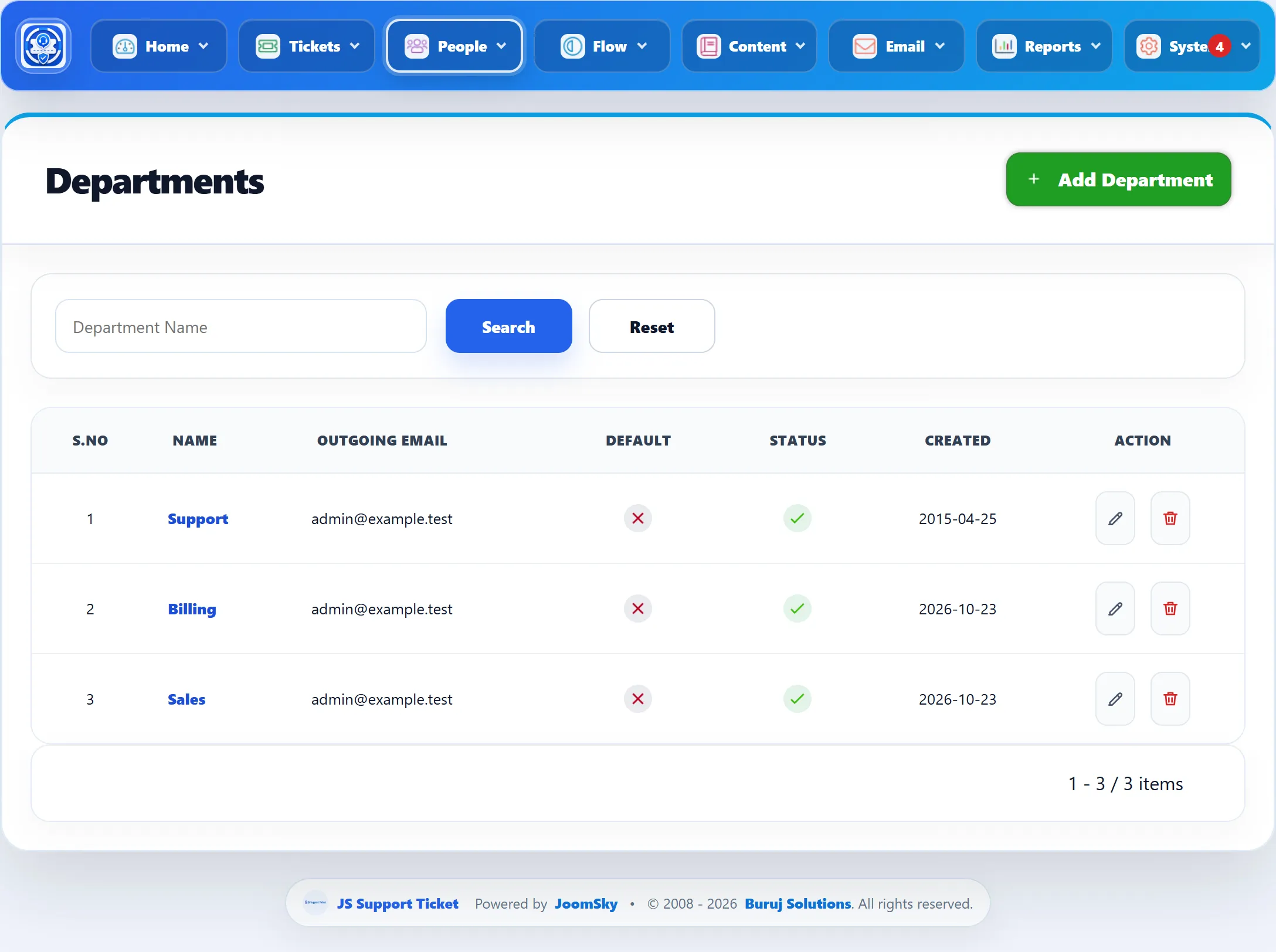
| Column | What it shows |
|---|---|
| Name | Click it to edit the department. |
| Outgoing Email | The system e-mail address the department sends from. |
| Default | A tick on the default department. |
| Status | A tick when the department is active. |
Search by Department Name to narrow the list.
Adding a department
Section titled “Adding a department”-
Add the address the department should send from under Email → System Emails first, if it isn’t there yet.
-
Click Add Department.
-
Fill in the form (below) and click Save Department.
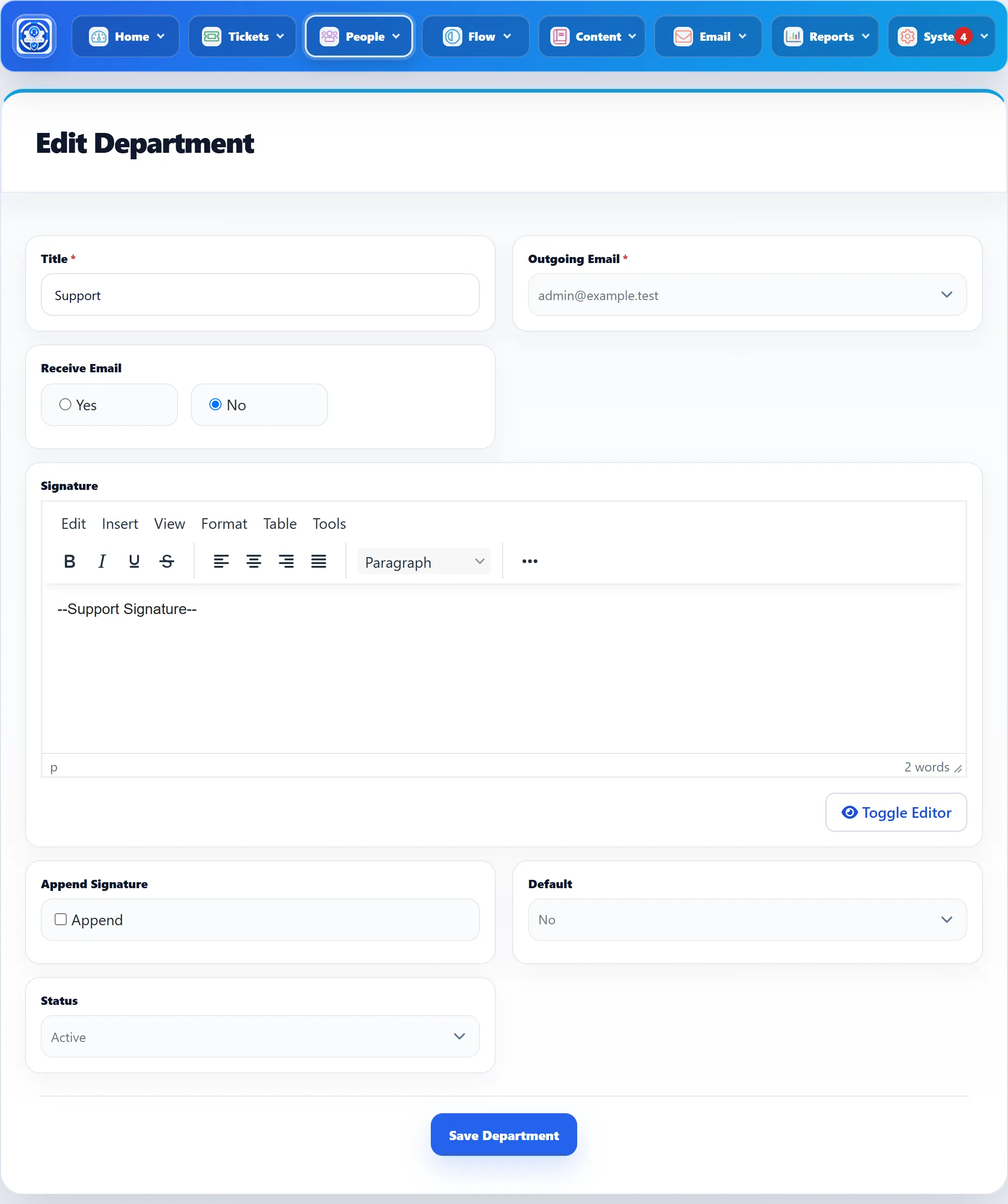
| Field | What it does | Default |
|---|---|---|
| Title | The department’s name, shown to customers on the ticket form and everywhere a ticket is listed. Required, up to 100 characters. | |
| Outgoing Email | The system e-mail address used for this department’s tickets. Required. | |
| Receive Email | Yes sends a copy of the new-ticket e-mail to the department’s address whenever a ticket is raised in it. | Yes |
| Signature | Text added to a reply when the person replying chooses Department signature. | |
| Append Signature | Saved with the department. In 1.3.0 nothing reads it: the signature is chosen on each reply. | Off |
| Default | Yes makes this the default department. Only one department is the default: saving one as default clears the others. | No |
| Status | Active or Disabled. Disabled departments are not offered on ticket forms. | Active |
The default department
Section titled “The default department”The default department is preselected on the ticket form, and tickets created from incoming e-mail are filed in it. Nothing is preselected when no department is the default.
Who works a department
Section titled “Who works a department”Staff see a department’s tickets when the department is ticked in their permissions, either through their role or on their own staff record. A new department is not ticked for anyone: edit the roles and staff members who should work it.
Deleting a department
Section titled “Deleting a department”Click the delete button in the list. A department cannot be deleted while any ticket is filed under it, or while any role or staff member has access to it; you see “This department is in use and cannot be deleted.” Move the tickets and untick the department on the roles and staff members first, or set it to Disabled instead.