
Ticket statuses
The help desk has six built-in statuses. Replying, closing, reopening and merging move a ticket between them. On top of those you can add your own status names, such as “On hold” or “Waiting on vendor”. Each custom status sits under one built-in status and behaves exactly like it; only the name your team sees changes.
Open Flow → Ticket Statuses.
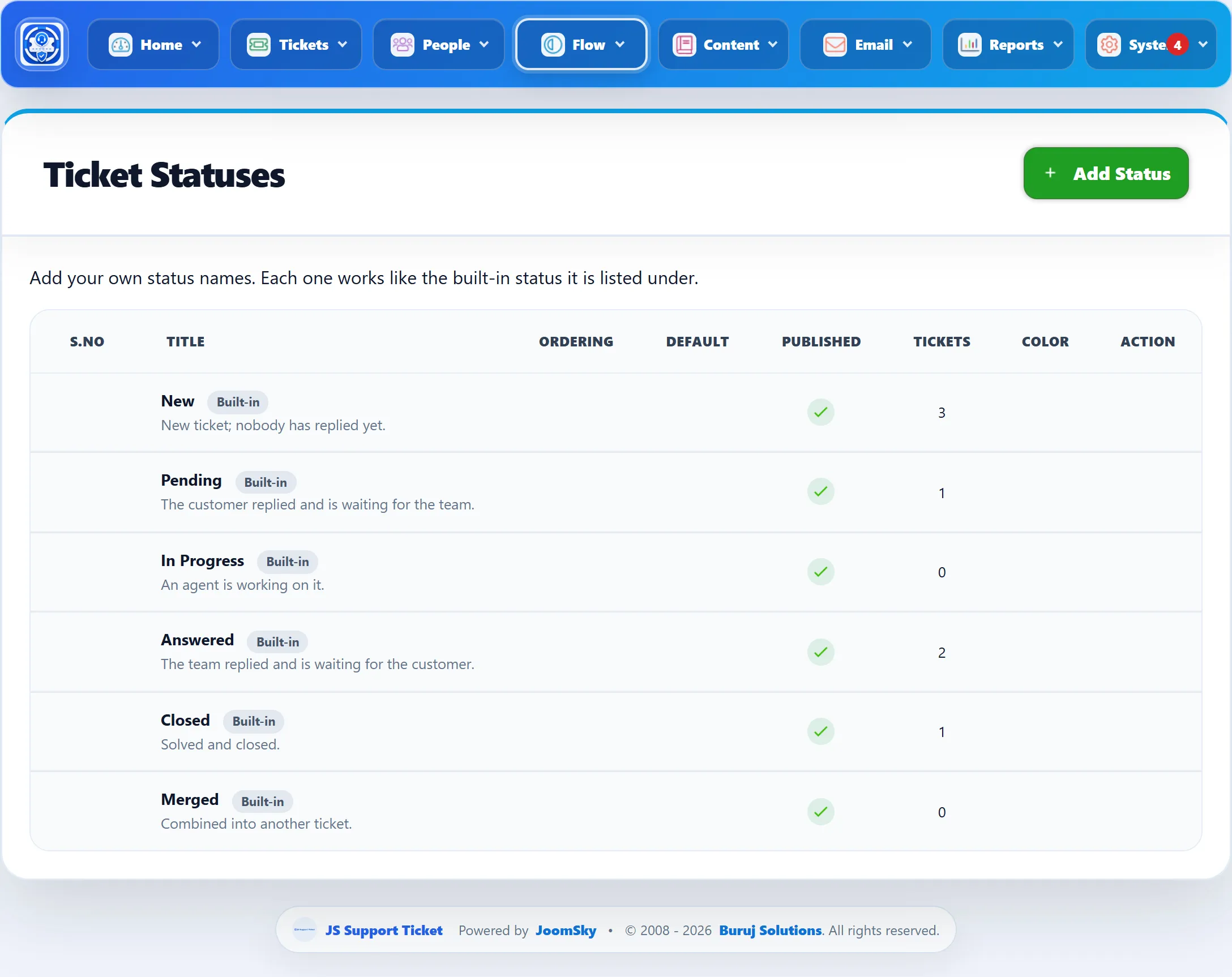
The built-in statuses
Section titled “The built-in statuses”| Status | Meaning |
|---|---|
| New | New ticket; nobody has replied yet. |
| Pending | The customer replied and is waiting for the team. |
| In Progress | An agent is working on it. |
| Answered | The team replied and is waiting for the customer. |
| Closed | Solved and closed. |
| Merged | Combined into another ticket. |
The built-in statuses cannot be edited or deleted. The Tickets column shows how many tickets are in each.
Custom statuses are listed under the built-in status they belong to. Use the arrows in Ordering to move a custom status up or down within its group.
Adding a status
Section titled “Adding a status”-
Click Add Status.
-
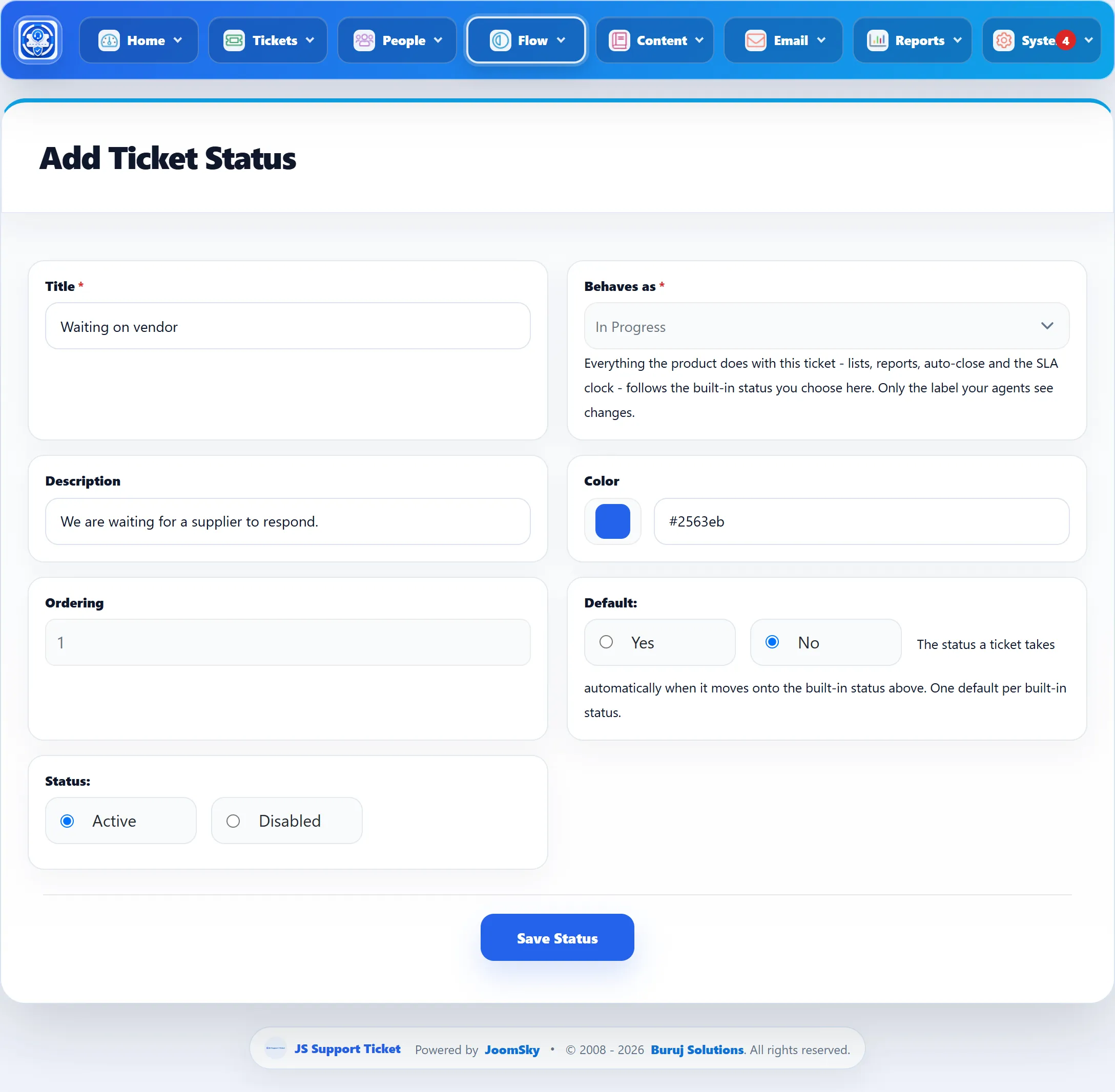
Fill in the form (below).
-
Click Save Status.
| Field | What it does | Default |
|---|---|---|
| Title | The status name your team sees. Required. | |
| Behaves as | The built-in status it belongs to. Lists, reports, auto-close, overdue marking and the SLA clock all follow this built-in status. Required. | Pending |
| Description | A short explanation, shown under the title in the list. | |
| Color | The colour shown in the list. | #2563eb |
| Ordering | Its position within its group. | After the last status |
| Default | Saved and shown in the list. Only one custom status per built-in status can be the default. In 1.3.0 nothing applies the default automatically. | No |
| Status | Active statuses are offered on tickets and their name is shown. Disabled ones are not. | Active |
Using a custom status on a ticket
Section titled “Using a custom status on a ticket”On a ticket’s page in the administrator, the Status list groups the statuses under New, Pending, In Progress and Answered, with the custom statuses of each. Pick one and the ticket moves straight away. The ticket then shows both its built-in status and its custom name, so you can see how the help desk is treating it.
- Closing has its own button, and a closed or merged ticket is not reopened from this list. Custom statuses under Closed or Merged can be created but are never offered here.
- A custom name lasts only while the ticket stays on its built-in status. When a reply, a reopen or a close moves the ticket on, the custom name stops showing.
- Picking a plain built-in status clears the custom name.
Deleting a status
Section titled “Deleting a status”Click the delete button in the list. The Tickets column shows how many tickets carry the custom status. They keep their built-in status; only the custom name goes.