
GDPR / User Data
Customers can ask for their personal data to be removed from the help desk. System → GDPR / User Data lists those requests and lets you act on them.
How a request arrives
Section titled “How a request arrives”A logged-in customer opens Delete my data on their front-end dashboard (shown while Erase Data Requests is Yes under Visitor Menu Settings). There they can:
- send a request with a Subject and Message,
- withdraw a request they have sent,
- download their own data with Export Your Data, as a spreadsheet file.
Staff members have the same page, through the User Data card on their dashboard; a request sent there is about the staff member’s own account.
When a request is sent, emails go out as set in the Erase Data section of Mail Settings (Erase request for the administrator and the user). See Email notifications.
The requests list
Section titled “The requests list”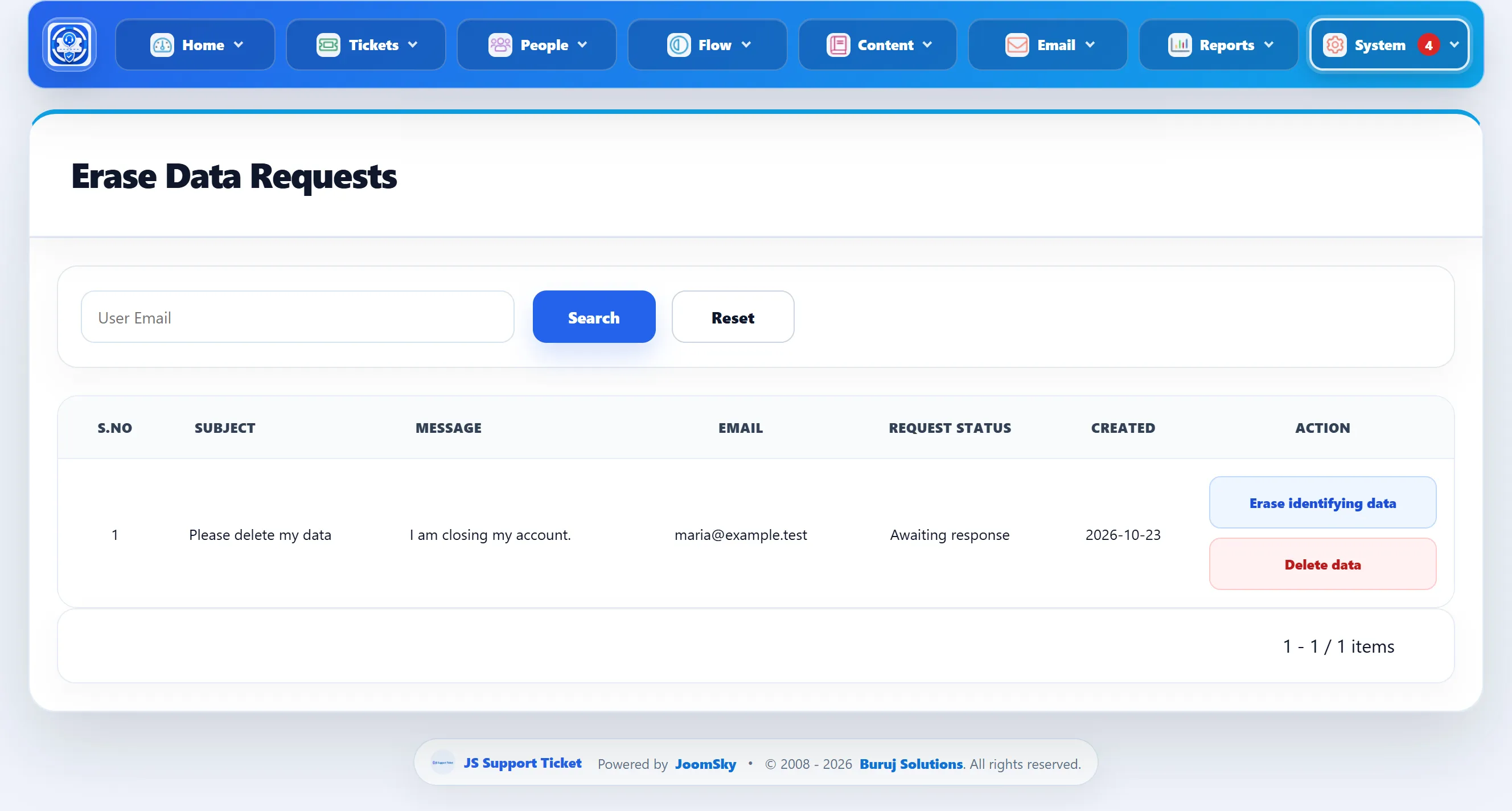
Search by the customer’s email with User Email. Each request shows its Subject, Message, the account’s Email, the Created date and its Request Status:
| Status | Meaning |
|---|---|
| Awaiting response | Nothing has been done yet. |
| Erased identifying data | You used Erase identifying data. |
| Deleted | You used Delete data. |
The two actions
Section titled “The two actions”Both buttons ask “Are you sure to delete” first, and neither can be undone. They act on the tickets raised from the customer’s Joomla account. Tickets the person sent as a visitor, without logging in, are not touched, and the Joomla user account itself is not removed (do that under Users → Manage if you need to).
Erase identifying data
Section titled “Erase identifying data”Keeps the tickets, so your reports and history still add up, but removes what identifies the person:
- On each of their tickets: the name, email, subject and message are replaced
with
---, and the phone number and custom field values are cleared. - Every reply on those tickets has its text replaced with
----(staff replies too), and the person’s name on their own replies is replaced. - Internal notes on those tickets have their title and text replaced.
- The tickets’ attachments are deleted, files included.
- The tickets’ history log entries are deleted.
- Outside the tickets: their name and email in Watchers, in the activity log, and in the email log (recipient and subject) are replaced as well, for every address they used.
- The request keeps the account and email as a record of who asked and when; its subject and message are cleared.
Delete data
Section titled “Delete data”Deletes the person’s tickets completely: the tickets, their replies, internal notes and attachments. They disappear from the ticket lists and the reports.
Delete data does not touch the watcher, activity log or email log entries outside the tickets. If those must go too, use Erase identifying data first, then Delete data.
After either action the customer is sent the delete user data email, if Delete User Data is enabled in the Erase Data section of Mail Settings.
Joomla’s own privacy requests
Section titled “Joomla’s own privacy requests”Joomla has its own privacy tools under Users → Privacy. The Privacy - JS Support Ticket plugin, installed with the component, adds the help desk’s tickets, replies and attachments to the exports and removals made there.