
Updates
JS Accessibility Fixer updates like any other Joomla extension. Joomla checks for new versions and lists them under System → Update → Extensions.
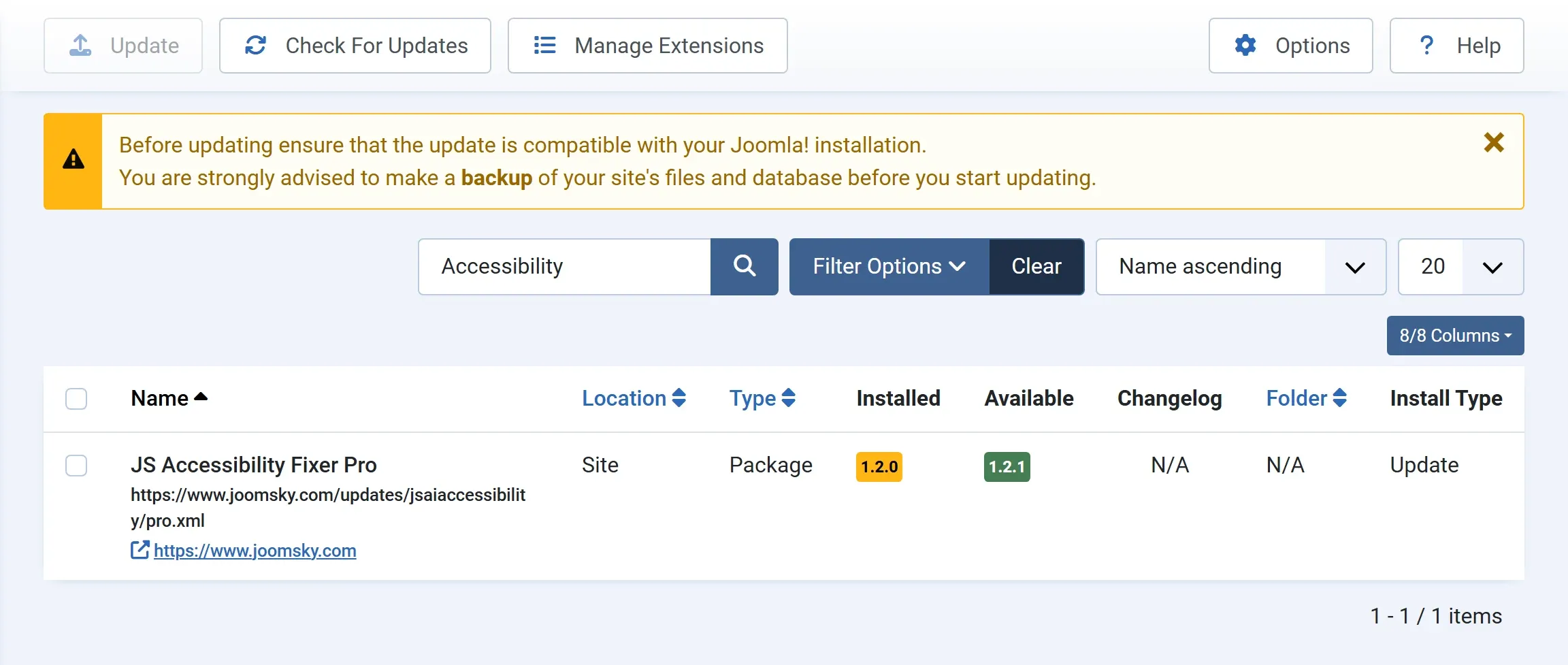
Installing an update
Section titled “Installing an update”-
Go to System → Update → Extensions. If the new version isn’t listed yet, press Check For Updates.
-
Tick JS Accessibility Fixer (or JS Accessibility Fixer Pro) and press Update.
Your scans, fixes, History and Options are kept. Back up your site before updating, as with any extension.
The free version gets updates from joomsky.com. No key is needed.
Pro updates come from joomsky.com too, with your licence key:
- Enter your key on the Licence screen first. See Licence key.
- The Licence screen shows whether a new version is out. Check for updates asks now, and Open Joomla’s update screen to install it takes you to the update screen.
- When you press Update, the download address is fetched from joomsky.com with your key, just for that download. The key never appears in the update list.
- If your licence has ended, Joomla still lists the new version, but the download is refused. Renew on joomsky.com to get it. The version you have keeps working.
Joomla versions
Section titled “Joomla versions”Each version says which Joomla versions it works with. If an update needs a newer Joomla, the Licence screen says The new version needs a newer Joomla. Update Joomla first.
What changed
Section titled “What changed”See the Changelog.