
Introduction
JS Accessibility Fixer finds and fixes accessibility problems in your Joomla content. It checks your articles, modules, menu items and categories, lists every problem it finds, and has AI suggest a fix for each one. You read each suggestion, change it if you want, and accept it. Only then is the fix written into your content.
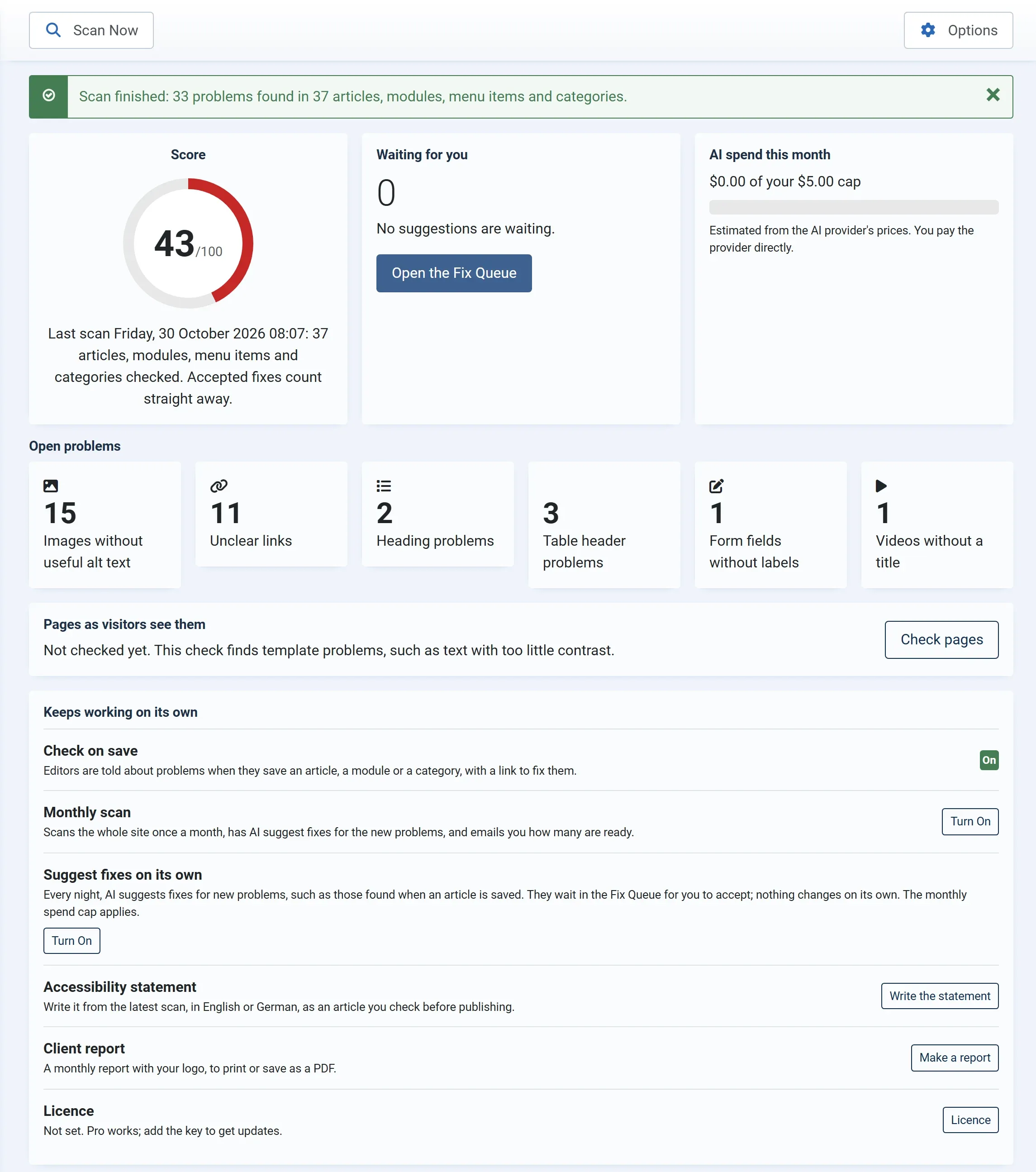
What it does
Section titled “What it does”- Finds problems. A scan checks your content for images without useful alt text, unclear links, skipped or empty headings, tables without header cells, form fields without labels, and videos without a title. A second check, on the Pages screen, opens each page as a visitor sees it and finds problems in the template, such as text with too little contrast.
- Suggests fixes. AI writes alt text for images and clear text for links and menu items. Videos from YouTube and Vimeo get their real title, with no AI. Pro also fixes headings, tables and form labels.
- Waits for you. Nothing on your site changes until a person accepts a fix. Each fix changes only the one tag, link or title it is for.
- Keeps a record. Every fix is listed in the History with the text before and after, and you can undo it.
What it does not do
Section titled “What it does not do”- No widget. It does not add a toolbar or an overlay to your site. The fixes go into your content itself, so every visitor and every screen reader gets them.
- No certificate. An automated check finds only part of what a full audit covers. JS Accessibility Fixer helps you find and fix problems; it does not certify your site against any law or standard.
- No changes on its own. The AI only suggests. A person approves every fix.
You bring your own AI key
Section titled “You bring your own AI key”Scanning works without AI. To get suggestions, you add a key from Anthropic (Claude), Google (Gemini) or OpenAI in Options. You pay the AI provider directly, usually a fraction of a cent per suggestion, and you set a monthly spend cap. See Choosing a provider.
Free and Pro
Section titled “Free and Pro”The free version finds every problem and fixes alt text, link text, menu titles and video titles, with up to 50 AI suggestions a month. Pro has no monthly limit, and adds fixes for headings, tables and form labels, suggestions for every problem at once and every night, a monthly scan with an email, your accessibility statement, client reports with your logo, and shops and job boards as places to check. See Free and Pro.
These docs describe Pro. Anything that is only in Pro is marked Pro.