
Video titles
A video or other embedded frame needs a title, so a screen reader can say what it is before someone moves into it. Videos copied from YouTube or Vimeo usually have none.
YouTube and Vimeo
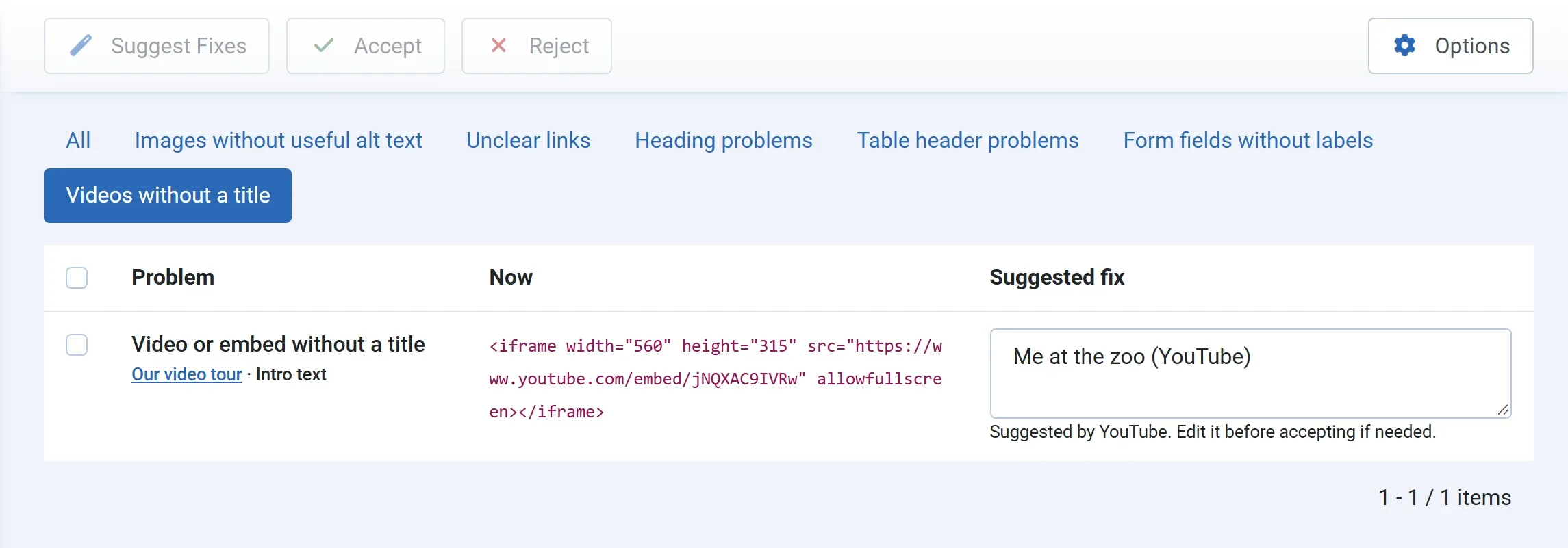
Section titled “YouTube and Vimeo”Tick the video in the Fix Queue and press Suggest Fixes. The title is read from YouTube or Vimeo, followed by the service’s name, such as Me at the zoo (YouTube). The line under the box says Suggested by YouTube.
- No AI is used, and no key is needed.
- Video titles never count towards the free monthly limit or the spend cap.
- Change the title if you want, then press Accept. It is written as the
titleof the<iframe>; nothing else in the tag changes.
If the title can’t be read, for example because the video is private or was removed, the queue says This video’s title could not be read from YouTube or Vimeo. Type a title that says what the video shows.
Other embeds
Section titled “Other embeds”Maps, forms and other frames don’t get a suggestion; Suggest Fixes shows the same message as above. Type a short title that says what the frame holds, such as Map of our café in Hamburg, and press Accept.