
Headings, tables and form labels
In the free version, heading, table and form label problems are listed with a link to fix them by hand. Pro suggests a fix for each one. Most are worked out by rule, without AI, so they need no key and cost nothing. As with every fix, you check it and press Accept.
Headings
Section titled “Headings”Screen reader users move through a page by its headings, so the levels must not skip (a level 4 heading straight after a level 2) and no heading may be empty.
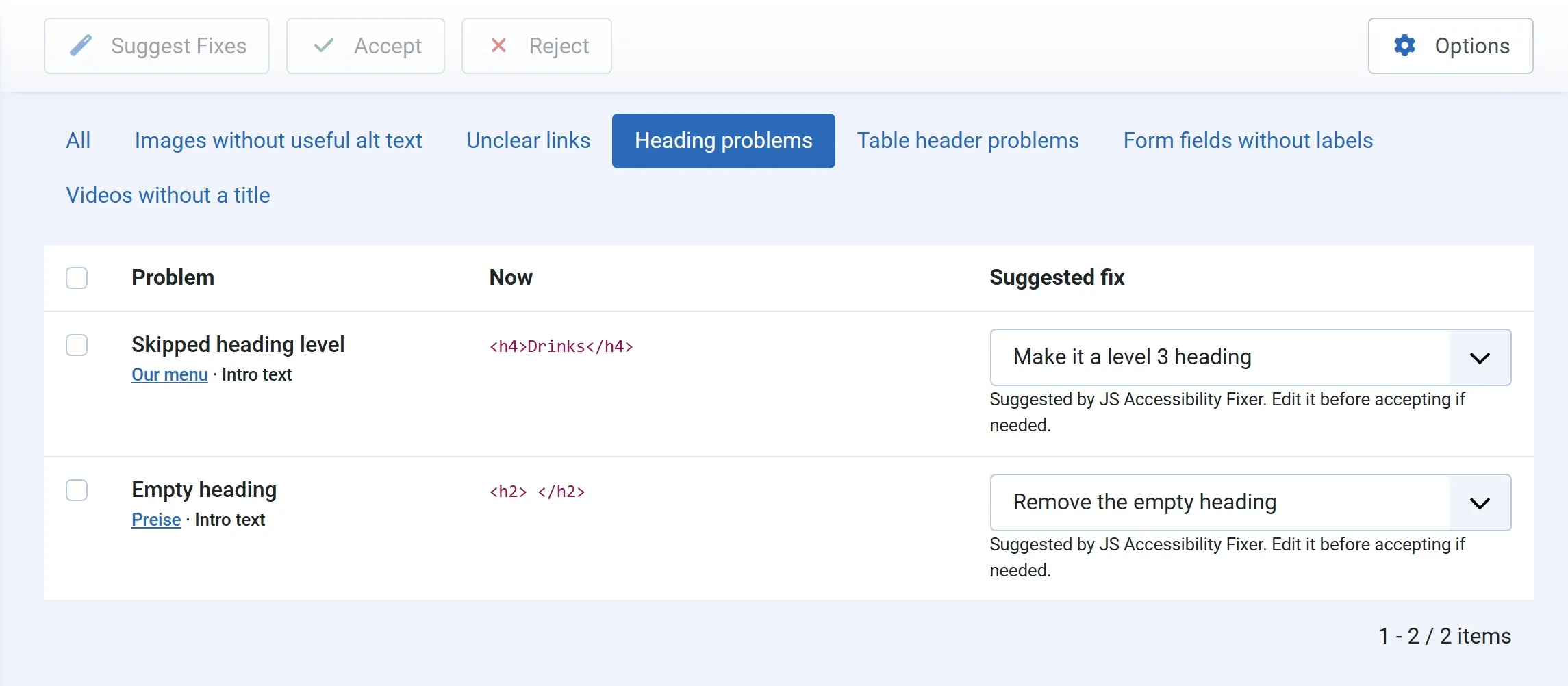
| Problem | Suggested fix | What is written |
|---|---|---|
| Skipped heading level | Make it a level 3 heading: one level below the heading before it | The heading’s tag changes, such as <h4> to <h3>. Its text and attributes stay. |
| Empty heading | Remove the empty heading | The empty heading is removed. |
For a skipped level, the list also offers levels 2 to 6. Pick another if the suggested one is not right for the page, then accept.
Tables
Section titled “Tables”A screen reader reads a data table cell by cell. Header cells (<th>) tell it which column or row a value belongs to.
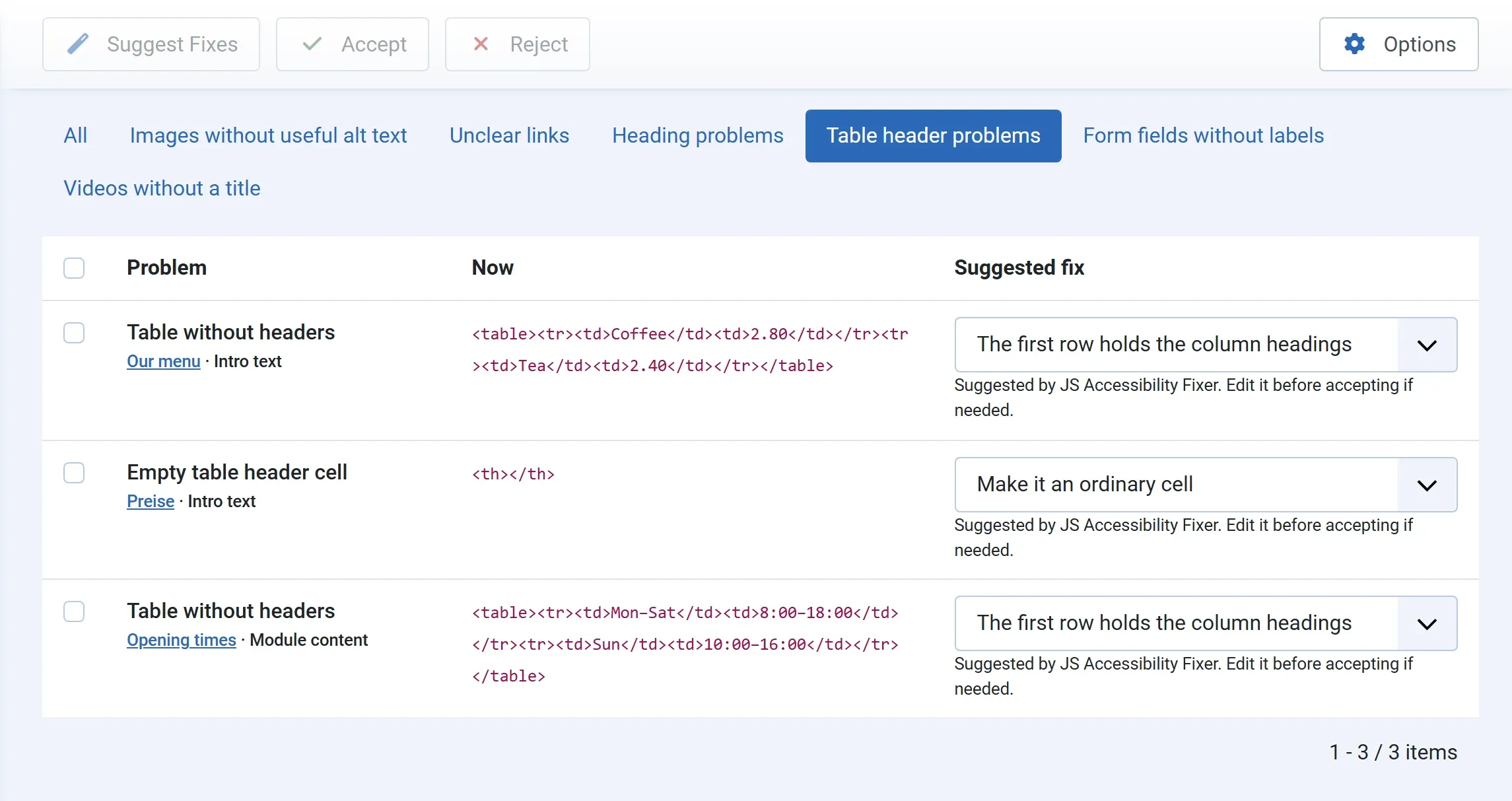
| Problem | Choices | What is written |
|---|---|---|
| Table without headers | The first row holds the column headings, or The first column holds the row headings | The cells of that row or column become header cells. |
| Empty table header cell | Make it an ordinary cell | The empty <th> becomes a <td>. |
Check the table before you accept: pick the column choice if the headings run down the left side, as in a timetable. A table that holds another table is not changed; the queue says to edit it by hand.
Form labels
Section titled “Form labels”A form field without a label is read out as just “edit text”. Pro gives it a label that a screen reader reads, as an aria-label, without changing how the form looks.
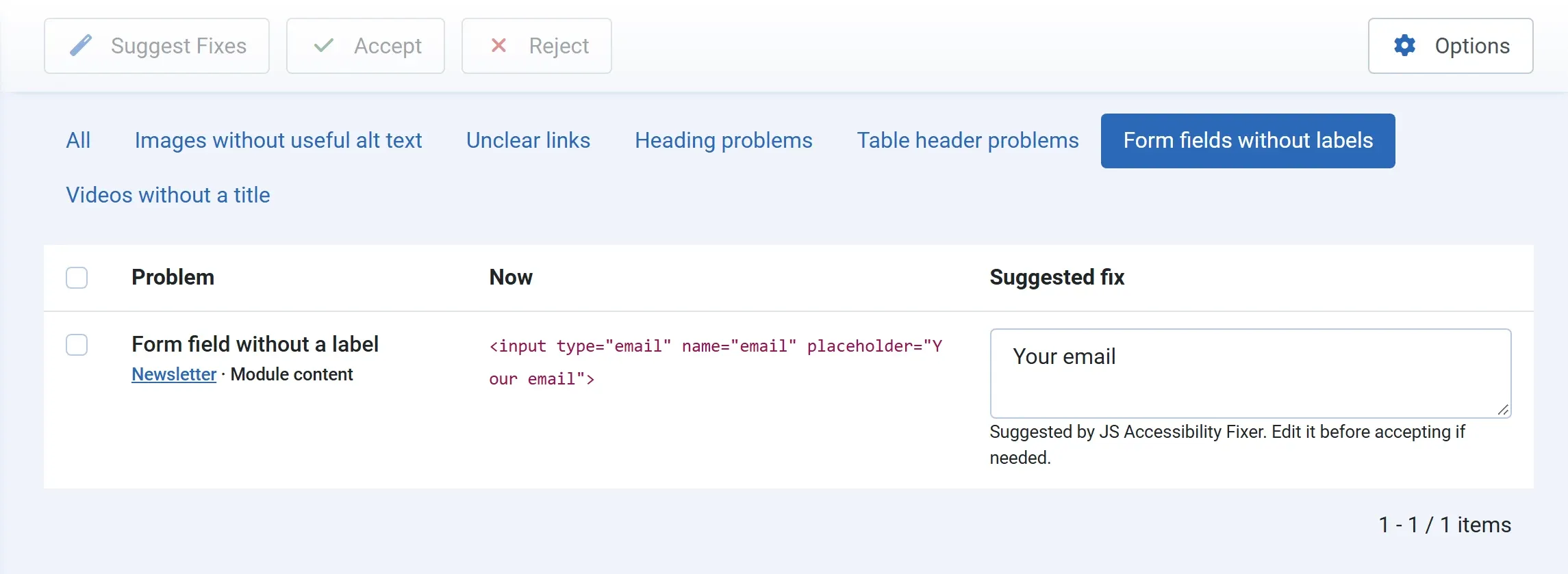
- The field has a placeholder, such as Your email: the placeholder is suggested as the label, without AI.
- The field has no placeholder: the AI writes a short label from the field and the text around it, such as Postcode. This is an AI suggestion and counts towards your spend cap.
Change the label if needed, then press Accept.
Before you accept
Section titled “Before you accept”Each of these fixes changes only the one heading, table or field, and only if it is still the same as at the scan. If someone has changed it since, nothing is written, and the queue asks you to scan again. Every fix is in the History, where you can undo it.