
Permissions
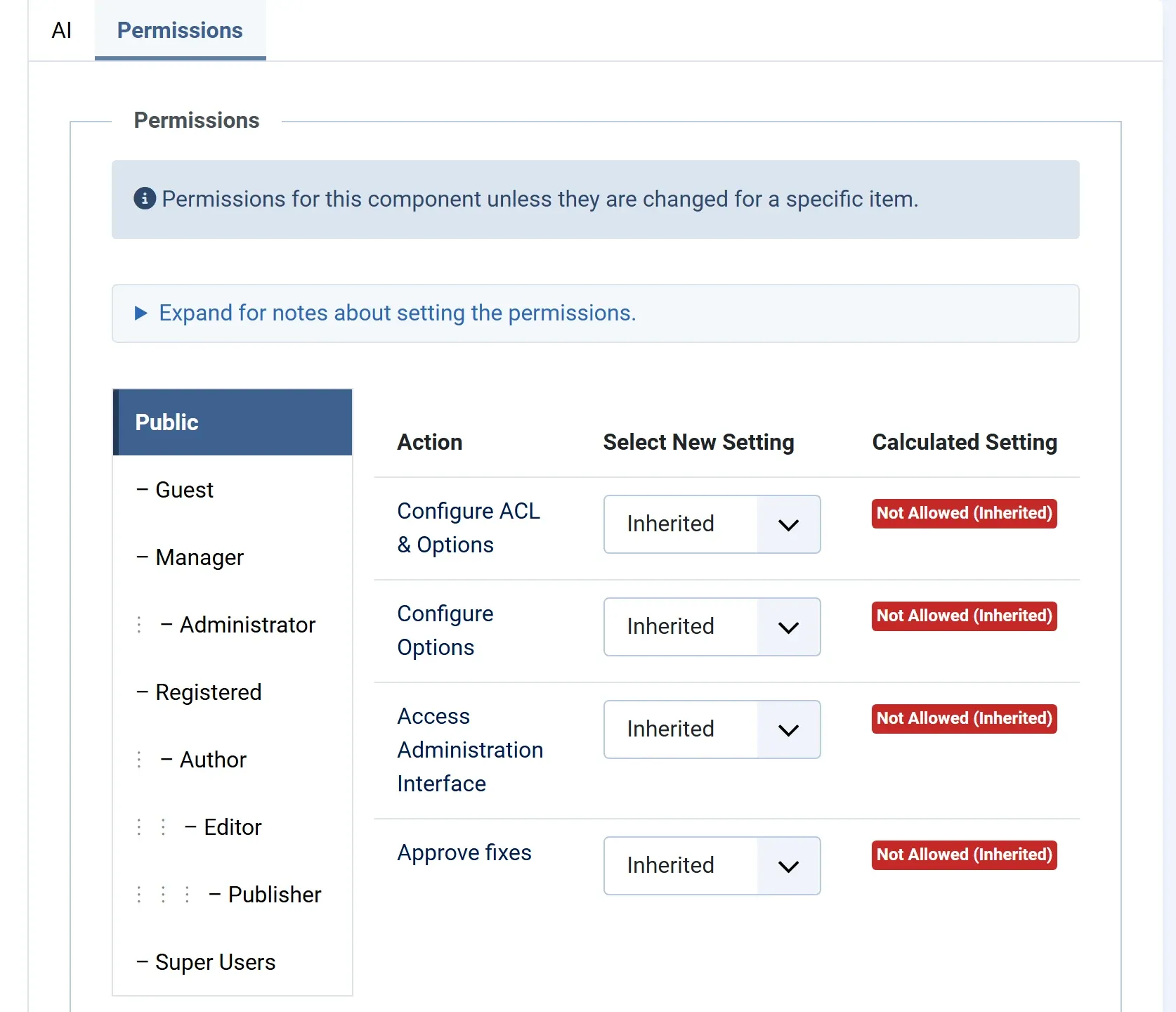
JS Accessibility Fixer uses Joomla’s permissions, so you decide which user groups may do what. Set them in Options → Permissions.
The actions
Section titled “The actions”| Action | Allows |
|---|---|
| Access Administration Interface | Using JS Accessibility Fixer: the dashboard, scanning, the Fix Queue, asking for suggestions, the Pages check, the History, and in Pro the statement and the client report. Also the Suggest alt text with AI button and the Fix them now link for editors. |
| Approve fixes | Accepting and rejecting fixes in the Fix Queue, and undoing them in the History. These change your site’s content. |
| Configure Options | Changing the AI provider, the key, the model and the spend cap. |
| Configure ACL & Options | All of the above settings, plus the permissions themselves. In Pro, also entering and removing the licence key. |
Super Users may do everything.
Approving needs edit rights too
Section titled “Approving needs edit rights too”Approve fixes lets someone accept fixes, but each fix is written only where they could also edit the content by hand. Someone who may not edit an article, a module, a menu item or a category gets You are not allowed to edit article 12, so its fix was not written.
In Pro, the same holds for HikaShop products, VirtueMart products and JS Jobs jobs, with the edit rights of those extensions.
Other rights that matter
Section titled “Other rights that matter”| To | You also need |
|---|---|
| Turn on the monthly scan or nightly suggestions (Pro) | The right to create tasks in Joomla’s Scheduled Tasks |
| Save the accessibility statement as an article (Pro) | The right to create articles, or to edit the statement article |
| Use Suggest alt text with AI in the editor | The right to create or edit articles |
After installing
Section titled “After installing”Until you change anything, the component follows Joomla’s global permissions. Users who may use the administrator’s components, such as the Manager and Administrator groups, may use JS Accessibility Fixer and ask for suggestions. Approve fixes is new to Joomla, so at first only Super Users may approve.
A common setup
Section titled “A common setup”- Managers use JS Accessibility Fixer and ask for suggestions, but don’t approve. They prepare the fixes.
- Administrators have Approve fixes: they check the suggestions and accept them.
- Super Users look after the AI key, the spend cap and the licence.
To set this up, in Options → Permissions, select Administrator and set Approve fixes to Allowed, then press Save. Joomla’s group tree passes rights down, so a right allowed for a group is also allowed for the groups under it.