
Your first scan
A scan reads your content and lists its accessibility problems. It changes nothing on your site, and it needs no AI key.
Running the scan
Section titled “Running the scan”-
Go to Components → JS Accessibility Fixer. Before the first scan, the score is empty.
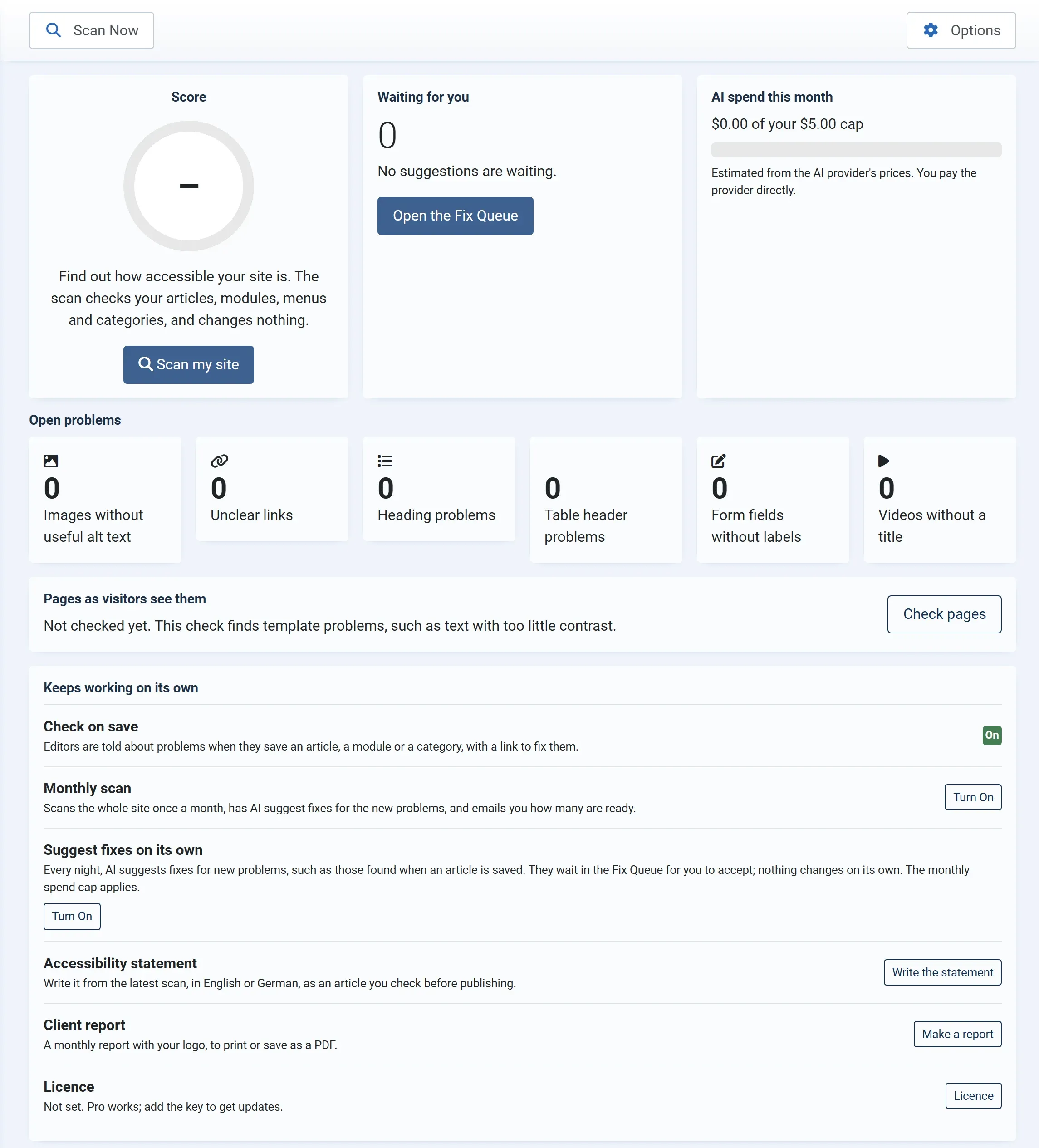
-
Press Scan my site. Later you use Scan Now in the toolbar.
-
Wait for the message. It says how many problems were found, and in how many articles, modules, menu items and categories.
What the scan checks
Section titled “What the scan checks”The scan reads published and archived articles (the text, the intro image and the full article image), published Custom modules, published menu item titles and published content categories (the description and the category image). With Pro it can also read HikaShop, VirtueMart and JS Jobs. See Where it looks.
It looks for the problems listed in What it checks: images without useful alt text, unclear links, heading and table problems, form fields without labels, and videos without a title.
Reading the result
Section titled “Reading the result”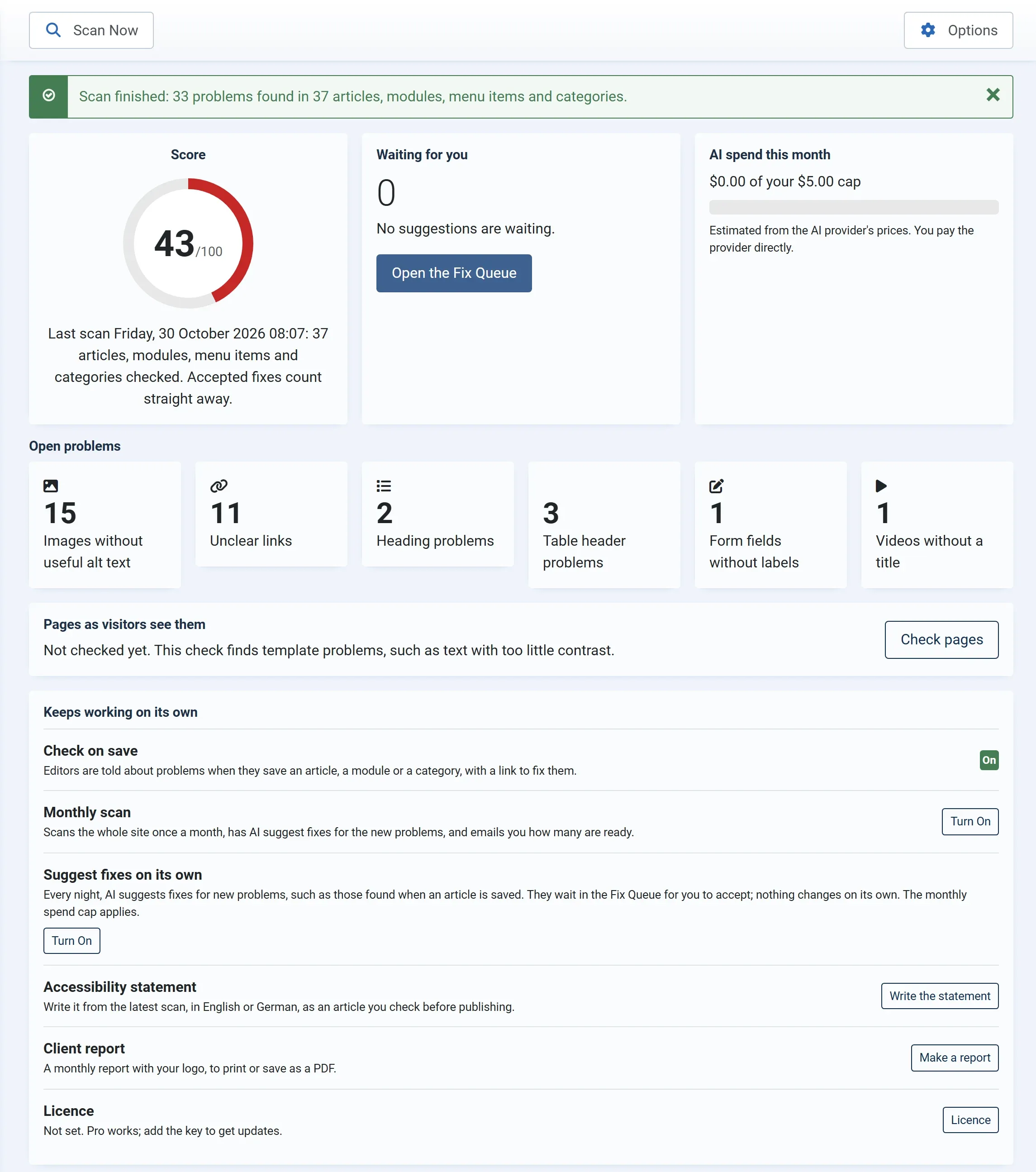
- Score. The share of checked articles, modules, menu items and categories that have no open problem, out of 100. It rises each time you accept a fix. See The score.
- Open problems. One card for each kind of problem, with how many there are. Click a card to open the Fix Queue at those problems.
- Waiting for you. How many AI suggestions are ready for you to check. After the first scan this is 0, until you ask for suggestions.
Fixing the first problems
Section titled “Fixing the first problems”Click Open the Fix Queue, or one of the problem cards. In the queue, tick a few problems and press Suggest Fixes. Read each suggestion, change it if needed, and press Accept. See The Fix Queue.
Scanning again
Section titled “Scanning again”Scan again whenever you like, for example after adding a lot of content. Suggestions you have not accepted yet are kept for the same problem in the new scan. With Pro, the monthly scan does this for you. Articles, modules and categories are also checked each time an editor saves one. See Check on save.