
Accessibility statement
Many public bodies, and under the European Accessibility Act many businesses, must publish an accessibility statement: how accessible the site is, what is not yet accessible, and how people can report a problem. The Statement screen writes one for you from the latest scan, following the EU’s model statement. It uses no AI.
This tool helps you write the statement; it is not legal advice. The law of your country says what your statement must contain.
Writing the statement
Section titled “Writing the statement”-
Scan the site, so the statement lists what is open now.
-
Go to Components → JS Accessibility Fixer → Statement, or press Write the statement on the dashboard.
-
Fill in the form:
Field What to enter Organisation The name of your organisation, as visitors know it Website address The site the statement is for, starting with https://Email for feedback Where people can report a problem or ask for content in another form Phone for feedback (optional) A phone number for the same Enforcement body (optional) Where people can turn if they are not satisfied with your reply, with its address. Your country’s law names it. How accessible is the site? Your choice of status, see below Language of the statement English or German -
Press Save and preview. The preview on the right shows the statement as it will be written.
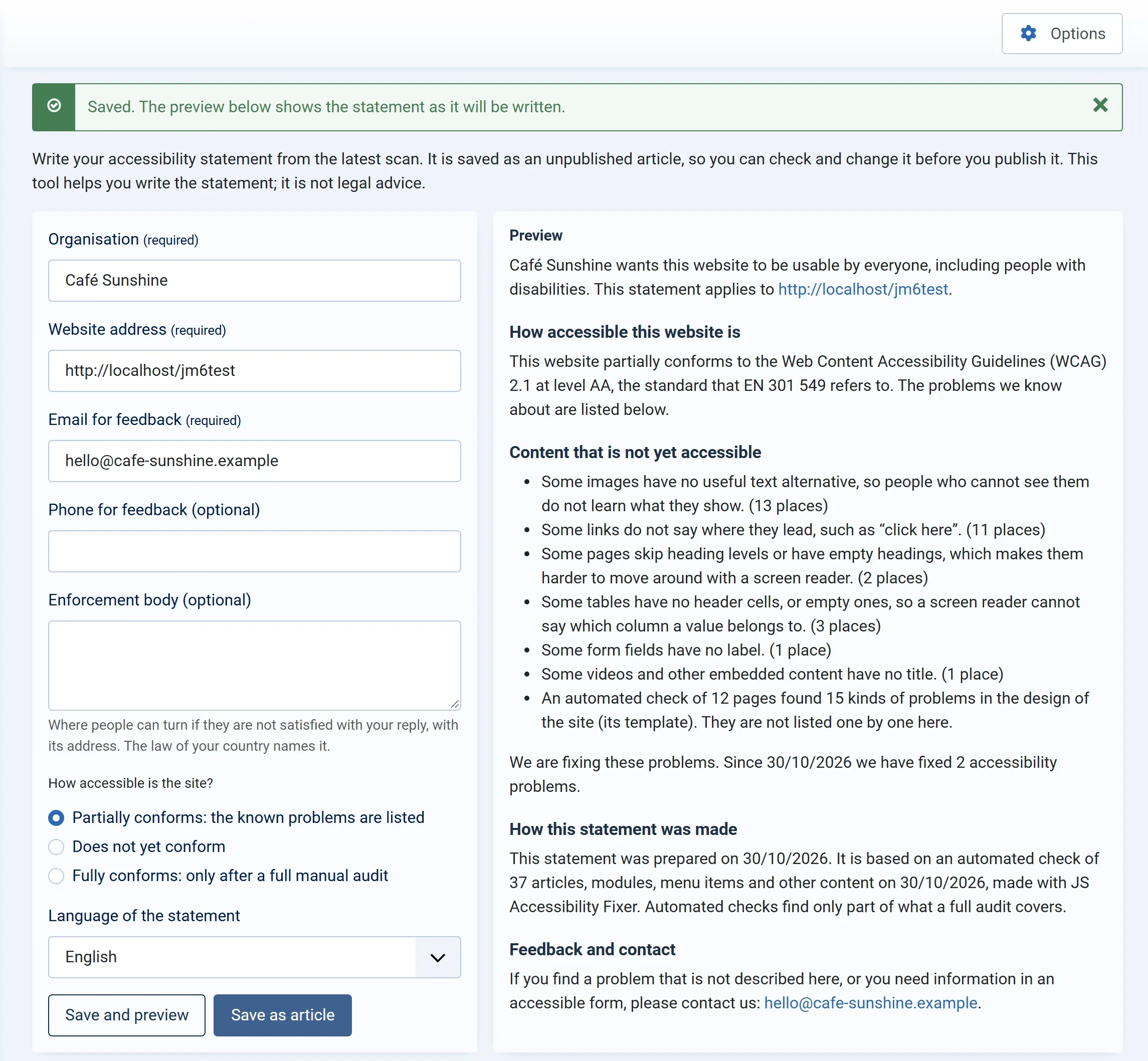
-
Press Save as article. The statement is saved as an unpublished article called Accessibility statement.
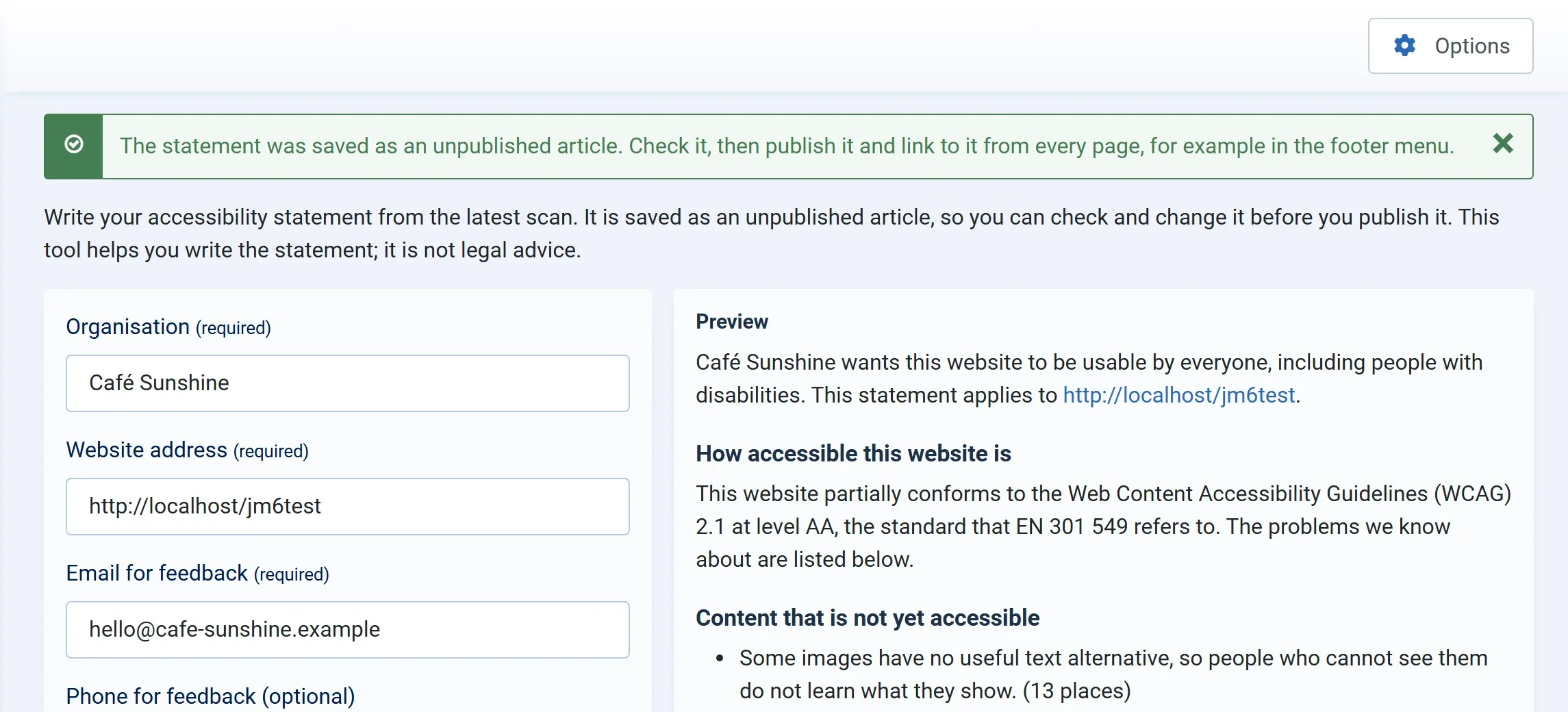
-
Open the article, check it, change anything you want, and publish it.
Choosing the status
Section titled “Choosing the status”You choose; the tool doesn’t decide for you.
| Choice | When to use it |
|---|---|
| Partially conforms: the known problems are listed | Most sites. Some problems are known, and listed. |
| Does not yet conform | Many parts of the site are not accessible yet. |
| Fully conforms: only after a full manual audit | Only when a full audit by an expert found no problems. An automated scan alone is not enough for this. |
What the statement says
Section titled “What the statement says”- How accessible this website is: your status, against WCAG 2.1 level AA, the standard that EN 301 549 refers to.
- Content that is not yet accessible: one line for each kind of open problem, in plain words, with how many places, such as Some links do not say where they lead, such as “click here”. (11 places). If you ran the page check, a line on how many kinds of problems it found in the template.
- We are fixing these problems: with how many problems you have fixed since your first fix.
- How this statement was made: the date, and that it is based on an automated check made with JS Accessibility Fixer, which finds only part of what a full audit covers.
- Feedback and contact, and Enforcement if you filled it in.
Keeping it up to date
Section titled “Keeping it up to date”The statement doesn’t change on its own. After you fix problems or scan again, open the Statement screen, check the preview, and press Update the article. The article’s text is replaced, and the earlier text stays in the article’s Versions. Changes you made to the article by hand are replaced too, so make lasting changes in the form, or edit the article again after updating.
The screen says whether the article is published, with a link to edit it.
Linking to it
Section titled “Linking to it”Visitors must be able to find the statement from every page. Add a menu item for the article to your footer menu, or a link in a footer module.
In German
Section titled “In German”Choose German under Language of the statement. The statement, its headings and its dates are written in German, whatever language your administrator uses.