
History and undo
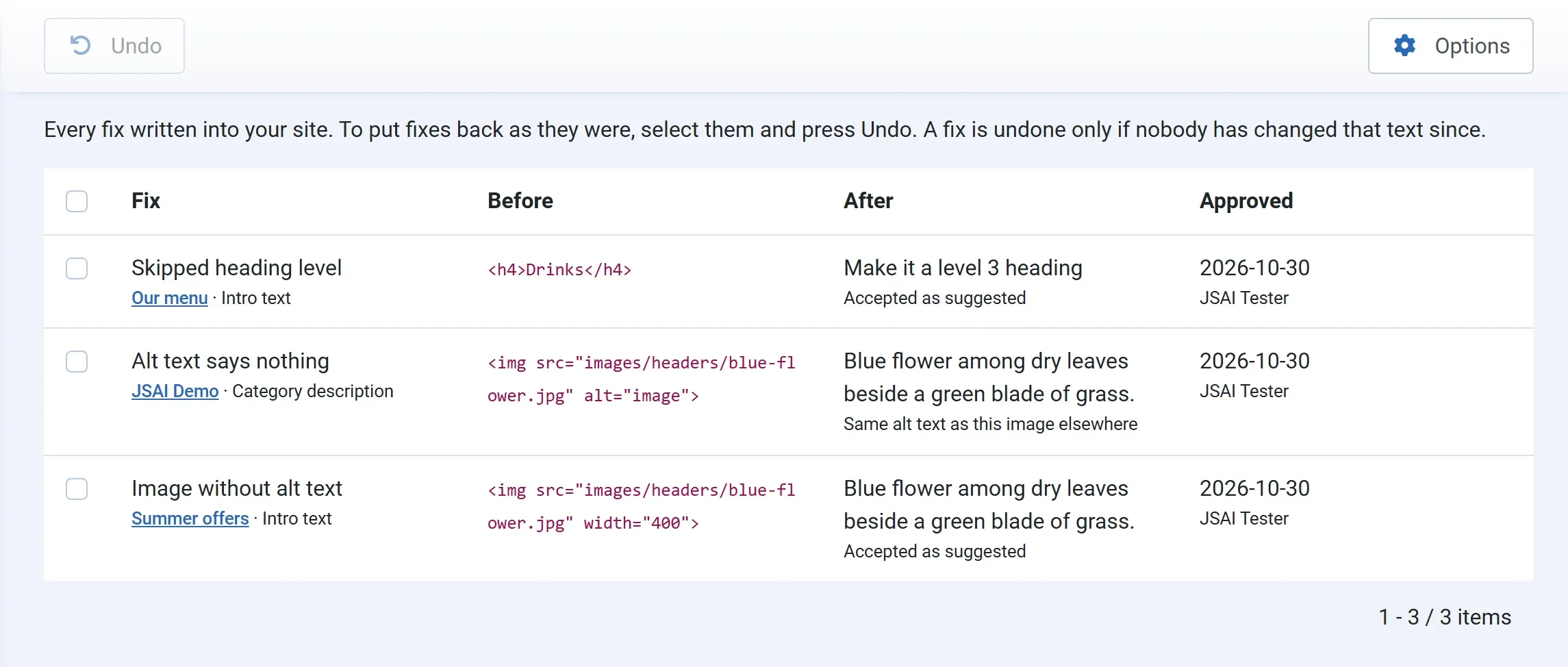
The History lists every fix written into your site: what was there before, what was written, and who approved it when. Go to Components → JS Accessibility Fixer → History.
Columns
Section titled “Columns”| Column | What it shows |
|---|---|
| Fix | The problem, and the article, module, menu item or category it was in, linked to its edit screen |
| Before | The code as it was before the fix |
| After | What was written, and how: Accepted as suggested, Suggestion edited, then accepted, Written by hand, or Same alt text as this image elsewhere (Pro) |
| Approved | The date and the user who accepted it. An undone fix also says when and by whom it was undone. |
The newest fixes are at the top.
Undoing fixes
Section titled “Undoing fixes”-
Tick the fixes you want to put back.
-
Press Undo.
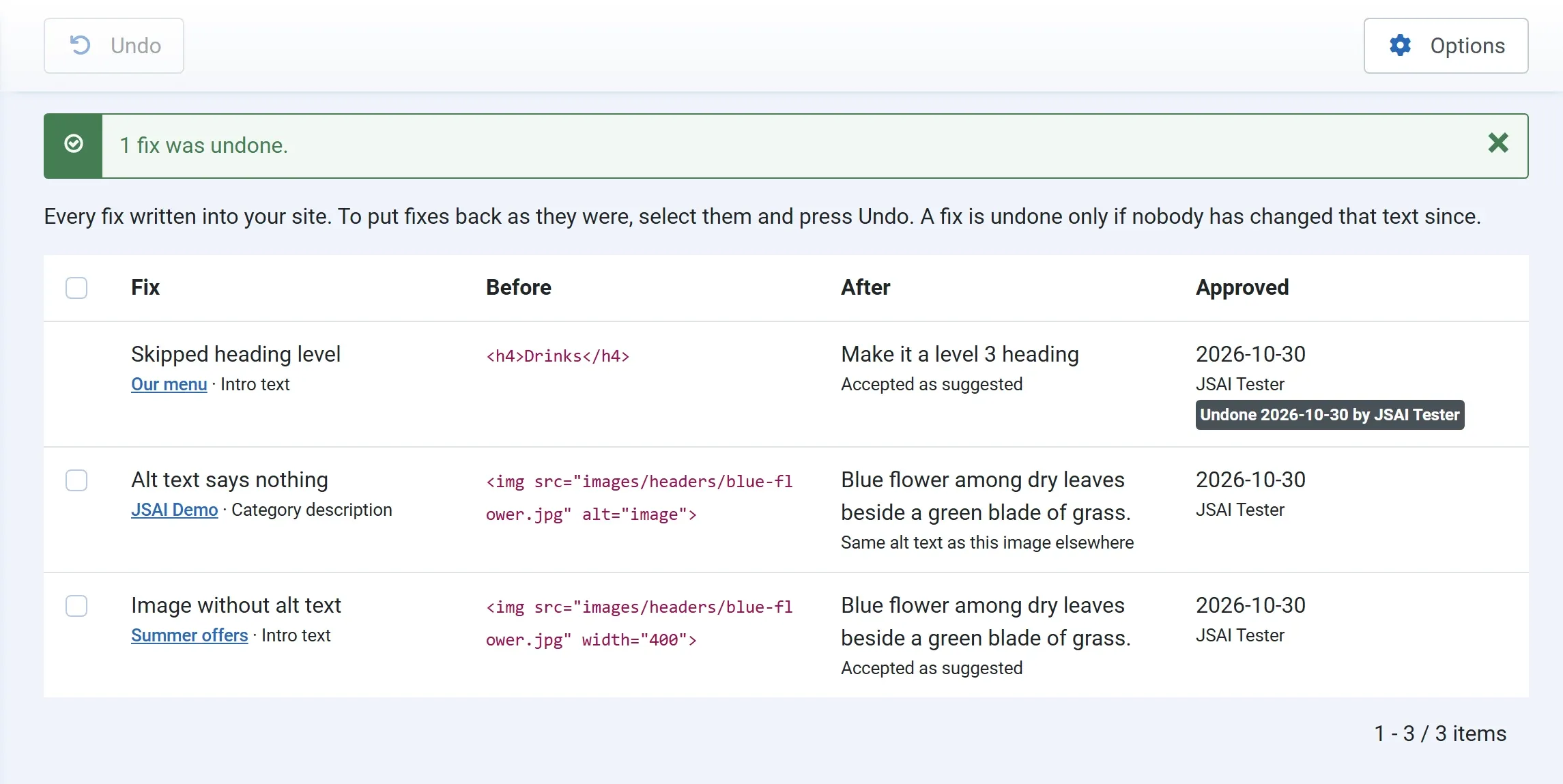
The exact text from before the fix is written back, and the message says how many were undone, such as 1 fix was undone. The problem opens again in the Fix Queue, and the score goes down. For articles, a new version is saved with the note Accessibility fix undone by JS Accessibility Fixer.
If you tick several fixes in the same place, they are undone newest first, so each one finds the text it left.
Undoing needs the Approve fixes permission, the same as accepting. See Permissions.
When an undo is refused
Section titled “When an undo is refused”A fix is undone only if nobody has changed that text since. If an editor has changed the image, link or heading after the fix, the undo would overwrite their work, so nothing is written and the message says “Summer offers” has changed since the fix, so the fix was not undone. Change it by hand instead.
Fixes written before version 1.1 have no undo. They say Written before version 1.1, so undo it with the article’s Versions button.
Undone fixes
Section titled “Undone fixes”An undone fix stays in the History, marked Undone with the date and the user, so the record is complete. You can’t undo it twice. To fix the problem again, use the Fix Queue.
In Pro, a problem you undid is not given a new suggestion on its own at night. Ask for one in the Fix Queue when you want it.