
Scheduled tasks and cron
The monthly scan and nightly suggestions are tasks in Joomla’s own Scheduler. You find them under System → Scheduled Tasks.
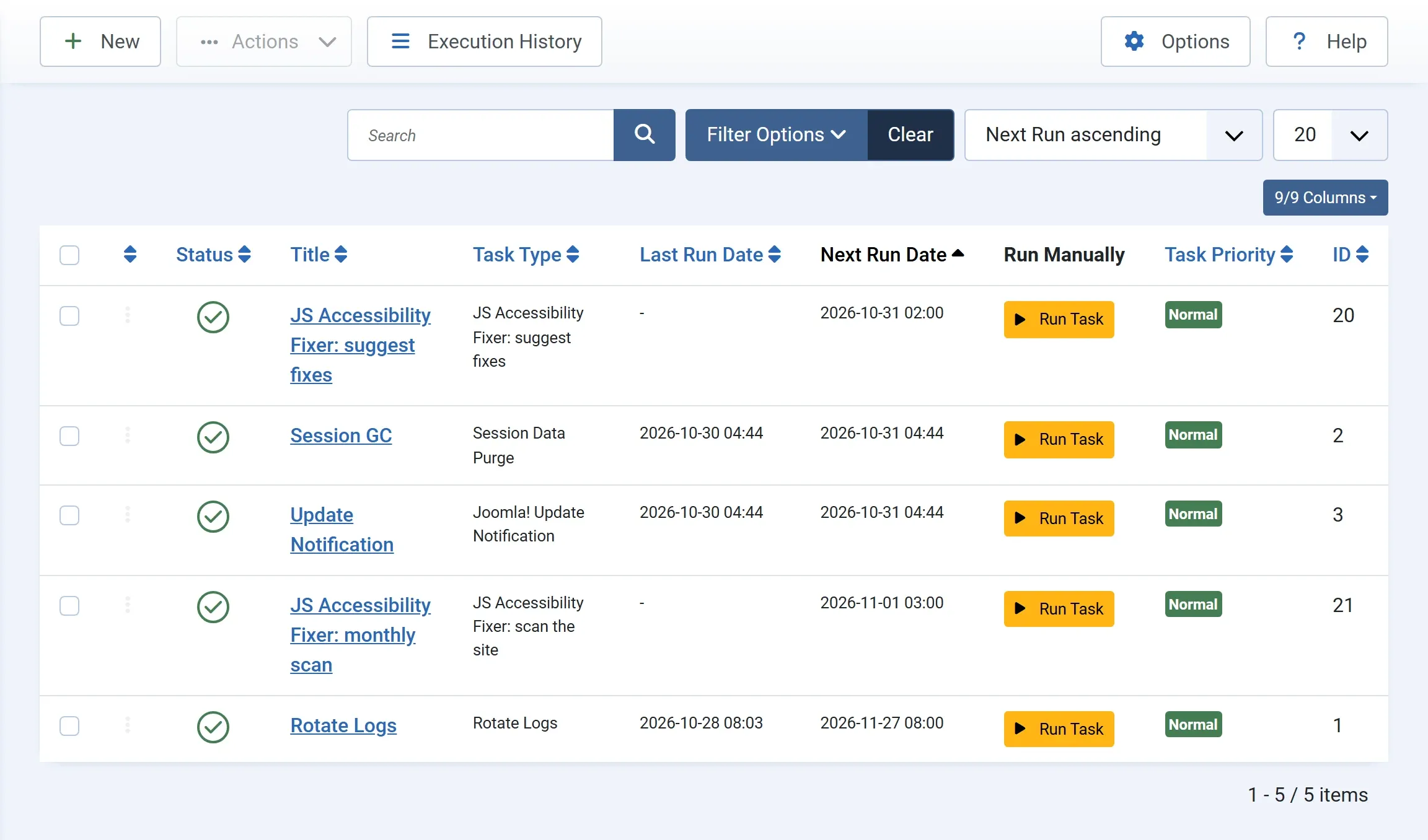
| Task | Task type | When |
|---|---|---|
| JS Accessibility Fixer: suggest fixes | JS Accessibility Fixer: suggest fixes | Every day at 02:00 |
| JS Accessibility Fixer: monthly scan | JS Accessibility Fixer: scan the site | The 1st of each month at 03:00 |
The plugin Task - JS Accessibility Fixer must be on; the Pro install turns it on.
How Joomla runs tasks
Section titled “How Joomla runs tasks”Joomla starts scheduled tasks in one of two ways.
The lazy scheduler (the default). A task runs when someone visits the site after its time is due. On a busy site, that is within minutes. On a quiet site, it may run hours late, for example the next morning. For these tasks, that is usually fine.
A cron job. For exact times, ask your host to set up a cron job that runs Joomla’s scheduler every few minutes:
php /path/to/your/site/cli/joomla.php scheduler:runThen you can turn off the lazy scheduler under System → Scheduled Tasks → Options. See Joomla’s documentation on the Scheduler for the details.
Running a task now
Section titled “Running a task now”Press Run Task on the task’s row. The task runs straight away, for example to check that the monthly email arrives. The next scheduled run stays as it was.
The log
Section titled “The log”Execution History in the toolbar lists each run with its result. The tasks write what they did, such as Checked 37 articles, modules, menu items and categories: 33 problems, 2 of them new.
Changing the time
Section titled “Changing the time”Edit the task and change its Execution Rule and time. For example, run the scan every week instead of every month, or the suggestions at 05:00.
If a task does not run
Section titled “If a task does not run”- Check that the task is Enabled, and that the plugin Task - JS Accessibility Fixer is on.
- On a quiet site with the lazy scheduler, visit the site, or set up a cron job.
- If the dashboard row says the plugin must be turned on first, turn on Task - JS Accessibility Fixer under System → Manage → Plugins.
- If Turn On says a task already exists, it was turned off in Scheduled Tasks. Enable it there.