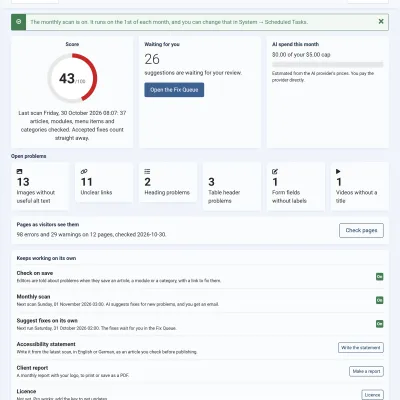
Four steps from install to your first fix.
- Install it. Upload the package in Joomla. No setup wizard.
- Scan your site. See your score and every problem. Nothing changes.
- Add your AI key. Claude, Gemini or OpenAI. You pay the provider directly.
- Fix the problems. Ask for suggestions, check them, and accept them.
Site owners
Find and fix the problems on your own site.
Agencies
Look after many client sites, and show the work.
Editors
Write accessible content as you go.
Getting startedWhat it does, installing, your first scan, the dashboard, Free and Pro, and the licence. 7 pages. Finding problemsWhat the scan checks and where, shops and job boards, check on save, the page check, and the score. 6 pages. Fixing problemsThe Fix Queue, suggestions, accepting, videos, headings and tables, Suggest for all, and undo. 9 pages. AIChoosing a provider, your API key, costs and the spend cap, and what is sent. 5 pages. Keeping upNightly suggestions, the monthly scan and email, and scheduled tasks. Pro. 3 pages. Proving itYour accessibility statement and the monthly client report. Pro. 2 pages. HelpTroubleshooting, glossary and changelog. 3 pages. The free version finds every problem and fixes alt text, link text, menu titles and video titles. Pro adds:
- Fixes for headings, tables and form labels.
- Suggestions for every problem at once, and every night.
- A monthly scan with an email.
- Your accessibility statement and client reports.
- HikaShop, VirtueMart and JS Jobs.
- No monthly limit on AI suggestions.
Compare Free and Pro
GlossaryThe words used here, in plain language.