
Licence key
Your licence key gives you Pro updates and support. Every Pro feature works without it: with no key, or after the licence ends, only new versions stop arriving.
Activating
Section titled “Activating”-
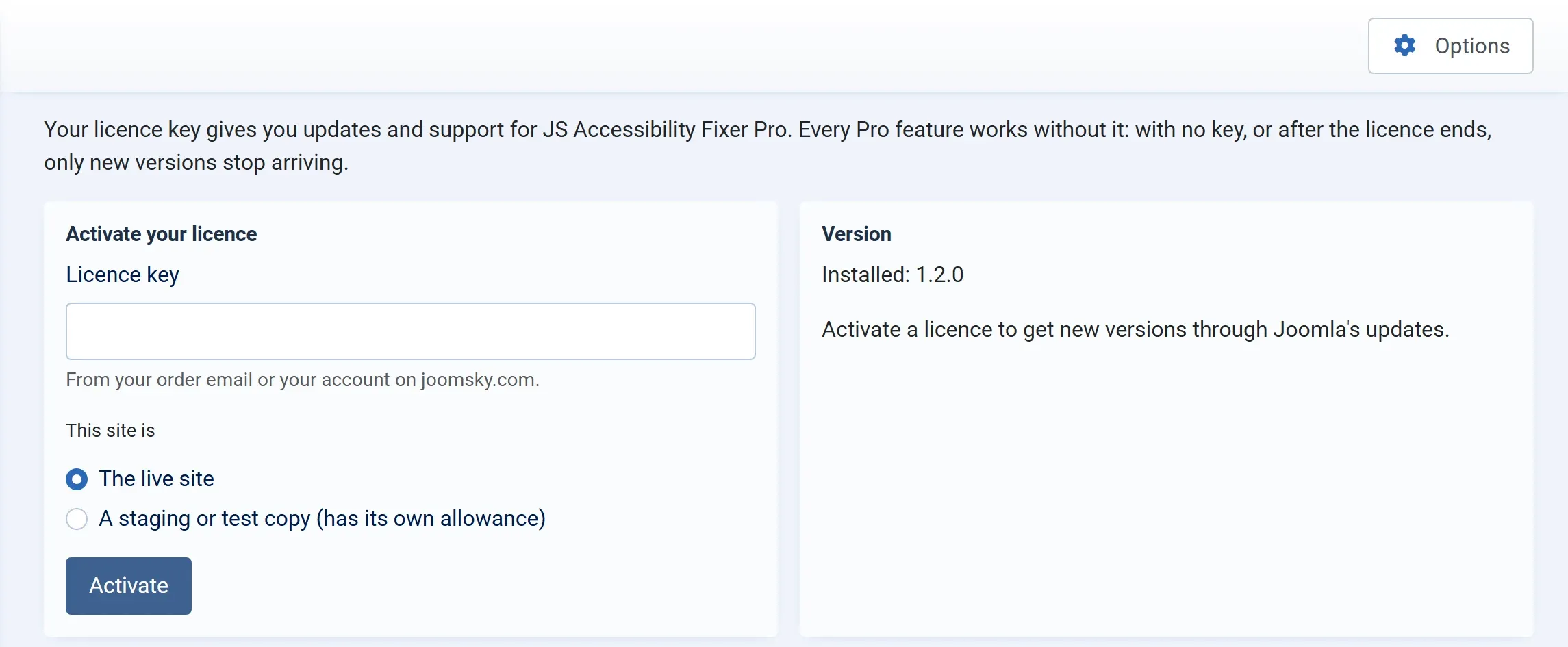
Go to Components → JS Accessibility Fixer → Licence, or click Licence on the dashboard.
-
Paste your Licence key. It is in your order email, and on joomsky.com under My account › Orders.
-
Under This site is, choose:
- The live site for the site your visitors use.
- A staging or test copy for a copy you test on. Staging copies have their own allowance, so they don’t use up a live site’s place.
-
Press Activate. The site asks joomsky.com to check the key, and the message The licence is active on this site. appears.
Only users allowed to change the component’s settings (the Configure ACL & Options permission, usually Super Users) can enter or remove the key. See Permissions.
Your licence
Section titled “Your licence”Once the key is active, the screen shows your licence.
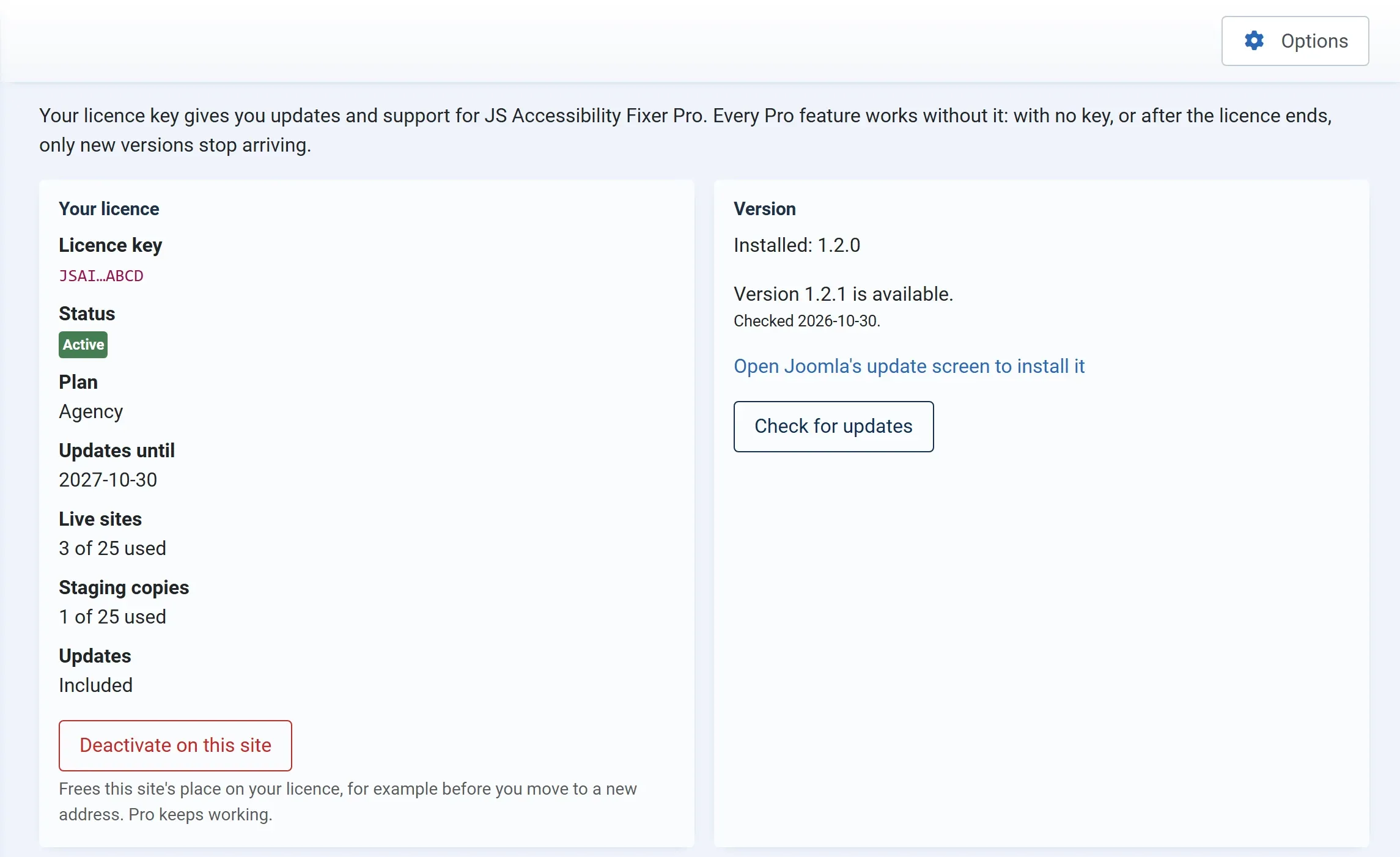
| Row | What it means |
|---|---|
| Licence key | The start and end of your key |
| Status | Active, Expired, Suspended or Withdrawn |
| Plan | The plan you bought: 1 site, 5 sites or 25 sites |
| Updates until | The date your licence ends |
| Live sites, Staging copies, Development copies | How many places your licence has of each kind, and how many are used |
A site on your own computer, such as localhost, is counted as a development copy, whichever you choose. It doesn’t use a live site’s place.
| Updates | Included while the licence is active |
The Version box shows the version you have and whether a newer one is out. Check for updates asks joomsky.com now. When a new version is available, Open Joomla’s update screen to install it takes you to System → Update → Extensions. See Updates.
Moving a site, or freeing a place
Section titled “Moving a site, or freeing a place”Deactivate on this site frees this site’s place on your licence, for example before you move the site to a new address. Pro keeps working on it. Then activate the key on the new site.
When the licence ends
Section titled “When the licence ends”Pro keeps working, with all its features. The status changes to Expired, and Joomla no longer offers new versions. Renew your licence on joomsky.com to get updates and support again.
When activation fails
Section titled “When activation fails”The screen says why, for example that the key is not known, or that it is already used on all the live sites your plan allows. See Troubleshooting.